Make an explainer video with an AI agent
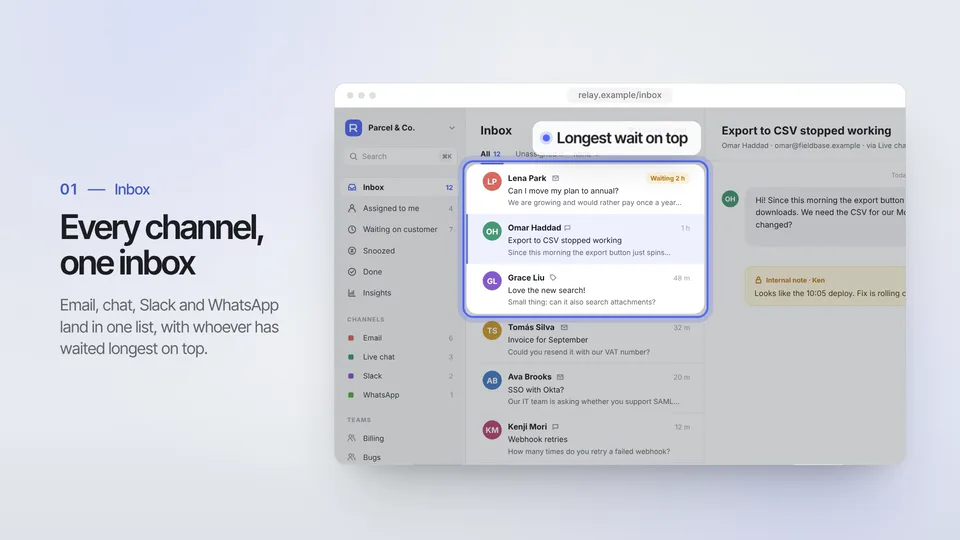
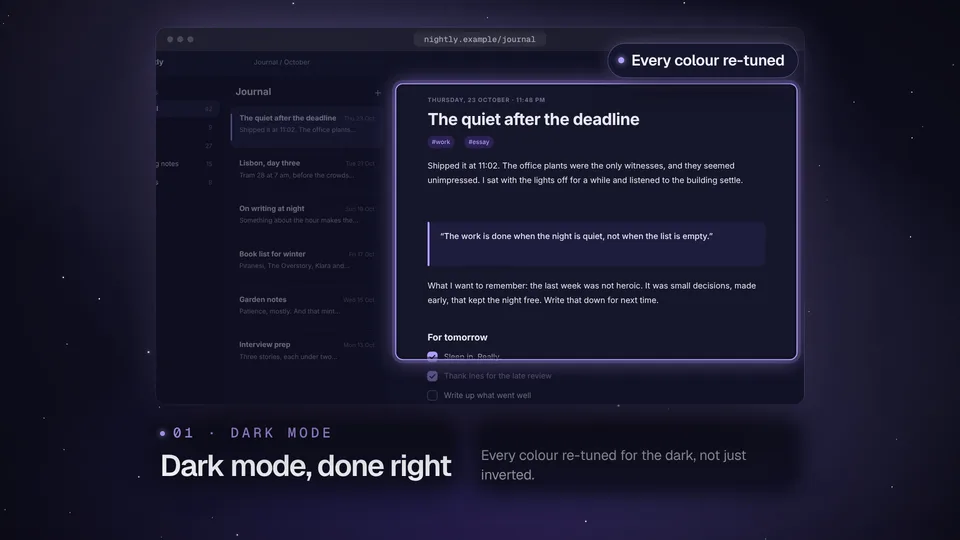
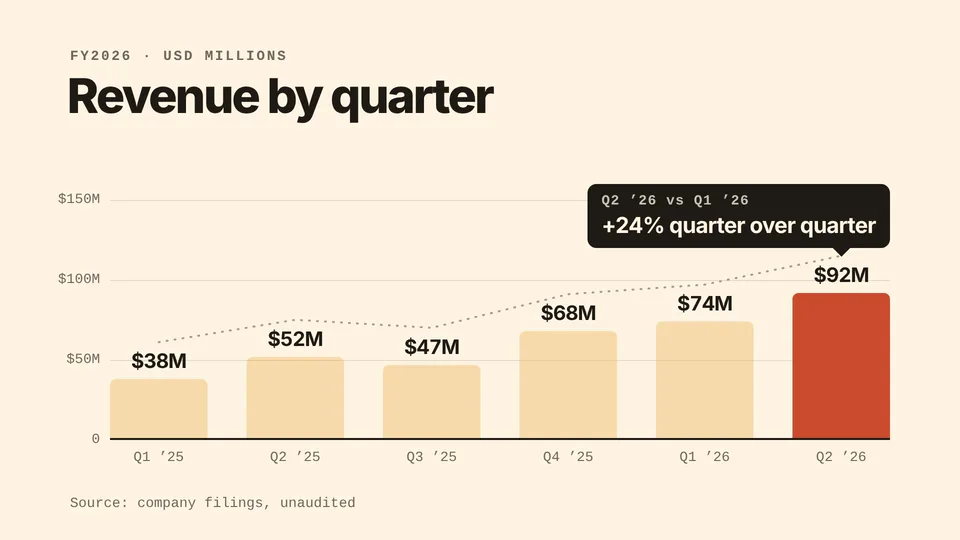
Explain a product, a process or a number in a short video: a launch film built from your real screens, a 40-second paper-cut explainer, a bar chart that grows from your CSV and a 15-second reel of what changed.
Free skills to start. Pro is $19 a month for every skill. See pricing

Skills that make an explainer video
5 skills

Changelog Reel
Product Updates · MP4 · 15 s · 1080p
Turns your commits or release notes into a 15-second update video: a terminal prints the git log, three highlights land one at a time, and an end card links your changelog.

How it works
How to make an explainer video with a skill
- Step 1
Install an explainer skill
Copy the install prompt from a skill page and paste it into your agent. The first time, your agent opens a browser tab so you can approve it.
curl -fsSL https://lookbk.dev/cli.js | node - add paper-cut-explainer - Step 2
Give it the story
For the paper-cut explainer, give the problem, three steps, the result and a call to action. For a launch film, give your site address.
Make a 40-second paper-cut explainer on how compound interest grows, for a personal-finance newsletter. - Step 3
Watch it, then ship
Your agent renders an MP4 on your machine. The films ship silent, so add a voice-over or a track in your editor if you want one.
MP4 · 40 s · 1080p
About
About these skills
Compare with asking your AI directlyWhy use a skill for an explainer video instead of a plain prompt?
| What you compare | Asking your AI directly | Using a Lookbook skill |
|---|---|---|
| Structure | An outline you still have to turn into scenes | A fixed story shape: problem, three steps, result and call to action in the paper-cut explainer; problem, product moments, feature grid and end card in a launch film |
| Pictures | Art that changes with every run | The paper-cut explainer draws fourteen cut-paper pictures in code, and launch films use screens captured from your site |
| Numbers | A picture of a chart you can’t change | Data Story: Bars draws the chart from your CSV, with a callout on the bar that matters |
| Checks | You review every frame yourself | Each skill checks timing, text fit and colour contrast before it renders |
PlansFree skills stay free. Pro is $19 a month, or $69 a year.
Pro monthly
$19/month
Billed monthly.
Pro yearly
Most popular$69/year
About $5.75 a month.
Founding Lifetime
Founding offer$99once
For the first 100 members only.
Prices are in US dollars. Sales tax or VAT is added at checkout where it applies.
Just need one skill? A single Pro skill is $6.90. Every purchase comes with a 7-day works-or-refund promise. Compare all plans
FAQ
Explainer video skills: FAQ
Still stuck? The guides cover installing, agents and licensing in more detail.
Read the guidesWhat these skills don’t do
- Record or generate a voice-over. The films ship silent, so add narration or a track in your editor.
- Take your own illustrations or screen recordings in the paper-cut explainer. It draws its own paper art, always in three steps and 40 seconds.
- Show your app live. The launch films use still screens captured from your site, with the clicks staged on them.
How do I make an explainer video without filming anything?
These skills render motion graphics from text, drawings or captured screens, so there is no camera and no voice recording. Give the paper-cut explainer a problem, three steps and a result, or point a launch film at your site.
How long are the videos?
The paper-cut explainer runs 40 seconds. A launch film runs 60 to 90 seconds, the data story 12 seconds and the changelog reel 15.
Can I add a voice-over or music?
Music, yes; voice-over, no. None of these skills ships music, so bring a track you may use: a launch film fits its cuts to it and mixes it in, and the paper-cut explainer has a command that lays a track under the film. None of them records or generates a voice-over.
Can I use my own screens in an explainer?
Yes for the launch films: your agent reads your site, captures your real screens with Chrome and adds push-ins, callouts and cursor clicks to them. The paper-cut explainer draws its own art and doesn’t take screen recordings.
Which agents can run them?
Any agent that reads SKILL.md folders, including Claude Code, Codex, Cursor, GitHub Copilot, Gemini CLI and OpenCode.
Can I try one for free?
Not yet: none of the 5 explainer video skills is free. Every one has a live preview, though, so you see what it makes before you pay, and Lookbook has 7 free skills in other collections.
What does it cost?
Free skills cost nothing. A single Pro skill is $6.90, yours to keep with a year of updates. Pro is $69 a year or $19 a month for every Pro skill, and Founding Lifetime is $99 once for the first 100 members. If a skill doesn’t work with your agent, email support@lookbk.dev within 7 days of buying and we fix it or refund you.
Can I use what I make commercially?
Yes. Anything your agent makes with a Lookbook skill is yours, including for client and commercial work. You can’t resell or republish the skill packages themselves.
Related tasks
More jobs your agent can do
Find the right skill for your next explainer video
Free skills stay free. Pro is $19 a month, or $69 a year, for every skill.