Build a landing page with an AI agent
Whole pages written from your README and real product details: an editorial page, a bento-grid SaaS page and a one-screen waitlist. For the top of a page, add one of 20 animated hero sections.
Free skills to start. Pro is $19 a month for every skill. See pricing


Skills that make a landing page
Three skills build a whole page. The hero sections build the first screen of one, as an HTML page and a paste-in embed.


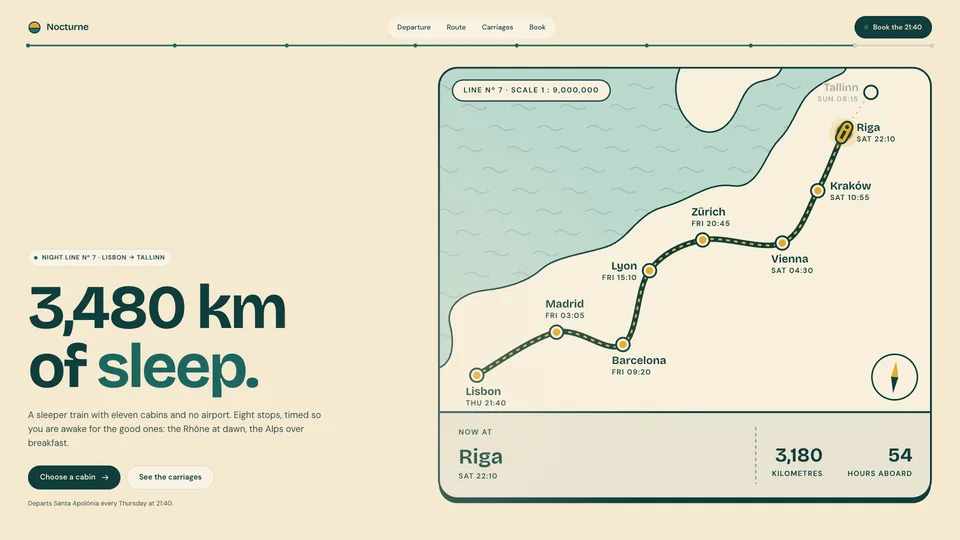


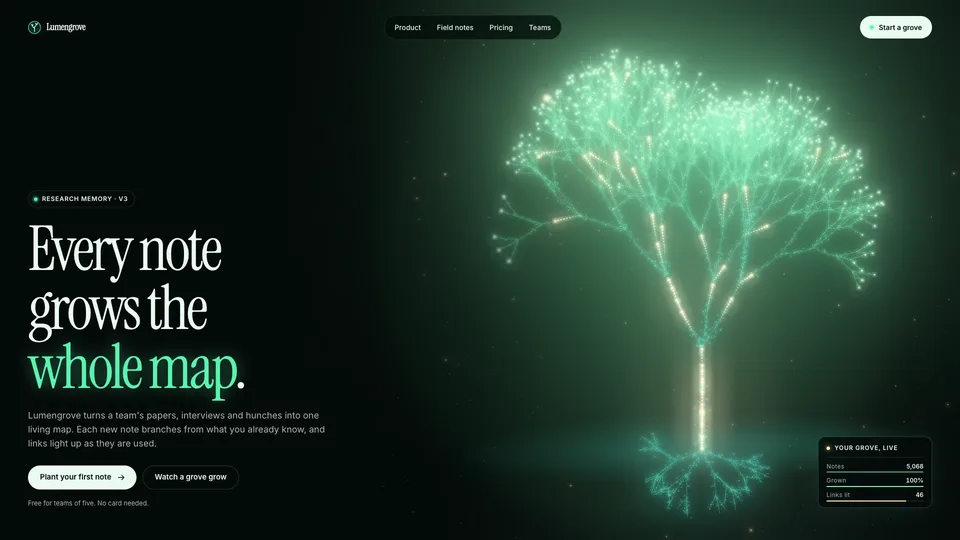


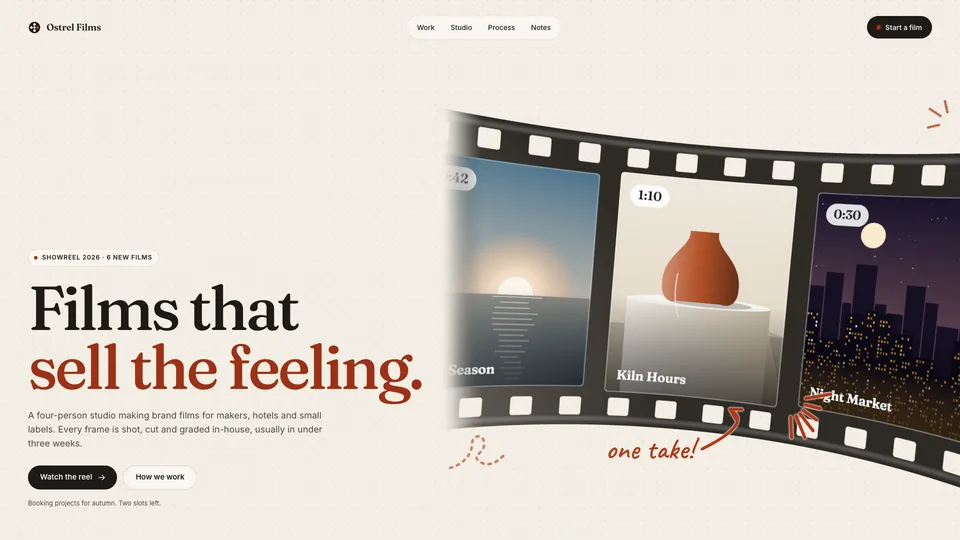

Neon Bloom Hero
Motion Heroes · Animated WebGL hero · page + embed + 1080p video1installs
A dark, neon HUD hero section. A gyroscope instrument with segmented neon rings, a wireframe core, data particles and a floor grid turns beside your headline. The frame is graded like a monitor feed: selective bloom, an RGB split, scanlines and a rolling interference band. A wipe sweeps between the raw feed and the graded one, a reticle locks onto the core and a panel reads the live values. Your agent puts in your two neon colours, fonts, logo, headline and buttons, checks contrast at four widths and records a smooth 1080p video of it.

How it works
How to make a landing page with a skill
- Step 1
Install a page skill
Copy the install prompt from a skill page and paste it into your agent. The first time, your agent opens a browser tab so you can approve it.
curl -fsSL https://lookbk.dev/cli.js | node - add mono-editorial-landing - Step 2
Point it at your product
Give your agent your README, features and screenshots and, if the page has a form, where sign-ups should go. It drafts the page, and you rewrite the headline together.
Build a Mono Editorial landing page for quietly.example from our README, with a waitlist form. - Step 3
Check it, then publish
Your agent checks the page at four widths for cut-off text, overflow and contrast. Open it, ask for changes, then publish it wherever you host.
One HTML file · drafted from your README
About
About these skills
Compare with asking your AI directlyWhy use a skill for a landing page instead of a plain prompt?
| What you compare | Asking your AI directly | Using a Lookbook skill |
|---|---|---|
| Design | A generic layout that looks like the next one | A complete art direction chosen up front: type, palette and motion |
| Copy | Placeholder text you rewrite | Drafted from your README, features and screenshots, with a list of what to rewrite by hand |
| Sign-ups | A form you wire up and test yourself | The waitlist form posts to Formspree, Netlify Forms, Buttondown or your own endpoint, and the skill tests the sign-up end to end |
| Checks | You find the cut-off text on your phone | Checked at four widths for cut-off text, overflow, contrast and accessibility |
PlansFree skills stay free. Pro is $19 a month, or $69 a year.
Pro monthly
$19/month
Billed monthly.
Pro yearly
Most popular$69/year
About $5.75 a month.
Founding Lifetime
Founding offer$99once
For the first 100 members only.
Prices are in US dollars. Sales tax or VAT is added at checkout where it applies.
Just need one skill? A single Pro skill is $6.90. Every purchase comes with a 7-day works-or-refund promise. Compare all plans
FAQ
Landing page skills: FAQ
Still stuck? The guides cover installing, agents and licensing in more detail.
Read the guidesWhat these skills don’t do
- Build a multi-page site or a blog. Each page skill makes one page; docs and changelog pages have their own skills.
- Build an app with logins and a database. The pages are plain HTML or a Next.js section.
- Match an existing design file pixel for pixel. Each skill starts from its own art direction, which you then adjust.
How do I build a landing page with an AI agent?
Install a whole-page skill, tell your agent what the page is for and point it at your README or product docs. It drafts the page from them, you rewrite the headline together, and it checks the page at four widths before it hands over.
Can I get a landing page with a working waitlist form?
Yes. Waitlist Glow and Mono Editorial Landing both ship a sign-up form for Formspree, Netlify Forms, Buttondown or your own endpoint, and the skill tests the sign-up end to end. You need an account with one of those services or an endpoint of your own, because the page doesn’t store sign-ups itself.
What is the difference between a page skill and a hero skill?
A page skill builds the whole page: sections, copy and form. A hero skill builds the first screen only, animated, as an HTML page plus a paste-in embed for a site you already have.
Do I need to know how to code?
Your agent writes and checks the code, and you describe the page, supply your product details and review the result. You do need a coding agent, such as Claude Code, Codex or Cursor, and Node.js 18 or newer on your machine.
Which agents can run them?
Any agent that reads SKILL.md folders, including Claude Code, Codex, Cursor, GitHub Copilot, Gemini CLI and OpenCode.
Can I try one for free?
Yes. 2 of the 23 landing page skills are free: Mono Editorial Landing, Waitlist Glow. A free account is all it takes to install one. No card needed.
What does it cost?
Free skills cost nothing. A single Pro skill is $6.90, yours to keep with a year of updates. Pro is $69 a year or $19 a month for every Pro skill, and Founding Lifetime is $99 once for the first 100 members. If a skill doesn’t work with your agent, email support@lookbk.dev within 7 days of buying and we fix it or refund you.
Can I use what I make commercially?
Yes. Anything your agent makes with a Lookbook skill is yours, including for client and commercial work. You can’t resell or republish the skill packages themselves.
Related tasks
More jobs your agent can do
Find the right skill for your next landing page
Free skills stay free. Pro is $19 a month, or $69 a year, for every skill.