Add animations to your videos with your AI agent
Give your agent a recording and its transcript. It places lower thirds, captions, callouts and chapter titles on the words that trigger them, and renders the finished video or a transparent overlay for your editor.
$4.99 for Talking-Head Overlays alone, or every skill with Pro at $79 a year. See pricing
- Shapes
- 16:9 and 9:16
- Timing
- From your transcript
- Output
- MP4, or transparent WebM and ProRes 4444
- Checks
- Cut-off text and overlaps, every moment
5 skills
The skills that make it
Every preview below was rendered by the skill itself. Hover a card to play it, or open it for the examples, the install prompt and what it needs.
- Talking-Head OverlaysClaude CodeCodexCursor+3 more agents
- Kinetic Title DropClaude CodeCodexCursor+3 more agents
- Countdown TeaserClaude CodeCodexCursor+3 more agents
- Pixel Quest PromoClaude CodeCodexCursor+3 more agents
- Data Story: BarsClaude CodeCodexCursor+3 more agents


Storyboard
Where animation helps a talking-head video
- 01
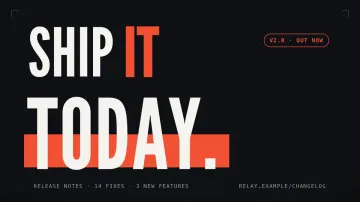
Intro
A short title drop before you start talking.
Kinetic Title Drop - 02
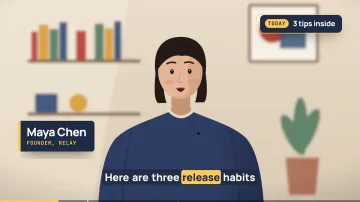
Who is talking
A lower third with your name and title in the first seconds.
Talking-Head Overlays - 03
Captions
Word-by-word captions for viewers watching with the sound off.
Talking-Head Overlays - 04
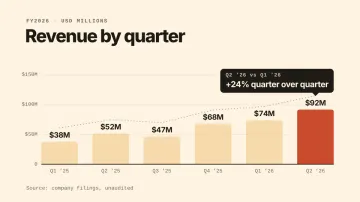
The numbers
A cut-away chart when you quote a figure.
Data Story: Bars - 05
Follow card
An end card that says where to find you next.
Talking-Head Overlays
By job
Which skill to start with
A tutorial or talk
Captions, a callout for each tip and chapter titles.
Start with Talking-Head OverlaysA channel intro
Three beats of kinetic type in your channel colors.
Start with Kinetic Title Drop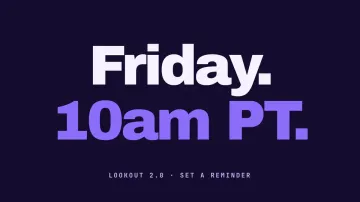
A premiere
A vertical countdown for Shorts, Reels and Stories.
Start with Countdown Teaser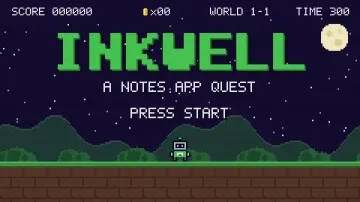
A playful promo
An 8-bit game where each stage shows one thing you make.
Start with Pixel Quest Promo
How it works
Install, describe, get the MP4
The commands below are Kinetic Title Drop's, which is free. Every skill on this page installs the same way.
- Step 1
Install the skill
Paste the install prompt into Claude Code, Codex or Cursor, or run the one-line command. The skill lands as a SKILL.md folder your agent reads.
curl -fsSL https://lookbk.dev/cli.js | node - add kinetic-title-drop - Step 2
Describe the video
Say what it is for, the words it should show and where it will be posted. Point the agent at your site, a CSV or a transcript when the skill uses one.
Make a 6-second kinetic title drop that says "Ship / it / today." in our brand orange, 1080p, for an X post. - Step 3
Get the MP4
The agent writes a storyboard, checks every frame for cut-off text and renders on your machine. You get an MP4 and the editable source.
MP4 · 6 s · 1080p
A prompt to start from
Paste it after installing, then change the words, the length and the place you will post it.
Here is talk.mp4 and talk.srt. Add a lower third with my name, word-by-word captions, a callout for each of my three tips and a follow card at the end. Render 9:16 for Shorts.
Compare
A skill, a video model or a studio
What changes when the video is built by code your agent runs, rather than generated or commissioned.
| What you compare | Doing it by hand in an editor | Hiring an editor | A Lookbk skill |
|---|---|---|---|
| Timing captions and callouts | Drag every keyframe yourself | Yes, billed by the hour | Placed by quoting the words in your transcript |
| Cut-off text and overlaps | Spotted on playback, if at all | Usually caught | Checked at every moment before the render |
| Use it in your own editor | Yes | Yes | Transparent WebM or ProRes 4444 to drop on your timeline |
| Cost | Your evenings | Per video | One purchase or Pro, then every video |
FAQ
Questions
Still stuck? The guides cover installing, agents and licensing in more detail.
Read the guidesDoes it edit my footage?
No. Talking-Head Overlays adds graphics over the recording you give it; cuts, b-roll and color stay in your editor.
Do I need a transcript?
Yes, an SRT or VTT file. Most recording and editing tools can export one.
Can I bring the overlays into Premiere, Final Cut or DaVinci?
Yes. Ask for a transparent WebM (VP9 alpha) or a ProRes 4444 file and drop it on a track above your footage.
Does it work for Shorts and Reels?
Yes. The overlays lay out for 9:16 as well as 16:9, keeping captions clear of the platform buttons.
Which agents can run it?
Claude Code, Codex, Cursor and other agents that read SKILL.md folders.
Is there a free way to try it?
Kinetic Title Drop and Pixel Quest Promo are free with an account, so you can try the install and render flow before buying the overlays.
Keep exploring
More ways to make video with an agent
6 skills
AI Motion Graphics
Kinetic type, data stories, motion loops
5 skills
Explainer Videos
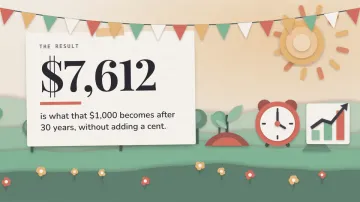
Paper-cut and pixel stories that explain
19 videos
GPT-6 Astra videos
GPT-6 Astra motion work and head-to-heads
How to make videos with Claude Code
Install a video skill and get your first MP4.
HyperFrames tutorial
What happens between the timeline and the file.
Every video skill
The whole video shelf, free and Pro.
Let your agent do the keyframes.
Free skills stay free. Pro is $79 a year for every skill, or $9.99 a month for 10 skills a month.