The best skills for making launch videos with an AI agent
A launch video needs your real product on screen, cuts that land on the music and text that is never misspelled. With these skills your agent writes each scene in HTML and renders it to MP4 on your machine, so there are no render credits and no video model guessing at your interface.
Free skills to start. Pro is $99 a year for every skill, or $19 a month for 10. See pricing

The picks
From the Lookbk catalog only. The first three make a full film from your site and real screens; the rest make the short pieces around a launch: a countdown, a title drop, an 8-bit promo and a changelog reel. All render with HyperFrames and need Node.js 22 or newer and FFmpeg; the full films also need Chrome. Two of the seven are free.
- Launch Scene KitHyperFramesClaude CodeCodexCursor+3 more agents
01 · Launch Films · Pro
Launch Scene Kit
MP4 · 30–90 s · 1080p or 4K · 25 scenes
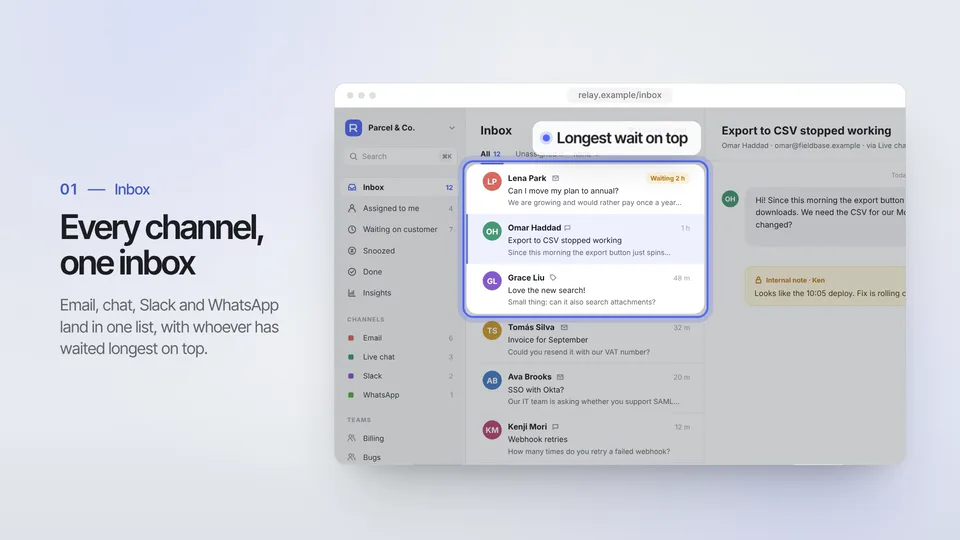
The most flexible. It has 25 designed scenes and picks one for each beat (hook, demo, how it works, proof, close), in a light, dark or brand-color look. Each scene is also cut as its own MP4 for social posts.
Needs: Node.js 22+, FFmpeg and Chrome
See what Launch Scene Kit makes - Launch Film: PorcelainHyperFramesClaude CodeCodexCursor+3 more agents
02 · Launch Films · Pro
Launch Film: Porcelain
MP4 · 60–90 s · 1080p or 4K
A calm, light, keynote-style film of 60 to 90 seconds: slow push-ins on your real screens, cursor clicks, before/after reveals and a feature grid, ending on your URL.
Needs: Node.js 22+, FFmpeg and Chrome
See what Launch Film: Porcelain makes - Launch Film: After HoursHyperFramesClaude CodeCodexCursor+3 more agents
03 · Launch Films · Pro
Launch Film: After Hours
MP4 · 60–90 s · 1080p or 4K
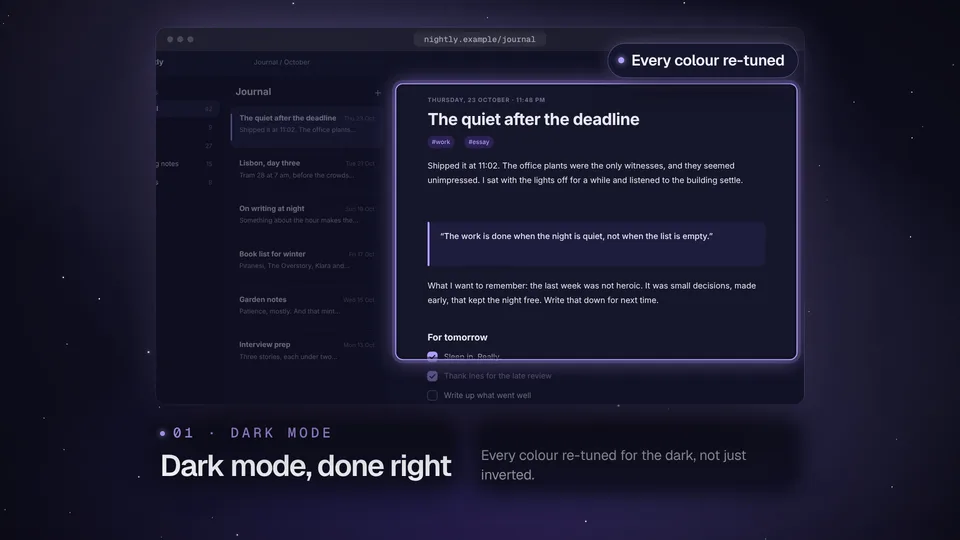
The same workflow in a dark look: your screens float over a night sky, and a dark-mode launch gets a light-to-dark wipe straight from your theme toggle.
Needs: Node.js 22+, FFmpeg and Chrome
See what Launch Film: After Hours makes - Countdown TeaserHyperFramesClaude CodeCodexCursor+3 more agents
04 · Motion Type · Pro
Countdown Teaser
MP4 · 6 s · 9:16 or 16:9
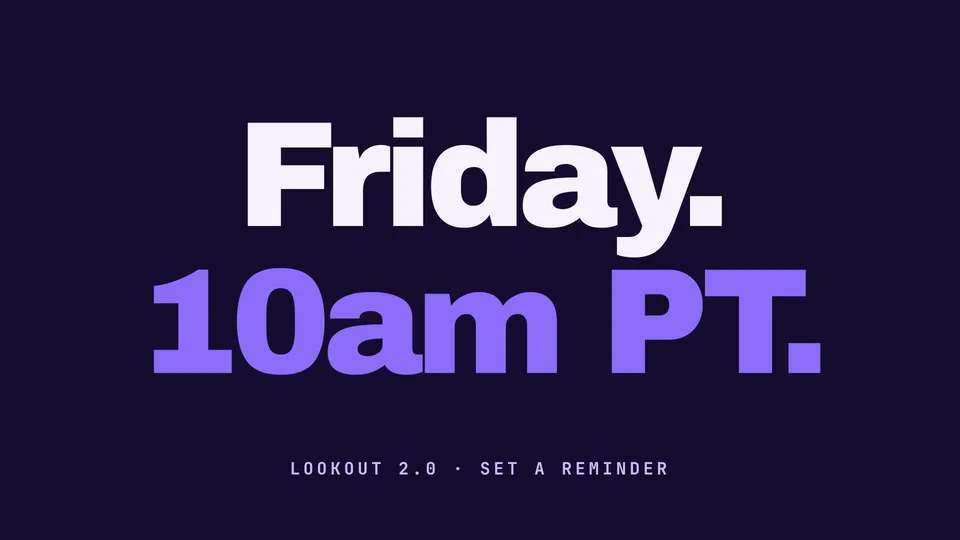
A six-second 3-2-1 countdown that ends on your reveal, vertical for Stories and Reels or wide for X. Post it in the days before the launch.
Needs: Node.js 22+ and FFmpeg
See what Countdown Teaser makes - Kinetic Title DropHyperFramesClaude CodeCodexCursor+3 more agents
05 · Motion Type · Free
Kinetic Title Drop
MP4 · 6 s · 1080p
Free: three lines of kinetic type in six seconds. The quickest way to try a video skill before launch day, and a clean opener for the main film.
Needs: Node.js 22+ and FFmpeg
See what Kinetic Title Drop makes - Pixel Quest PromoHyperFramesClaude CodeCodexCursor+3 more agents
06 · Retro Promos · Free
Pixel Quest Promo
MP4 · 20 s · 1080p · 120 BPM
Free: an 8-bit promo where each of your features is a stage the pixel hero runs through. Twenty seconds on a 120 BPM grid, with a cue sheet for adding chiptune.
Needs: Node.js 22+, FFmpeg, and HyperFrames (runs through npx)
See what Pixel Quest Promo makes - Changelog ReelHyperFramesClaude CodeCodexCursor+3 more agents
07 · Product Updates · Pro
Changelog Reel
MP4 · 15 s · 1080p
For the launches after the first: your commits or release notes become a 15-second update video that links your changelog.
Needs: Node.js 22+ and FFmpeg
See what Changelog Reel makes


Install
Install a pick with your agent
Every pick is a SKILL.md folder, so it installs the same way in Claude Code, Codex, Cursor and other agents. The example below uses Kinetic Title Drop, which is free; each skill page has its own prompt.
1. Paste the install prompt
Your agent runs the installer. The first time, it shows a sign-in link so you can approve it in the browser.
Install the "Kinetic Title Drop" skill from Lookbk (https://lookbk.dev/skills/kinetic-title-drop).
1. Run: curl -fsSL https://lookbk.dev/cli.js | node - add kinetic-title-drop
2. If it prints a sign-in link, show it to me. When I say I approved it, run the same command again.
3. When the install finishes, read the SKILL.md it installed and tell me what you need from me to make the first result.
Or run it in a terminal
curl -fsSL https://lookbk.dev/cli.js | node - add kinetic-title-drop2. Start a new session
Agents load skills when a session starts. The installer writes the folder where your agent looks:
- Claude Code
- ~/.claude/skills/kinetic-title-drop
- Codex
- ~/.agents/skills/kinetic-title-drop
- Cursor
- ~/.agents/skills/kinetic-title-drop
3. Ask for the result
Describe it in plain words, for example:
Make a 6-second kinetic title drop that says "Ship / it / today." in our brand orange, 1080p, for an X post.
Another agent? Install a skill in any agent
FAQ
Questions
Still stuck? The guides cover installing, agents and licensing in more detail.
Read the guidesDoes an AI video model make the footage?
No. Your agent writes each scene in HTML and CSS and HyperFrames records it frame by frame, so text stays sharp and spelled right. The full films capture your real interface with Chrome.
Do I pay for rendering?
No. Everything renders on your own machine with Node.js, FFmpeg and Chrome. Kinetic Title Drop and Pixel Quest Promo are free; the others are Pro.
Is music included?
No. Bring a track you may use. The launch films fit their cuts to its bars, and Pixel Quest Promo writes a cue sheet for adding chiptune.
Can I make vertical versions?
Countdown Teaser renders 9:16 as well as 16:9. The launch films and Launch Scene Kit are 16:9 only.