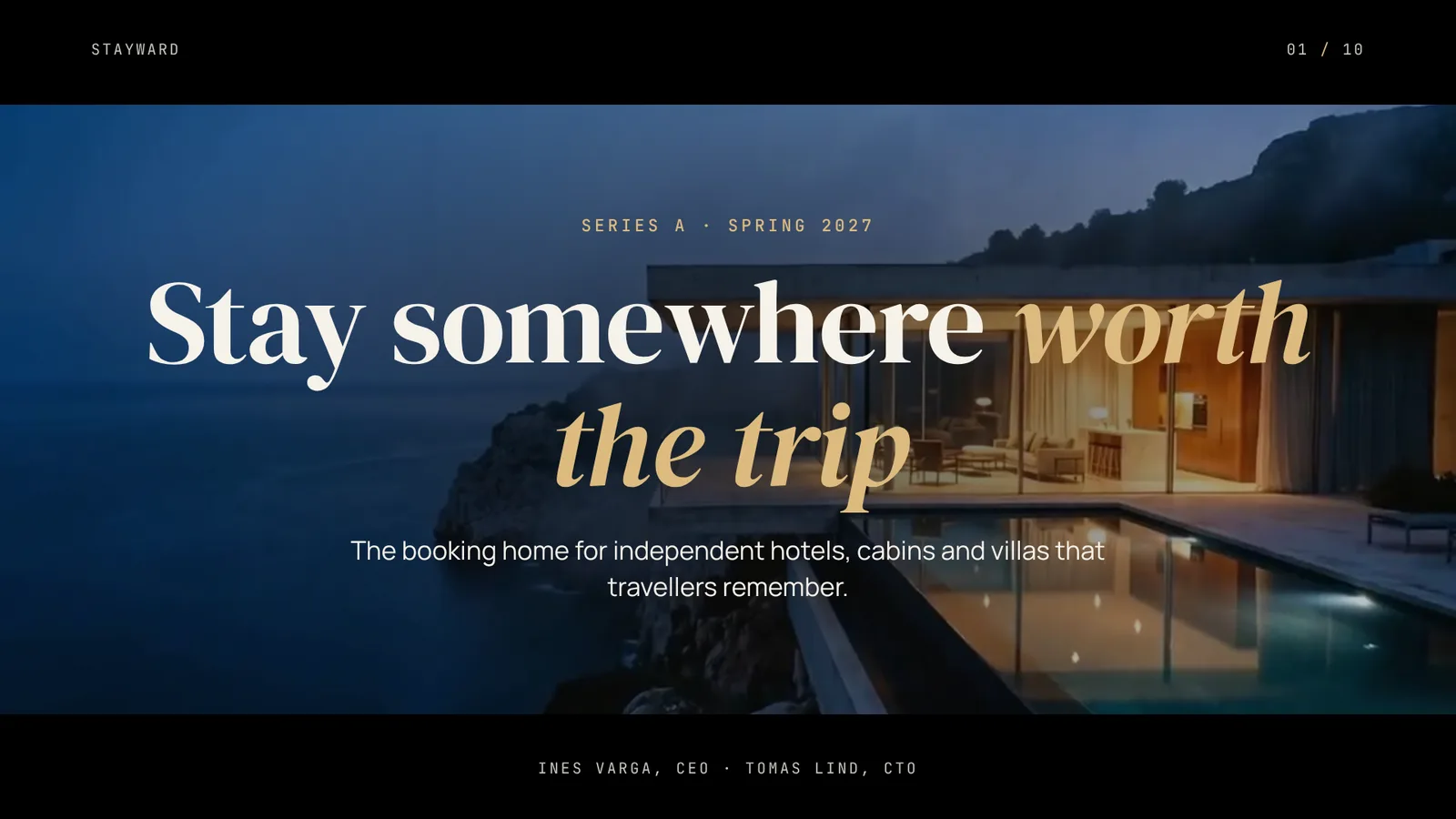
The page this skill built from examples/stayward-series-a, working in your browser. Opens in a new tab. Also: Meridian launch.
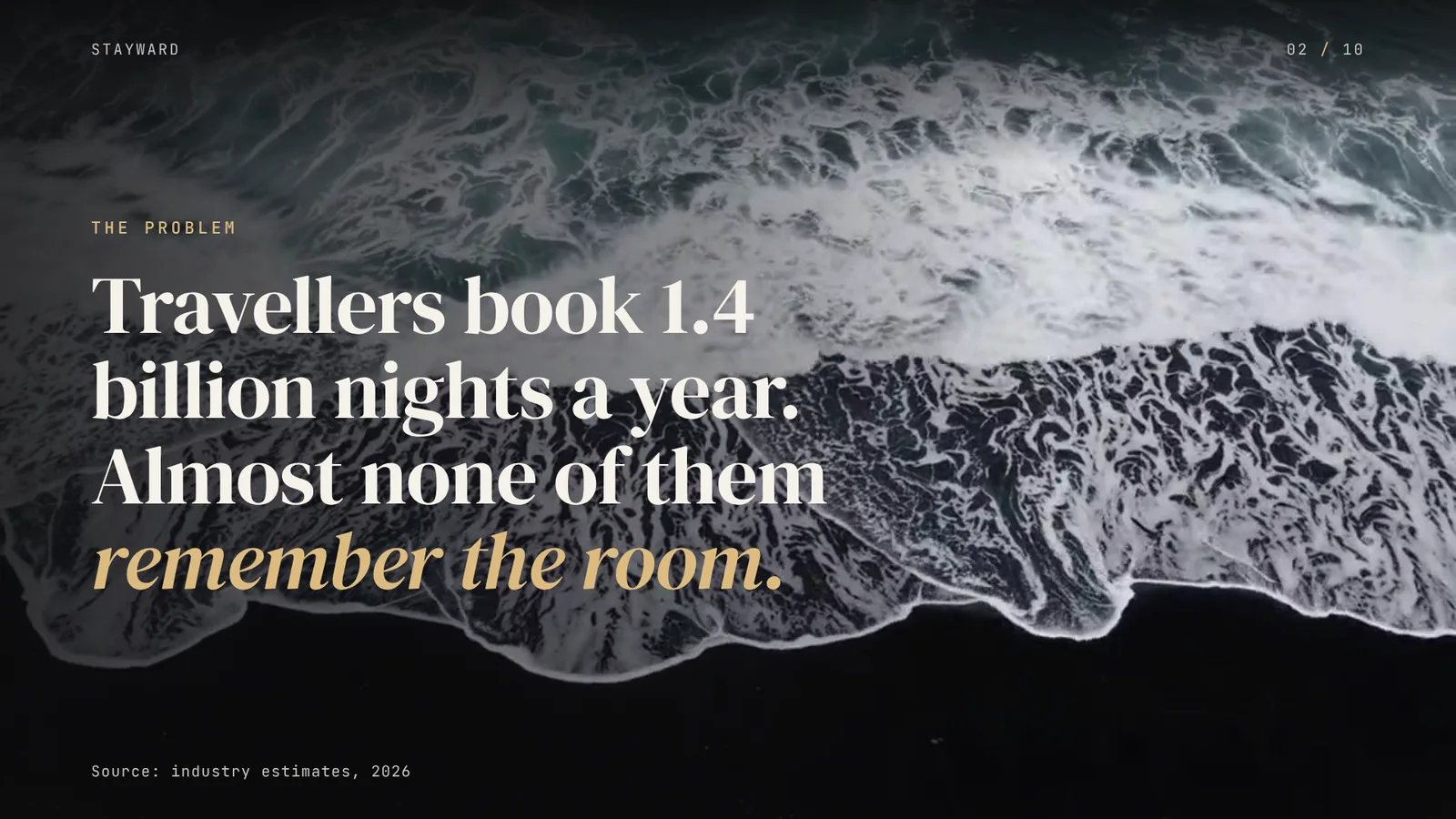
12 slides built by this skill from examples/stayward-series-a and examples/meridian-launch
Example settingswhat each example above was built from
examples/stayward-series-adeck.json
- Brand
- Stayward
- Headline
- Stayward — Series A
- Slides
- 10
- Colors
- accent #dcbb80
examples/meridian-launchdeck.json
- Brand
- Meridian
- Headline
- Meridian Calibre 9 — Launch keynote
- Slides
- 8 (title, chapter, split, statement, numbers, reel, quote, credits)
- Colors
- ground #07080b · ink #eef1f6 · accent #a9c4ee
What you get
- A browser deck where each slide plays its film and slides fade through black
- Nine layouts: title card, chapter, statement, numbers, list, split, quote, reel and credits
- A contrast check that measures every line of text on eight frames of its film and says how much shade fixes it
- A PowerPoint file whose films start on their own, loop muted, with editable text and speaker notes
- A PDF with each film as its poster frame, and a small poster-only PPTX for email
- Two finished example decks with their footage
- Open-source licenses for every part it builds on
Good fit
- Founders pitching a product people can see, like a place, a dish or a physical object, can open on the footage and let it carry the room.
- Brands launching a product on stage can present a keynote where every slide moves and still hand over a PowerPoint file that plays the same films.
- Agencies and studios presenting a campaign can show the reel inside the deck, with captions, instead of switching to a video player.
Not for
- Decks with no footage or photos (see Glass Keynote Deck)
- Data-heavy board packs with charts and tables (see Investor Memo Deck)
- Google Slides or Keynote as the place you present: they play the films but do not loop them
About this skill
Slides set over looping films: a letterbox title card, chapter cards, big numbers along the bottom, a half-film split, a reel of three playing clips, a quote set like a subtitle and end credits. Your agent builds it from your notes and clips, checks every line of text against real frames of the footage, and exports a PowerPoint file in which the videos start on their own and loop.
Example request
Make a Cinema Deck for our Series A pitch from pitch.md, using the clips in films/, with speaker notes, and export PDF and a PPTX where the videos play.
How it works
Your agent
- 1
Plan the slides
Turn the person's material into 6 to 16 slides, one idea per slide, and pick a film for each.
- 2
Write
deck.jsonTop level:
titleandorgare required. - 3
Build
It checks every slide, the theme and every film file, and lists every problem at once.
- 4
Check it and look at every slide
Fix every error: raise
shadeas suggested, or better, move the text (place), pick a calmer frame (focus) or a darker film. - 5
Export the PDF
It writes
out/index.pdf, one 1920×1080 page per slide with each film's poster frame, and checks the page count. - 6
Export the PowerPoint file (optional)
It writes
out/index.pptxon PowerPoint's widescreen page. - 7
Hand it off
Give the person
out/(index.html and media/) to present in the browser,index.pdfto send, andindex.pptxto present or edit in PowerPoint.
- 1
You get
- out/index.html
- out/shots/slide-01.png
- out/index.pdf
- out/index.pptx
What you need
- Node.js 18 or newer.
- ffmpeg and ffprobe on PATH (macOS
brew install ffmpeg, Debian/Ubuntusudo apt install ffmpeg, Windowswinget install ffmpeg), or setFFMPEG_PATHandFFPROBE_PATH. The build uses them to re-encode films and cut posters. - Chrome, Chromium or Edge installed, for the checks, the PDF and the PPTX. Set
CHROME_PATHif the scripts don't find it. - For the PPTX only:
npm i pptxgenjs@4.0.1in the folder you run the export from. - Internet access when the deck is opened, checked or exported, for the Google Fonts stylesheet.
- The films: clips (
.mp4,.mov,.m4v,.webm) or stills (.jpg,.png,.webp) next todeck.json. A still drifts slowly in the browser, like a camera move.
Last checked Nov 1, 2026: the package’s own build and render commands ran and passed.
If something goes wrong
build: fix deck.json firstEach line names the slide, the field and the limit. Shorten rather than work around limits.
ffmpeg was not foundInstall it (see What you need) or set
FFMPEG_PATHandFFPROBE_PATH.check-deck says text reaches only 3.1:1 over the film
Follow its
shadesuggestion, or move the text, or pick anotherstill/focus/film. A suggested shade above 0.6 means the film is too bright for text there: change the film rather than bury it.
What’s in the download
- SKILL.md15.9 KB
- assets/
- assets/base.css3.00 KBstage, overview, print
- assets/deck.css14.6 KBthe look, grades and motion
- assets/player.js18.9 KBthe browser player, film playback and the modes the scripts use
- examples/
- examples/meridian-launch/4.24 KBa watch launch keynote, 8 slides, four films · 1 file
- examples/stayward-series-a/5.06 KBa Series A pitch, 10 slides, four films · 1 file
- scripts/
- scripts/build.mjs14.2 KBthe layouts; checks
deck.json, re-encodes films and buildsout/index.html. - scripts/check-deck.mjs8.83 KBlayout, overlap and film-contrast checks, and the slide pictures.
- scripts/chrome.mjs3.63 KBheadless Chrome
- scripts/color.mjs1.40 KBcolour and contrast
- scripts/deck-core.mjs7.84 KBfield rules and validator
- scripts/export-pdf.mjs1.90 KBthe exports.
- scripts/export-pptx.mjs12.8 KB
- scripts/film.mjs4.70 KBffmpeg helpers: probe, re-encode, poster frames, frames for the contrast check.
- scripts/headless.mjs1015 B
- NOTICE.md1.84 KBthird-party software, fonts and the films' origin.
- TESTED.json647 B
17 files · 120 KB · installs to ~/.claude/skills/cinema-deck for Claude Code and ~/.agents/skills/cinema-deck for other agents
Credits and licenses: NOTICE.md plus any LICENSE files inside the ZIP.
Similar Skills
View allDetails
- Output
- HTML deck with films + PDF + PPTX with playing video · 6–16 slides
- Needs
- Node.js 18+, ffmpeg, Chrome for the checks and exports; pptxgenjs only for the PowerPoint file
- Series
- Decks · 4 skills
- Updated
- Nov 2, 2026
- Checked
- Nov 1, 2026: its own commands ran and passed. That is a working check, not a security audit.
Written for
See all 31 agents that read skill folders.
Install guides
For your agent
Generates with
Installed it? Tell others how it went. Reviews come from people who installed this skill.
Write a reviewFAQ
Where do the films come from?
From you: your own clips or stills, stock you hold a licence for, or clips you generate with a video model. The build re-encodes them to H.264 at up to 1920 px wide with no sound. The two example decks ship with footage made for Lookbk that you may use in decks built with this skill.
Do the videos really play in PowerPoint?
Yes. Each film is embedded as video, cropped to its box and set to start automatically, loop and stay muted, and the slides fade through black. Text stays editable on top. Google Slides and Keynote import the films but do not loop them, so the export also makes a poster-only file for those.
How does it keep text readable over moving footage?
Each layout lays a shade and a gradient over the film where its text sits. The check then takes eight frames of every film, lays the grade over them and measures the contrast under each line of text, and when a slide fails it says how much shade would make it pass.
Which agents is Cinema Deck written for?
Any agent that reads SKILL.md folders, including Claude Code, Codex, Cursor, GitHub Copilot, Gemini CLI and OpenCode.
Do I own what I make with it?
Yes. Everything your agent makes with this skill is yours, including for client and commercial work.
What if it doesn’t work for me?
Email support@lookbk.dev within 7 days of buying and we’ll fix it or refund you.
Credits and licensesBuilt on gitbrent/PptxGenJS
What Lookbk adds on top of gitbrent/PptxGenJS (MIT): the layouts, the grades, the film-contrast check, the player and the exports, all written for Lookbk; the example footage was made for Lookbk. PptxGenJS (MIT) writes the PowerPoint file.
Credits and licenses for the open-source software and fonts it uses are in NOTICE.md inside the download.