The page this skill built from examples/wrenfield, working in your browser. Opens in a new tab. Also: Gaugeline.
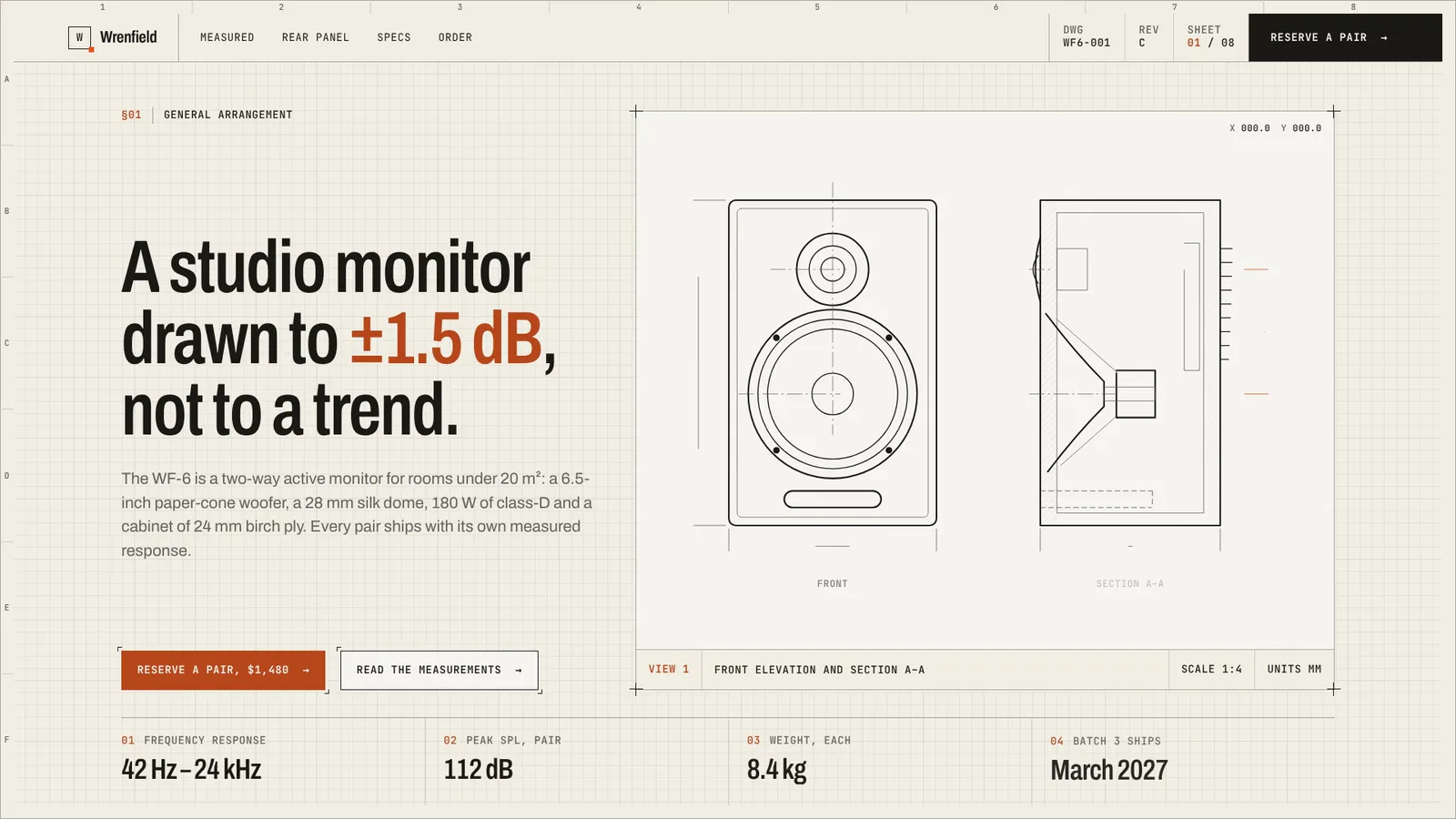
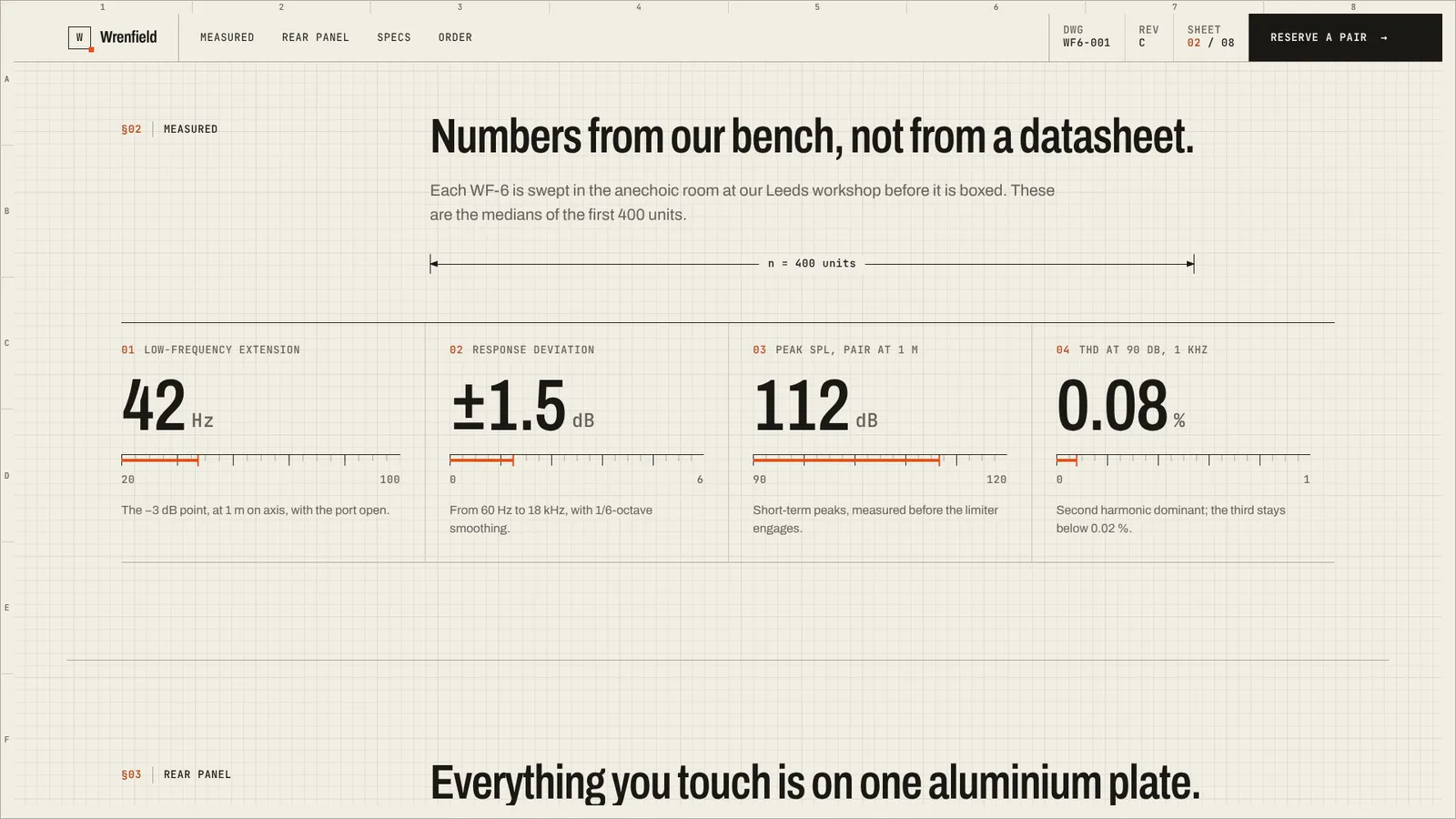
18-second example rendered by this skill from examples/wrenfield · 1280×720
Example settingswhat each example above was built from
examples/wrenfieldpage.json
- Name
- Wrenfield
- Headline
- Wrenfield WF-6: active nearfield studio monitor
- Sections
- 6
- Colors
- paper #f1ede3 · ink #1a1916 · signal #e2531b
examples/gaugelinepage.json
- Name
- Gaugeline
- Headline
- Gaugeline: latency budgets for every pull request
- Sections
- 6
- Colors
- paper #eceee9 · ink #10151b · signal #2747e8
What you get
- A whole landing page in your words, numbers and colours, with sections in the order you choose
- Your product as a technical drawing that plots itself, with real dimensions, hatching and numbered callouts
- An anatomy section where the drawing and an index of every item stay pinned, pointing at whatever the reader is reading
- A code or config listing drawn on a frame, with numbered notes on the lines that matter
- Design tokens and written component rules, so new sections look like they were always there
- Three type pairs (Archivo, Hanken Grotesk, IBM Plex) with matching mono
- Phone layouts and a reduced-motion version where everything is drawn and still
- Checks at 390, 768, 1024 and 1440 px for overflow, text size, AA contrast, clipping, focus rings, colliding labels inside drawings and reduced motion
- A 1080p video of the scripted scroll, rendered frame by frame
- Open-source licenses for every part it builds on
Good fit
- Hardware and instruments can show the thing itself: Wrenfield draws its studio monitor in front elevation and section, dimensioned, with the magnet hatched in signal orange.
- Developer tools draw the mechanism instead: Gaugeline's hero is a request trace as a timing diagram, the 14 ms regression hatched, its config shown with ballooned notes.
- Teams that will keep adding pages get the tokens and written rules, so a new section uses the same frame, labels, hairlines and single signal colour.
Not for
- Dark pages: the system is light by rule and the build refuses a dark paper
- Photographs or 3D renders of the product: drawings are 2D line drawings made from parts
- Forms or checkout: buttons link to your own pages
- More than one accent colour
About this skill
A landing page built like a drawing sheet: off-white paper with a hairline grid inside a bordered sheet with zone marks, a title-block header whose sheet counter follows you down the page, mono labels and one signal colour. Your product is drawn as a technical drawing in SVG, written as parts in page.json, and plots itself stroke by stroke when the page opens: outlines, hatching, centre lines, then dimensions and numbered callouts, with a crosshair that reads coordinates under the pointer. Every section heading gets a dimension line that grows from its middle as you scroll and carries a real measure from your product. Then figures that count up on rulers, an anatomy section that pins the drawing beside an index of every item and lights the one you are reading, a config file drawn as a listing with ballooned notes, spec tables, pricing set as drawing sheets with a bill of materials and a revision cloud on the featured one, numbered general notes, a release stamp and a title-block footer. Two hero layouts and free section order, so two pages built with it do not look like a reskin. The colour tokens are derived from three colours and checked for contrast, and the component rules are written down so the page can be extended the same way. Two examples: Wrenfield, a studio monitor, and Gaugeline, a CI latency tool.
Example request
Use Paper Technical Landing to build the page for our desk power supply: draw the front panel and a section in the hero, put the rear connectors in the anatomy, and use our spec sheet and three bundles.
How it works
Your agent
- 1
Collect the content
From the person or their current site: the product name (≤ 20 characters) and a one-letter mark; three colours (paper, ink, signal) or let the example's stand; a drawing number, revision and date for the title block; the headline (≤ 64 characters, one or two words in
_underscores_for the signal); a lede; two to four facts; real figures with their units and a sensible range for each ruler; spec rows; a config file or code sample worth showing (for software); prices and what each includes, with quantities; questions customers actually ask; footer links and the people or facts for the title block. - 2
Write page.json
Links are
https://…,/path,#id,mailto:ortel:; give sections anidfor the bar's links. - 3
Build
It lists every problem at once (a field too long, a colour that fails contrast, a callout without an item) and writes nothing until they are fixed.
- 4
Check
It opens the page at 390, 768, 1024 and 1440 px and with reduced motion, scrolls it through, and fails on sideways scrolling, text under 16 px on a phone or 14 px elsewhere, contrast under AA, clipped text, invisible keyboard focus, lettering that collides inside a drawing (labels too close, a stroke through a label, a label outside the frame), a drawing that doesn't finish, a dimension line that doesn't grow or reads screen pixels, a counter that doesn't land on its value, an anatomy whose index, text or callout doesn't follow the reader or doesn't fit the screen while pinned, script errors, or reduced motion that still moves.
- 5
Look at it, and record it if wanted
Look at the hero drawing at full size and on a phone: labels and balloons must not collide with lines.
- 6
Hand off
Give the person
out/index.html(it is the whole page; host it anywhere), the check's last line, and the poster or video.
- 1
You get
- out/preview.mp4
- out/poster.png
- out/index.html
- out/moments.json
What you need
- Node.js 18 or newer. Nothing to install.
- Chrome, Chromium or Edge for the checks and the video (found automatically; set
CHROME_PATHotherwise). - ffmpeg for the video only (
brew install ffmpeg,winget install ffmpeg,apt install ffmpeg, or setFFMPEG_PATH).
Last checked Nov 2, 2026: the package’s own build and render commands ran and passed.
If something goes wrong
"lettering collides inside a drawing"
Two labels sit too close or a stroke runs through one. Move the balloon's
at, the dimension'soffor the label, then build again.The build says a colour fails contrast
The signal carries small text. Pick a darker shade of the same hue on paper.
The fonts look different from the preview
Google Fonts didn't load and system fonts stood in. Check the network, or host the fonts yourself.
What’s in the download
- SKILL.md23.8 KB
- examples/
- examples/gaugeline/14.8 KBthe two examples. · 1 file
- examples/wrenfield/16.6 KB1 file
- kit/
- kit/paper-technical.css46.8 KBthe whole system: tokens, the grid paper, every section, phones and reduced motion.
- scripts/
- scripts/kit/
- scripts/kit/build.mjs24.8 KB
- scripts/kit/cdp.mjs4.91 KB
- scripts/kit/check.mjs17.5 KB
- scripts/kit/drawing.mjs10.9 KBturns a drawing's parts, dimensions and callouts into the SVG that plots itself.
- scripts/kit/record.mjs6.91 KB
- scripts/kit/runtime.js21.3 KB
- scripts/kit/schema.mjs5.61 KBevery field, section type and limit page.json can use.
- scripts/kit/serve.mjs2.48 KB
- scripts/kit/tokens.mjs3.05 KBderives every colour of the system from your paper, ink and signal, so they stay in proportion and pass contrast.
- scripts/build.mjs143 Bentry points; the work is in
scripts/kit/. - scripts/check.mjs143 B
- scripts/chrome.mjs3.63 KBfinds Chrome, Chromium or Edge.
- scripts/record.mjs145 B
- scripts/serve.mjs143 B
- NOTICE.md1.11 KB
- TESTED.json429 B
20 files · 205 KB · installs to ~/.claude/skills/paper-technical-landing for Claude Code and ~/.agents/skills/paper-technical-landing for other agents
Credits and licenses: NOTICE.md plus any LICENSE files inside the ZIP.
Similar Skills
View allDetails
- Output
- A whole landing page in an engineering-paper design system · SVG technical drawing that plots itself · dimensioned section heads · pinned anatomy index · tokens and rules included · 1080p video of the scroll
- Needs
- Node.js 18+, and Chrome for the checks; ffmpeg only for the video
- Series
- Landing Pages · 5 skills
- Updated
- Nov 2, 2026
- Checked
- Nov 2, 2026: its own commands ran and passed. That is a working check, not a security audit.
Written for
See all 31 agents that read skill folders.
Install guides
For your agent
Generates with
Installed it? Tell others how it went. Reviews come from people who installed this skill.
Write a reviewFAQ
Do I need to know SVG to make the drawing?
No. The drawing is a list of parts in page.json: rectangles, circles, lines, paths, hatching, dimensions with their measure, numbered callouts and labels, in your own units. Your agent writes it from a photo, a CAD export or a description, and the build checks it.
Can I change the colours and fonts?
You choose paper, ink and signal; every other colour is derived from them and the build rejects a combination that fails contrast or a paper that is too dark. There are three type pairs: Archivo, Hanken Grotesk or IBM Plex, each with its mono.
What happens with reduced motion?
Every drawing is shown finished, every dimension line drawn and every number at its value; nothing moves on its own. The crosshair still follows the pointer. The check fails if anything moves or stays hidden.
Which agents is Paper Technical Landing written for?
Any agent that reads SKILL.md folders, including Claude Code, Codex, Cursor, GitHub Copilot, Gemini CLI and OpenCode.
Do I own what I make with it?
Yes. Everything your agent makes with this skill is yours, including for client and commercial work.
What if it doesn’t work for me?
Email support@lookbk.dev within 7 days of buying and we’ll fix it or refund you.
Credits and licensesWritten by Lookbk
the design system, drawing compiler, runtime, checks and both examples were written for Lookbk; Wrenfield and Gaugeline are invented. The fonts are from Google Fonts. Written by Lookbk, no third-party code.
Credits and licenses for the open-source software and fonts it uses are in NOTICE.md inside the download.