The page this skill built from examples/wayleaf, working in your browser. Opens in a new tab. Also: Ballast.
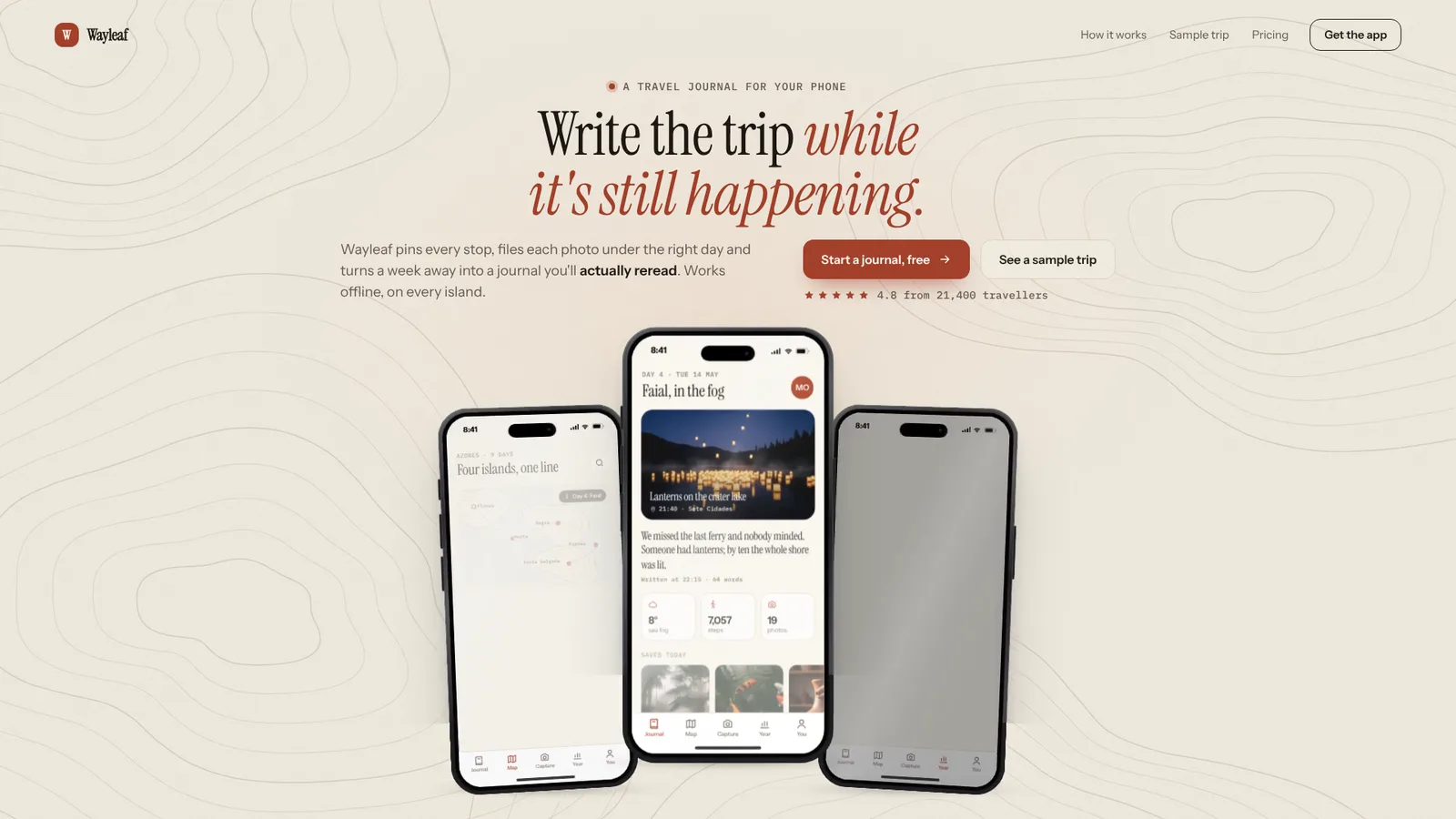
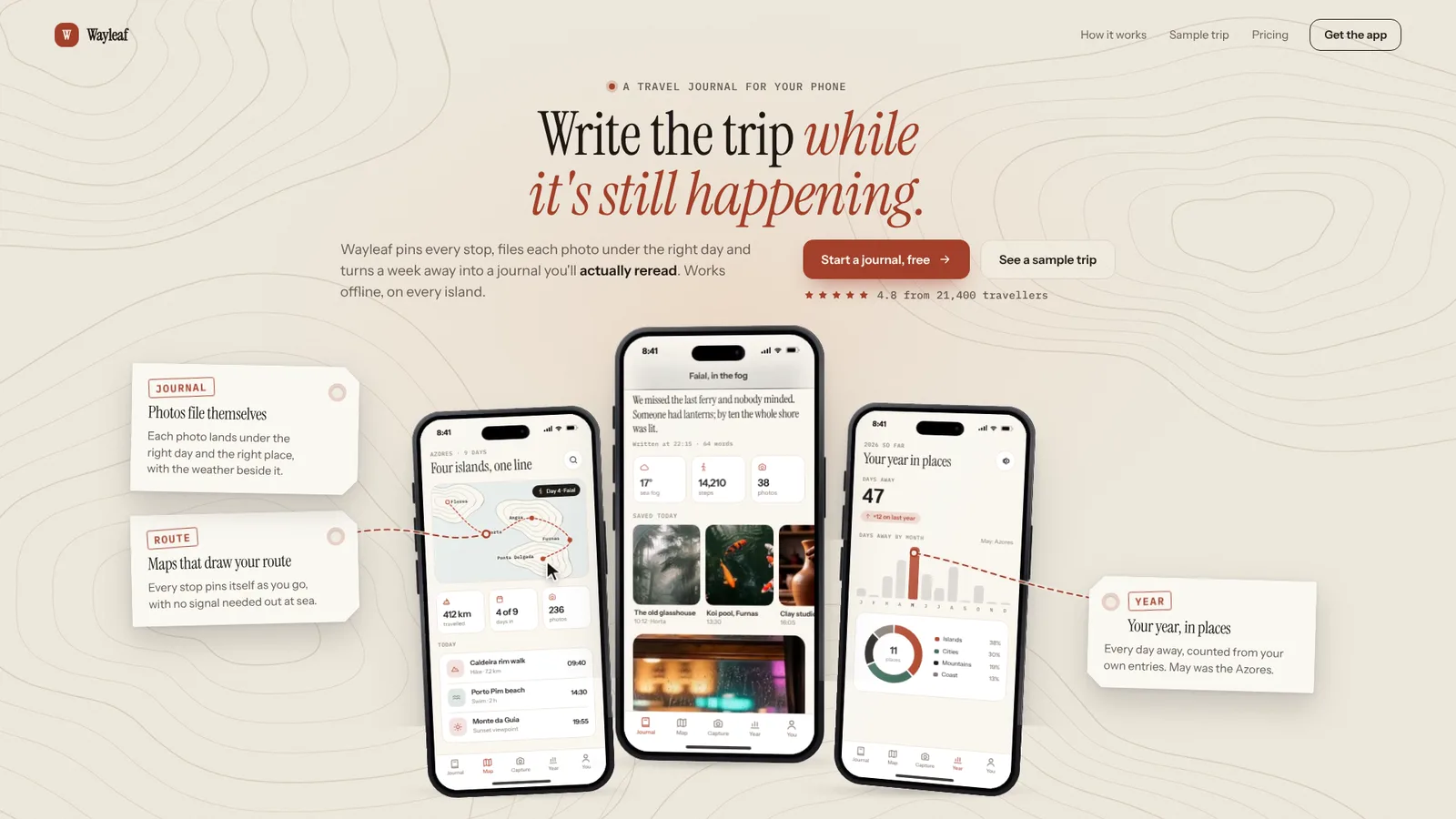
15-second example rendered by this skill from examples/wayleaf · 1280×720
Example settingswhat each example above was built from
examples/wayleafpage.json
- Brand
- Wayleaf
- Layout
- center
- Headline
- The travel journal that keeps itself
- Colors
- bg #F2ECE1 · surface #FBF8F2 · ink #1D1915 · muted #62584E · accent #A2402A · onAccent #FFF8F0 · line #DCD1C1 · glow #E7A77C
examples/ballastpage.json
- Brand
- Ballast
- Layout
- split
- Headline
- Every account, one calm number
- Colors
- bg #14120E · surface #1D1A15 · ink #F4EFE4 · muted #ADA596 · accent #F0B54A · onAccent #1A1306 · line #2D2921 · glow #B97B2A
What you get
- One self-contained hero in your words, colours and Google Fonts, with the bar, two buttons and a proof line
- Three realistic phones in five finishes, with three screens built from 14 block types or your own screenshots
- A choreographed entrance, pointer tilt and fan, a centre screen that scrolls under a sticky blurred header, and callouts whose lines land on the detail they describe
- Two signature moves to choose from: luggage-tag callouts on route lines, or a page-sized figure that carries the screen's number on behind the phones
- A phone layout with one swipeable phone, tabs and the callout for the screen showing, and a reduced-motion version that holds still
- Two layouts (centred or split) and three backdrops (map contours, graph grid, plain)
- Checks at 390, 768, 1024, 1280 and 1440 px for overflow, text size, contrast, overlaps, callouts over screens, phones below the fold and focus rings
- A 1080p video of the hero, rendered frame by frame
- Open-source licenses for every part it builds on
Good fit
- Consumer apps with something to show on every screen, like the Wayleaf travel journal: a route map, a photo feed that scrolls itself, a year in charts.
- Money, health and productivity apps whose numbers sell them, as in Ballast: a balance that counts up behind the phones, a chart that draws, goals that fill.
- Teams whose design is still moving: the screens are built from words and numbers in page.json, so changing a figure or a label is a rebuild, not a new mockup.
Not for
- A whole landing page: this is the hero; pair it with the Motion Sections Kit for the rest
- Exact pixel copies of your app: built screens are a faithful sketch from blocks; use screenshots when it must be exact
- Tablets, watches or laptops: the frames are phones only
- A particular phone maker's look: the frames are deliberately generic, with no brand marks
About this skill
The top of a landing page for a mobile app, with three phones that show three different screens of it. The phones are drawn in HTML and CSS, with metal frames, an island, side keys and glass glare but no maker's marks, and the screens inside are real interface built from your app's words and numbers: headers, big figures that count up, area and bar charts that draw themselves, donut rings, goals, rows, photo cards and a small route map. Or drop in your own screenshots. The centre phone rises, the other two fan out from behind it, each screen lights up and fills, and each feature callout arrives in a lane beside the phones with a line that lands on one detail inside its screen: the route pin, the lit bar, the goal's bar. Pick a signature per page: callouts as paper luggage tags on dashed route lines, or the centre screen's balance carried on behind the phones as a page-sized figure on the same baseline. Move the pointer and the phones turn towards it and fan wider; the centre screen scrolls its own content under a blurred header that folds its large title into a small one, as iOS does. On a phone it becomes one phone you swipe between the three screens. Your agent writes one page.json; the build checks every length and writes one HTML file, and the check measures text, contrast and overlaps at five sizes, fails any callout that covers a screen, and fails a laptop view where the phones run off the first screen.
Example request
Make the hero for our app with Phone Trio Hero: our colours and fonts, the home screen with the balance chart in the middle, spending on the left, goals on the right, and a callout for each.
How it works
Your agent
- 1
Collect the app
Every number on a screen must come from the person or look like their real data.
- 2
Write page.json
Copy
<skill>/examples/wayleaf/page.json(a light travel journal: centred, contours, photos, a route map) or<skill>/examples/ballast/page.json(a dark money app: split, grid, ring, line chart, goals) and replace every value. - 3
Build
It lists every problem at once (lengths, colours, unknown blocks or icons, missing pictures) and writes nothing until they are fixed.
- 4
Check
It opens the page at 390×844, 768×1024, 1024×768, 1280×800 and 1440×900 and at 1440 with reduced motion, lets the entrance finish, and fails on script errors, a screen that never lit, sideways scrolling, text off the screen or cut off, page text under 14 px (16 px on a phone), contrast under WCAG AA against the colour behind it, the phones running into the copy, callouts over the copy, over each other or off the screen, a callout covering more than 5% of any phone's screen, from 1000 px wide a phone (base included) or callout below the first screen, links without an address, controls without a visible focus ring, and reduced motion that still moves.
- 5
Look at it
Open the address it prints.
- 6
Record a video (optional)
Writes
out/preview.mp4(1920×1080, 30 fps, 15 s: the entrance, a moment at rest, then an arrow pointer tilting and fanning the phones while the centre screen scrolls under its collapsing header, then rest) andout/poster.png, taken at the resting moment (4 s) with no pointer in it. - 7
Hand off
out/index.htmlplusout/assets/is the whole hero, ready to host as is or to lift into a site: the markup sits in.pt, the CSS is in one<style>and the runtime is one inline script with no dependencies.
- 1
You get
- out/preview.mp4
- out/poster.png
- out/index.html
What you need
- Node.js 18 or newer. Nothing to install.
- Chrome, Chromium or Edge for the check and the video (found automatically; set
CHROME_PATHotherwise). - ffmpeg, only for the video (
brew install ffmpeg,winget install ffmpeg,apt install ffmpeg; or setFFMPEG_PATH).
Last checked Nov 2, 2026: the package’s own build and render commands ran and passed.
If something goes wrong
"a phone runs into …" or "phone N runs off the bottom"
The headline or introduction is too long for that screen height. Shorten it rather than shrinking the type.
"callout N covers …% of phone N's screen"
The callout's line is too long for its lane. Cut it to one short sentence.
A contrast failure on
mutedoraccentDarken the colour on a light page, lighten it on a dark one, and build again.
What’s in the download
- SKILL.md17.6 KB
- examples/
- examples/ballast/9.17 KBthe two examples. · 1 file
- examples/wayleaf/9.08 KBwith its photos · 1 file
- scripts/
- scripts/kit/
- scripts/kit/build.mjs28.2 KB
- scripts/kit/cdp.mjs4.90 KB
- scripts/kit/check.mjs13.3 KB
- scripts/kit/icons.mjs4.39 KB
- scripts/kit/record.mjs5.75 KB
- scripts/kit/runtime.js32.2 KB
- scripts/kit/serve.mjs2.47 KB
- scripts/build.mjs142 Bentry points; the work is in
scripts/kit/(build.mjswith the blocks,icons.mjs,runtime.jsfor the browser,check.mjs,serve.mjs,record.mjs,cdp.mjs). - scripts/check.mjs142 B
- scripts/chrome.mjs3.63 KBfinds Chrome, Chromium or Edge.
- scripts/record.mjs144 B
- scripts/serve.mjs142 B
- template/
- template/fields.json14.2 KBevery field, block and limit.
- template/page.html34.0 KBthe layout, the phones and the screens' CSS.
- NOTICE.md1.39 KB
- TESTED.json413 B
19 files · 181 KB · installs to ~/.claude/skills/phone-trio-hero for Claude Code and ~/.agents/skills/phone-trio-hero for other agents
Credits and licenses: NOTICE.md plus any LICENSE files inside the ZIP.
Similar Skills
View allDetails
- Output
- App landing hero · three HTML/CSS phones with real app screens · callouts tied to the screens, page-sized figure · swipe on phones · 1080p video
- Needs
- Node.js 18+, and Chrome for the checks; ffmpeg only for the video
- Series
- Page Kits · 4 skills
- Updated
- Nov 2, 2026
- Checked
- Nov 2, 2026: its own commands ran and passed. That is a working check, not a security audit.
Written for
See all 31 agents that read skill folders.
Install guides
For your agent
Generates with
Installed it? Tell others how it went. Reviews come from people who installed this skill.
Write a reviewFAQ
Can I use real screenshots?
Yes. Give a screen an image instead of blocks and it fills that phone, status bar included; on the centre phone a full-length capture scrolls by itself. You can mix screenshots and built screens.
Do the phones look like a particular brand?
No. They are modern phones in five metal finishes with an island and side keys, drawn in CSS with no logo, camera layout or other maker's mark.
What happens on a phone and with reduced motion?
On a phone the hero shows one phone with three tabs under it; swipe it or tap a tab to change the screen and its callout. With reduced motion everything is drawn once in place and nothing floats, tilts or scrolls by itself; the check fails if anything still moves.
Which agents is Phone Trio Hero written for?
Any agent that reads SKILL.md folders, including Claude Code, Codex, Cursor, GitHub Copilot, Gemini CLI and OpenCode.
Do I own what I make with it?
Yes. Everything your agent makes with this skill is yours, including for client and commercial work.
What if it doesn’t work for me?
Email support@lookbk.dev within 7 days of buying and we’ll fix it or refund you.
Credits and licensesWritten by Lookbk
the page, phone frames, screen blocks, icons and kit, all written for Lookbk. The photos are stills from Lookbk's own films; the fonts are from Google Fonts. Written by Lookbk, no third-party code.
Credits and licenses for the open-source software and fonts it uses are in NOTICE.md inside the download.