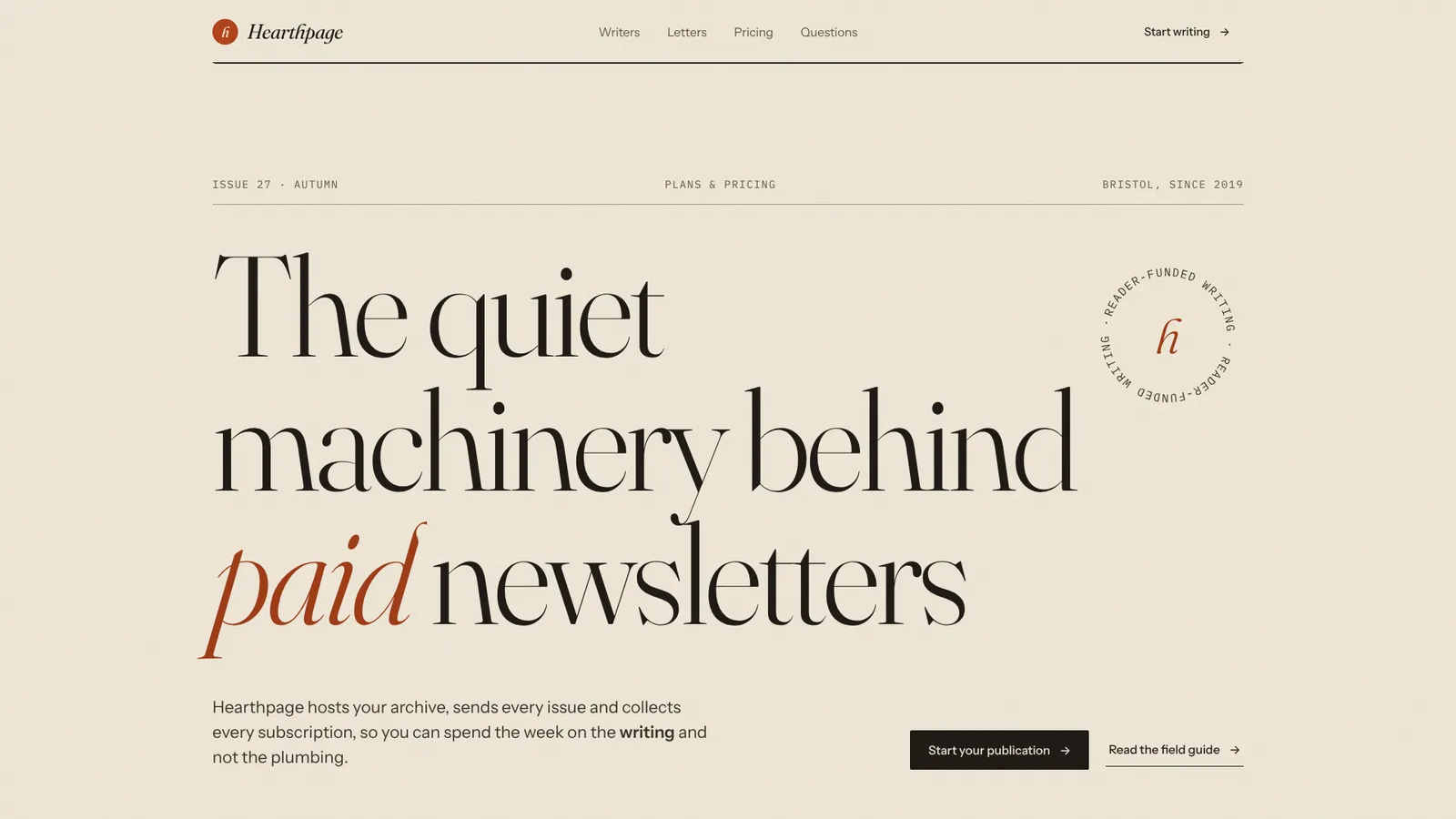
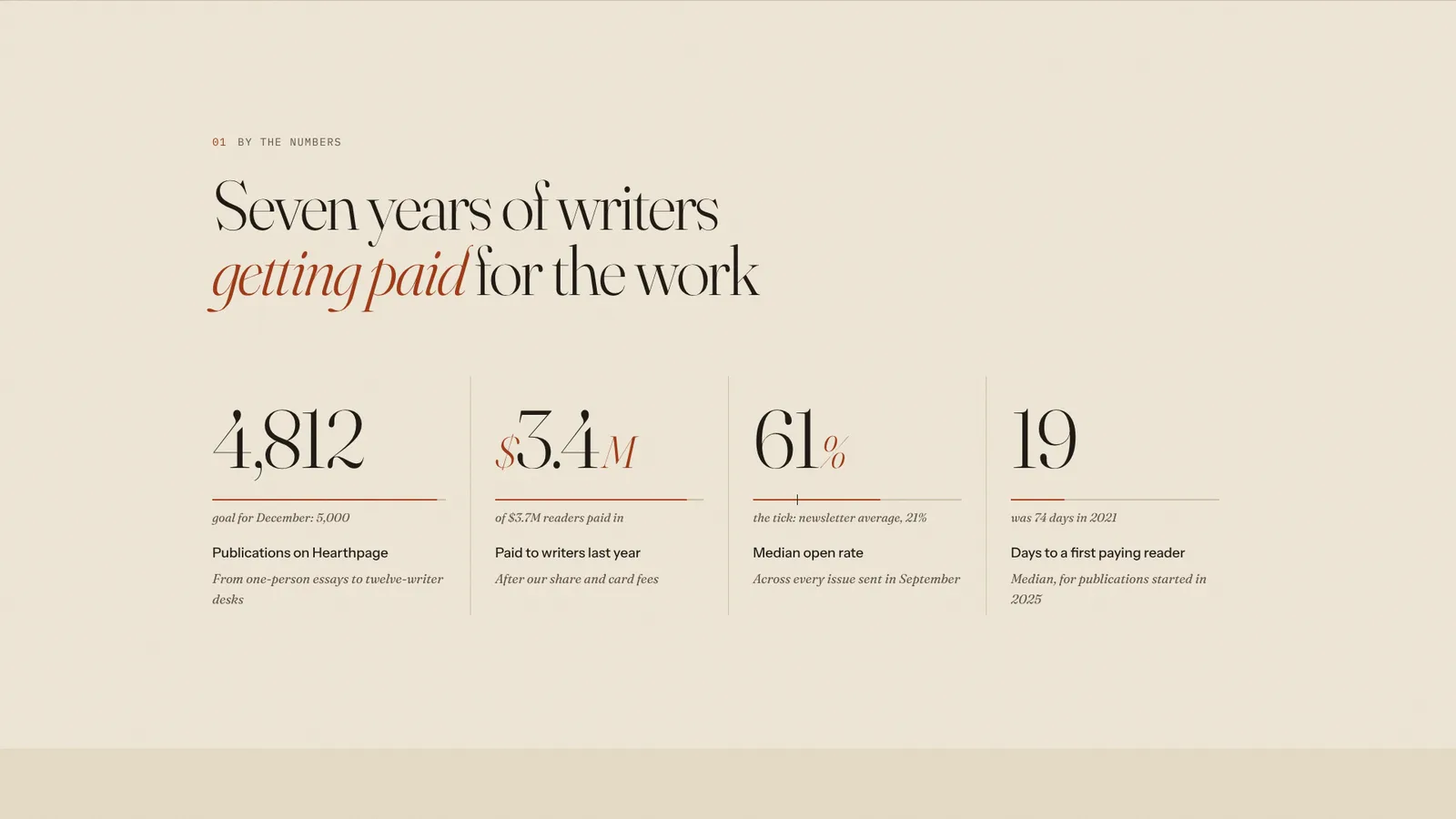
The page this skill built from examples/hearthpage, working in your browser. Opens in a new tab. Also: Sablewire.
18.7-second example rendered by this skill from examples/hearthpage · 1280×720
Example settingswhat each example above was built from
examples/hearthpagepage.json
- Brand
- Hearthpage
- Style
- paper
- Headline
- Hearthpage: the quiet machinery behind paid newsletters
- Sections
- 7
examples/sablewirepage.json
- Brand
- sablewire
- Style
- graphite
- Headline
- Sablewire: CI that never builds the same thing twice
- Sections
- 7
What you get
- A whole page or a single pricing page, from the sections you pick, in your words, numbers and links
- A monthly/yearly switch that rolls each price digit by digit, and announces the new prices to screen readers
- Testimonials as a pinned stack that deals away with the scroll, or a drifting wall of three, two or one column
- Two finished styles, paper and graphite, with your own accent colour and closing film or picture
- Phone layouts (a sticky billing switch, sideways-dealt letters) and a reduced-motion version where everything is shown and still
- Checks at 390, 768, 1024 and 1440 px for overflow, text size, AA contrast, clipping, focus rings and reduced motion
- A 1080p video of the scripted scroll through every section, rendered frame by frame, and a --moments report of when each section is settled so stills never catch a digit mid-roll
- Open-source licenses for every part it builds on
Good fit
- SaaS and developer tools get a comparison table whose header pins as you read, and an annual switch that rolls every price like an odometer, as in Sablewire.
- Newsletters, publishers and studios get the paper style: Fraunces on cream, testimonials as letters lifting off a pile, and an ink-black footer with the name across it.
- Teams that only need part of a page can build just pricing and the FAQ, or stats and testimonials, in any order, with the same staggered reveals throughout.
Not for
- New section types beyond the seven (masthead, stats, testimonials, pricing, faq, cta, footer)
- Other fonts or layouts through settings: each style is the design; the accent colour is yours
- Checkout or forms: the buttons are links to your own signup and contact pages
- Long copy: every field has a length limit the build enforces
About this skill
A library of landing-page sections that move with one motion language, composed in any order from one page.json: a masthead whose headline rises word by word out of a mask, a stats band whose numbers count up as it arrives with meters that measure each one against a target you name, testimonials as a pinned stack of letters that lift off the pile as you scroll or as a wall of panels with pull quotes and results drifting against each other, pricing with a monthly/yearly switch that rolls every digit like an odometer, an FAQ, a closing band whose film frame opens out to the edges, and a footer with the wordmark set to fill the width. The two styles are laid out differently, not just re-coloured: paper (warm editorial, Fraunces on cream stock, plan columns, a magazine Q&A with roman numerals, hand-drawn rules and drop capitals, an ink back page) and graphite (dark technical, Geist inside a ruled frame, stats as build-timeline bars over a live cache ticker, pricing as a comparison table with a pinned header, a terminal FAQ that types its answers, the name in outline cut by the floor). Your agent writes page.json; the build checks every length, the check tests four widths for overflow, text size, AA contrast, clipping, focus rings and reduced motion, and a recorder makes a 1080p video of the scroll.
Example request
Use the Motion Sections Kit to build our pricing page in the graphite style: our three plans with monthly and annual prices, the six questions from support, a wall of customer quotes and our footer links.
How it works
Your agent
- 1
Collect the content
Every number, price, quote and claim must come from the person.
- 2
Write page.json
Each section is an object with a
"type"and its fields; an"id"gives it an anchor for the bar's links ("#pricing"). - 3
Build
It lists every problem at once (a missing field, a line too long for its place, a wall with too few quotes, a plan with a monthly but no yearly price, a section out of place, a file that isn't there) and writes nothing until they're fixed.
- 4
Check
It serves the page and opens it at 390, 768, 1024 and 1440 px wide and with reduced motion at 390 and 1440, scrolls through every section, waits for the reveals to finish, and fails on script errors, sideways scrolling, text under 16 px on a phone or 14 px elsewhere, text under WCAG AA contrast, text cut off or off the screen, links without an address, a keyboard focus that can't be seen (it presses Tab through the page), a toggle or a question that doesn't respond, and reduced motion that still moves.
- 5
Look at it
Open the address it prints.
- 6
Record the video (optional)
Writes
out/preview.mp4(1920×1080, 30 fps, about 18 seconds: the page scrolls from the masthead to the footer, resting on each section as long as it needs to settle, switches to yearly prices and opens a question on the way) andout/poster.png.
- 1
You get
- out/preview.mp4
- out/poster.png
- out/index.html
What you need
- Node.js 18 or newer. Nothing to install.
- Chrome, Chromium or Edge, for the checks and the video (the scripts find it; set
CHROME_PATHif they don't). - ffmpeg for the video only (
brew install ffmpeg,winget install ffmpeg,apt install ffmpeg; or setFFMPEG_PATH). - Internet access when the page is opened, for the Google Fonts of the style. Without them system fonts stand in.
Last checked Nov 2, 2026: the package’s own build and render commands ran and passed.
If something goes wrong
The build says a field is too long
Shorten the words; the layouts are drawn for these lengths.
The check reports low contrast after changing
accentThe accent is used for text too; pick a darker shade on paper or a lighter one on graphite.
The check says text is cut off in the plans
A feature line or a plan name is too long for four columns; shorten it or drop to three plans.
What’s in the download
- SKILL.md15.9 KBthese instructions.
- examples/
- examples/hearthpage/10.6 KBthe two examples, each with its film and poster. · 1 file
- examples/sablewire/15.6 KB1 file
- kit/
- kit/base.css26.1 KBthe layout of every section and how motion maps to transforms.
- kit/graphite.css25.3 KBthe two styles.
- kit/paper.css11.0 KB
- scripts/
- scripts/kit/
- scripts/kit/build.mjs29.8 KB
- scripts/kit/cdp.mjs4.90 KB
- scripts/kit/check.mjs12.6 KB
- scripts/kit/record.mjs6.12 KB
- scripts/kit/runtime.js22.1 KB
- scripts/kit/schema.mjs3.81 KB
- scripts/kit/serve.mjs2.48 KB
- scripts/build.mjs147 Bentry points; the work is in
scripts/kit/(schema.mjslists every field and limit,build.mjsrenders the sections,runtime.jsis the motion,check.mjs,record.mjs,serve.mjs,cdp.mjs). - scripts/check.mjs147 B
- scripts/chrome.mjs3.63 KBfinds Chrome, Chromium or Edge.
- scripts/record.mjs149 B
- scripts/serve.mjs147 B
- NOTICE.md1.34 KB
- TESTED.json433 B
20 files · 192 KB · installs to ~/.claude/skills/motion-sections-kit for Claude Code and ~/.agents/skills/motion-sections-kit for other agents
Credits and licenses: NOTICE.md plus any LICENSE files inside the ZIP.
Similar Skills
View allDetails
- Output
- Animated landing-page sections you compose in page.json · rolling prices, comparison table, pinned quote stack, counters with real meters, editorial and terminal FAQs · two styles with their own layouts · 1080p video of the scroll
- Needs
- Node.js 18+, and Chrome for the checks; ffmpeg only for the video
- Series
- Page Kits · 4 skills
- Updated
- Nov 2, 2026
- Checked
- Nov 2, 2026: its own commands ran and passed. That is a working check, not a security audit.
Written for
See all 31 agents that read skill folders.
Install guides
For your agent
Generates with
Installed it? Tell others how it went. Reviews come from people who installed this skill.
Write a reviewFAQ
Can I use only some of the sections?
Yes. page.json lists the sections in the order you want; the masthead has to come first and the footer last when you use them, and everything else can be left out or reordered.
How do the prices roll?
Each digit is a column of 0 to 9 that slides to its new value when the billing switch changes, right to left and plan after plan, so 48 rolls down to 40 through every number between. Screen readers hear the new price as text.
What happens with reduced motion?
Nothing moves on its own: every section is shown finished, the stack becomes a grid of letters, the wall a still grid, and the film stays on its first frame. The billing switch and the questions still work, at once. The check fails if anything still moves.
Which agents is Motion Sections Kit written for?
Any agent that reads SKILL.md folders, including Claude Code, Codex, Cursor, GitHub Copilot, Gemini CLI and OpenCode.
Do I own what I make with it?
Yes. Everything your agent makes with this skill is yours, including for client and commercial work.
What if it doesn’t work for me?
Email support@lookbk.dev within 7 days of buying and we’ll fix it or refund you.
Credits and licensesWritten by Lookbk
the sections, both styles and the Motion Sections kit, all written for Lookbk; the two closing films are Lookbk's own generated Loop Heroes footage. The fonts are from Google Fonts. Written by Lookbk, no third-party code.
Credits and licenses for the open-source software and fonts it uses are in NOTICE.md inside the download.