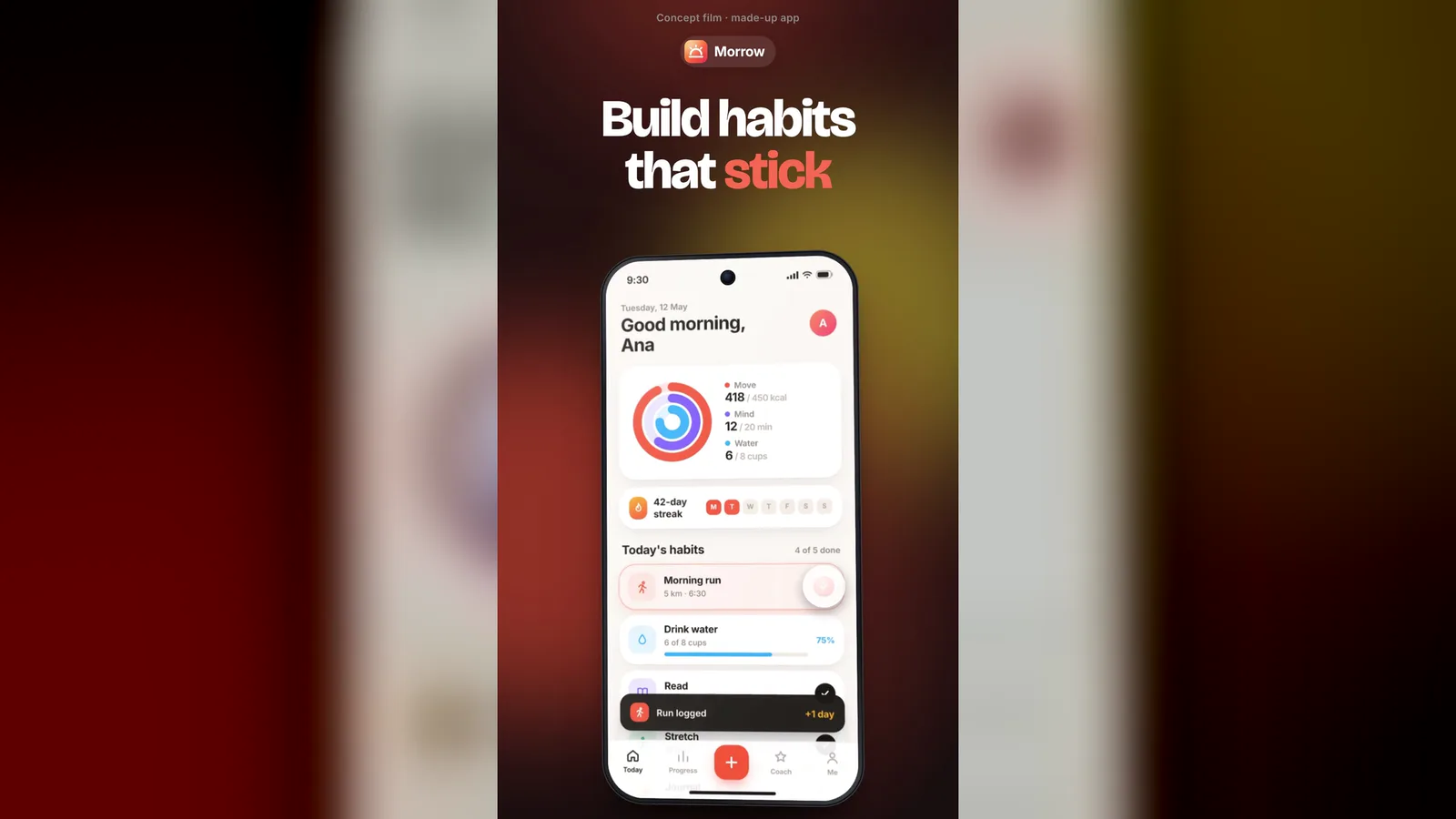
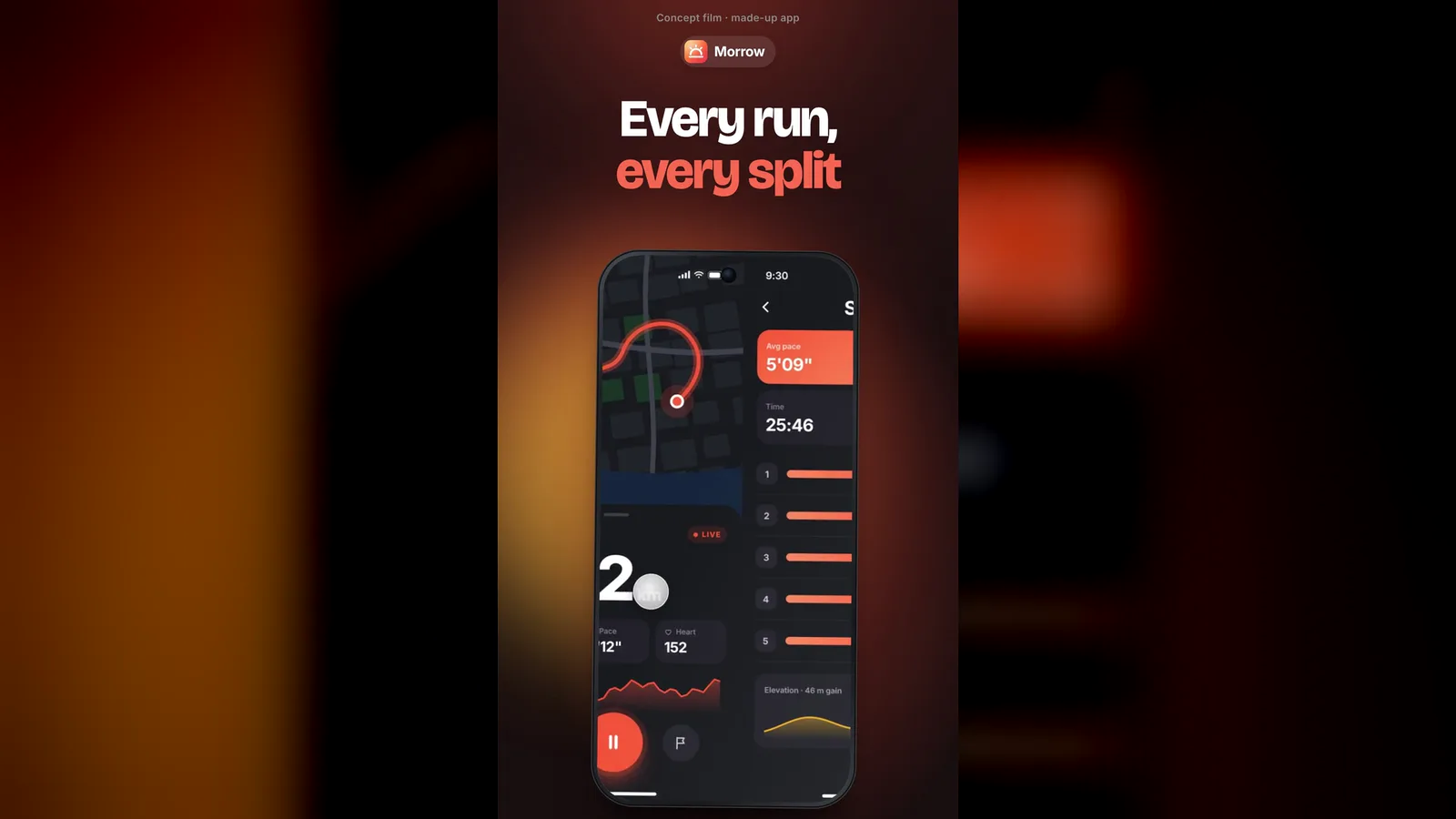
25-second example rendered by this skill from examples/morrow · 1280×720
Example settingswhat each example above was built from
examples/morrowbrief.json
- Scenes
- 4
examples/wayfarebrief.json
- Scenes
- 5
What you get
- A 25 s MP4 at 1080×1920 with four or five scenes and an end card
- A generic phone drawn in CSS that turns between scenes, with no brand marks
- Tap, swipe, scroll and lift gestures placed on your own screenshots
- An original soundtrack written by code, with a whoosh, tick or hit on every move, free to use
- Colours worked out from your accent, in a light or a dark studio
- A brief checker that lists every long caption, missing screen or misplaced gesture at once
- Two made-up example apps to start from
- Open-source licenses for every part it builds on
Good fit
- Mobile app teams can turn four or five real screenshots into a store-length preview where the phone taps, swipes and scrolls through the app on the beat.
- Indie developers launching on X, TikTok or Reels get a vertical 1080×1920 film with its own soundtrack from one short brief, with no editing app.
- Apps with one number people love, like a streak, a balance or a ticket, can lift that card out of the phone toward the camera as the hero moment.
Not for
- Horizontal 16:9 films (vertical 1080×1920 only)
- Previews longer than 25 seconds or with more than five scenes
- Apps you can only show as a screen recording (it animates still screenshots)
About this skill
A 25-second vertical preview film for a mobile app. A phone turns in a studio while your screens play four or five scenes, each with a big caption that lands word by word on the beat and a real gesture: a tap with a ripple, a swipe to the next screen or a flick that scrolls a long page. One card lifts out of the phone toward the camera, then an end card shows your icon, name, tagline and a download button over three of your screens. It comes with its own beat-synced soundtrack and sound effects.
Example request
Make an app preview film for our habit app Morrow from these five screenshots: check off a habit, swipe to the run splits, scroll the year and lift the streak card.
How it works
Your agent
- 1
Plan the scenes with the person
Pick a gesture for each scene.
- 2
Get the screens
Screenshots from a phone work as they are.
- 3
Write the brief
Every claim in a caption must be true of the app.
- 4
Make the film
It copies the template into
my-preview/, applies the brief (screens and icon intoassets/, the cue sheet intocues.json, colours derived from your accent), writesassets/soundtrack.wavon that cue sheet and rendersmy-preview/renders/<name>-1080x1920.mp4. - 5
Check before you hand it over
Look at the sheet.
- 1
You get
What you need
- Node.js 22 or newer and FFmpeg (with
ffprobe) on the PATH. - HyperFrames runs through
npx, pinned to the version this template was tested with:npx --yes hyperframes@0.8.192. The first render downloads a headless Chrome of its own. Ifrendersays Chrome is missing, runnpx --yes hyperframes@0.8.192 browser ensureonce. - Network access to
fonts.googleapis.com(Bricolage Grotesque and Inter) andcdn.jsdelivr.net(GSAP). See Troubleshooting if either is blocked. - The app's screens: real screenshots from the phone (any modern phone, portrait), or captures of a mobile web app (step 2). One screen per scene, plus an
afterscreen for a tap or a swipe, and one tall full-page screenshot for a scroll scene. - The app icon as a square SVG or PNG (512 px or more).
- Music is optional: without your own track,
music.mjswrites one.
Last checked Nov 2, 2026: the package’s own build and render commands ran and passed.
If something goes wrong
A caption shrinks or prints
[app-preview] caption too long.Shorten it; 18 to 24 characters reads best.
The tap lands beside the button.
The fractions are measured on the first 393×852 of the screenshot. A screenshot from a phone with a different shape still works, but measure on that image.
The lifted card is cut off or shows the wrong part.
Measure
rectagain on the same screenshot the scene uses, and giveradiusthe card's real corner.
What’s in the download
- SKILL.md11.5 KB
- examples/
- examples/morrow/1.84 KB2 files
- examples/wayfare/2.06 KB2 files
- scripts/
- scripts/apply-brief.mjs8.98 KBchecks the brief, copies the screens and icon, writes
storyboard.js,cues.jsonand the colours - scripts/capture.mjs23.9 KBreads a site and takes phone-size screenshots with your Chrome
- scripts/chrome.mjs3.63 KB
- scripts/color.mjs1.40 KB
- scripts/make-film.mjs3.23 KBone command from brief to MP4 (template, brief, music, render)
- scripts/music.mjs12.6 KBwrites the original 120 BPM future-pop soundtrack with sound effects on the cue sheet
- template/
- template/cues.json346 B
- template/film.css9.77 KBthe studio, the phone and the type
- template/film.js19.2 KBthe phone, the gestures, the lift and the end card on one GSAP timeline
- template/hyperframes.json298 B
- template/index.html1.78 KB
- template/package.json195 B
- template/storyboard.js117 B
- NOTICE.md1.07 KB
- TESTED.json532 B
20 files · 102 KB · installs to ~/.claude/skills/app-preview-film for Claude Code and ~/.agents/skills/app-preview-film for other agents
Credits and licenses: NOTICE.md plus any LICENSE files inside the ZIP.
Similar Skills
View allDetails
- Output
- MP4 · 25 s · 1080×1920 · with music
- Needs
- Node.js 22+ and FFmpeg
- Series
- Launch & Demo Films · 5 skills
- Updated
- Nov 2, 2026
- Checked
- Nov 2, 2026: its own commands ran and passed. That is a working check, not a security audit.
Written for
See all 31 agents that read skill folders.
Install guides
For your agent
Generates with
Installed it? Tell others how it went. Reviews come from people who installed this skill.
Write a reviewFAQ
Is it the right length for an app store preview?
The film is 25 seconds, inside the 15 to 30 seconds the App Store allows for previews, at 1080×1920. If the store asks for another size for a device class, the SKILL.md shows the one ffmpeg line that resizes it. For Google Play you upload it to YouTube and link it.
How do the taps and swipes know where to go?
You give each scene a gesture in the brief. A tap takes the x and y of the button as fractions of the screen, a swipe needs the screen it slides to, a scroll takes a tall screenshot and how far down it should coast, and the lift takes the box of the card. apply-brief.mjs checks all of them before the render.
Where does the music come from?
music.mjs writes a 25 second future-pop track at 120 BPM with pumping supersaw chords, sub bass, plucks and drums, plus a whoosh into every scene, a tick on every tap, a swish on swipes, a riser and hit on the lift and a hit when the icon lands. It is generated by code in the package, so you may use it anywhere. You can pass your own licensed track instead.
Which agents is App Preview Film written for?
Any agent that reads SKILL.md folders, including Claude Code, Codex, Cursor, GitHub Copilot, Gemini CLI and OpenCode.
Do I own what I make with it?
Yes. Everything your agent makes with this skill is yours, including for client and commercial work.
What if it doesn’t work for me?
Email support@lookbk.dev within 7 days of buying and we’ll fix it or refund you.
Credits and licensesBuilt on heygen-com/hyperframes
What Lookbk adds on top of heygen-com/hyperframes (Apache-2.0): Lookbk made this package from scratch: the CSS phone, the gesture and lift choreography, the cue sheet, the music generator and the brief checker were written for it on HyperFrames, and the two example apps were drawn for it.
Credits and licenses for the open-source software and fonts it uses are in NOTICE.md inside the download.