The page this skill built from examples/tessel, working in your browser. Opens in a new tab. Also: .
22-second example rendered by this skill from examples/tessel · 1280×720
What you get
- A self-contained studio page built from one studio.json, with your pictures beside it
- A top-to-bottom outfit wipe led by a glowing scan line, on cut-outs lined up to the pixel
- Piece lists with colours and prices, a cart with a running total, favourites and a saved-looks library
- Room filters with live face thumbnails, a realism slider, and full, mid and portrait framing
- Real undo and redo history, keyboard shortcuts, and a phone layout of its own
- A script that cuts out your outfit photos and lines them up by the face
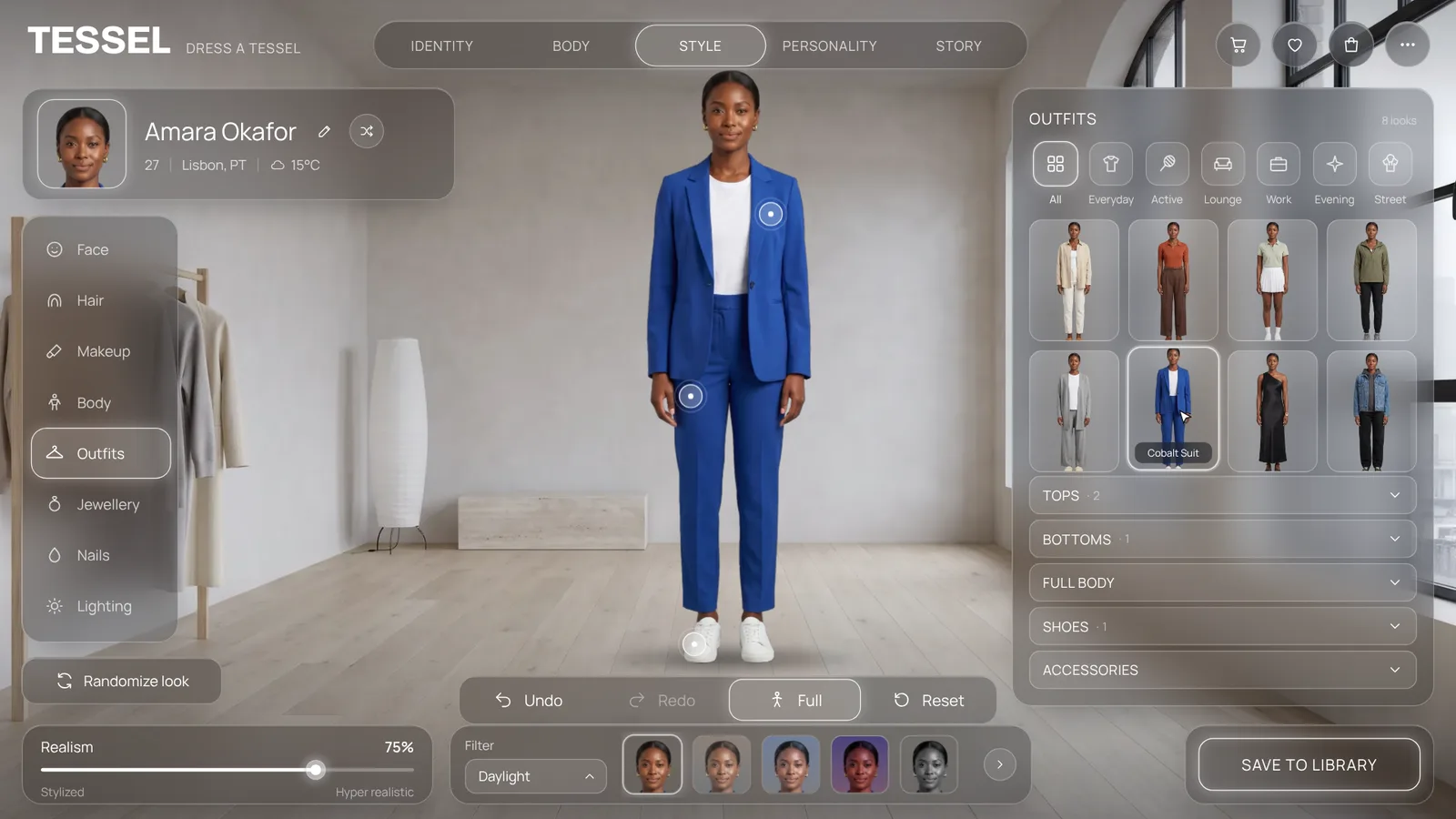
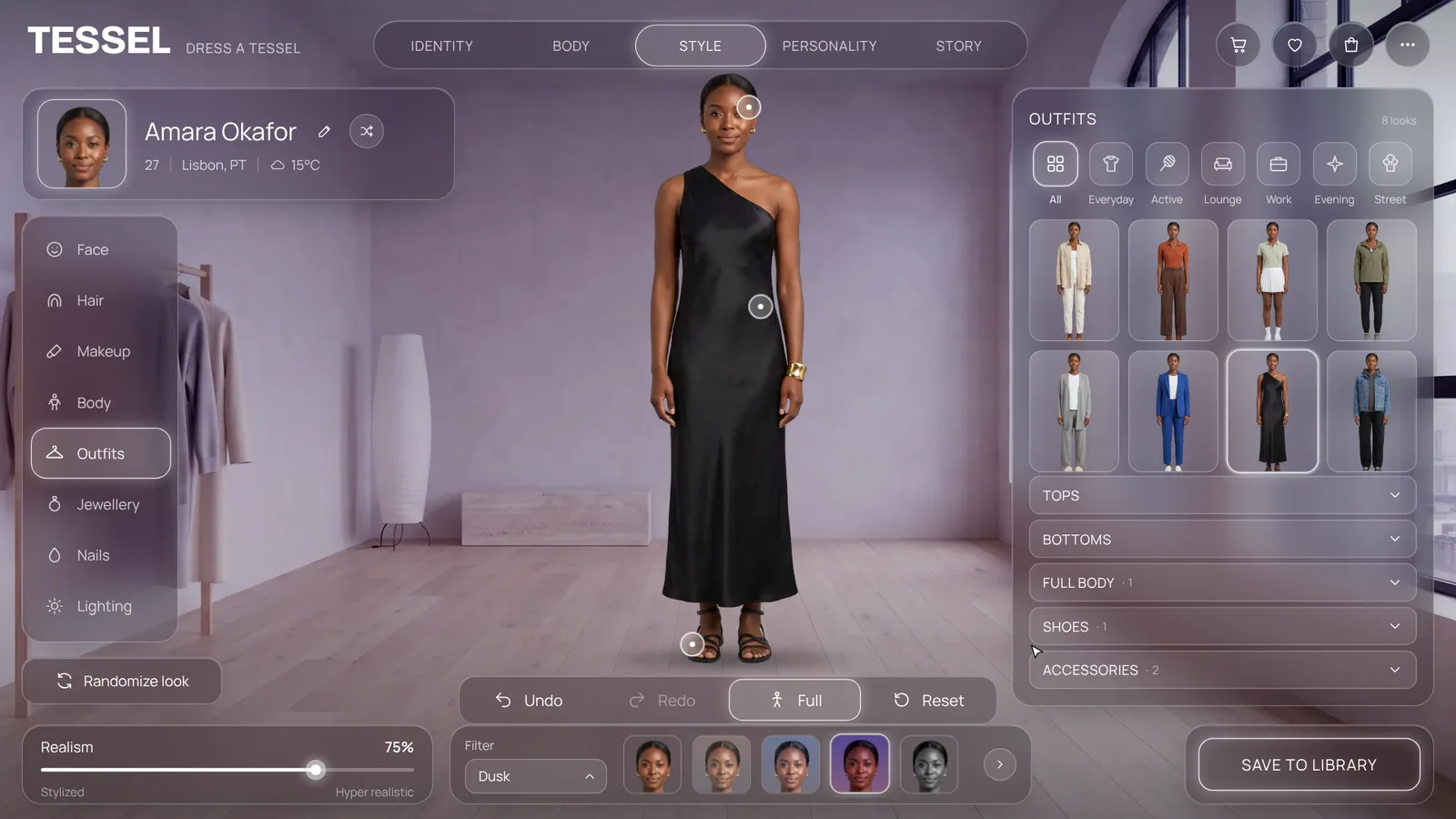
- 2 examples: a dark smoked-glass studio and a light gallery fitting room
- Open-source licenses for every part it builds on
Good fit
- A clothing brand that wants shoppers to see every look on the same person and add the pieces to a cart.
- A virtual influencer, game or avatar studio that wants a character creator with identity, body and story tabs.
- A stylist or rental service that wants clients to flip through outfits, compare grades and save the looks they like.
Not for
- Dressing a body in any garment: each look is a photo you supply or generate
- A finished checkout: wire the cart to your shop before selling from it
- Heels and changing poses: every look must share one pose and flat shoes
About this skill
A full-screen virtual styling studio: one photoreal model stands in a calm room while smoked or frosted glass panels float around her. Pick a look and her clothes change from the head down under a glowing scan line that rides the wipe, with no cross-fade, because the cut-outs are lined up to the pixel. Every look lists its pieces with prices and a real cart, chips filter the looks, filters regrade the whole room with face previews, a realism slider stylizes it, Pose reframes from full body to portrait, and Undo and Redo walk a real history. Identity, body, personality and story tabs, favourites and a save-to-library flight complete it. Your agent cuts out and lines up your outfit photos, writes one studio.json with your brand, model, looks and prices, and builds a single page.
Example request
Build a virtual styling studio page for my clothing brand: our model in these eight outfits, with each look's pieces and prices, a cart and our colors.
How it works
Your agent
- 1
Collect the brand and the looks
Ask for, or take from the brand's site.
- 2
Cut out and line up the pictures
The first picture is the reference.
- 3
Write studio.json
Copy
examples/tessel/studio.json(dark glass) orexamples/halden/studio.json(light glass, euro prices, its own filters) and replace everything. - 4
Build
The build checks every field and length, that each cut-out exists, has transparency and is the same size as the first, and that the face square sits inside it.
- 5
Check it
Open it at a desktop size and at a phone size (390 x 844) and go through.
- 1
You get
- out/index.html
What you need
- Node.js 18 or newer, for the build. Nothing to install.
- Pictures of one model in 2 to 8 outfits, same person, same pose, same camera, plain background. Front-facing, arms down a little away from the body, the whole body in frame, flat shoes (heels change the height and break the stack). An AI image model can make them: generate one "rest" picture, then ask for edits of it that change only the clothes (the prompts that made the examples are in
examples/PROMPTS.md). Real studio photos on a tripod work too. - A room: a wide picture (16:9, 2400 px or more) of an empty interior with clear floor in the middle, camera at chest height.
- Python 3 with
pip install opencv-python-headless pillow numpy rembg onnxruntime, forscripts/prepare.py, which cuts the pictures out and lines them up. If your pictures are already transparent and lined up, skip it. - Chrome or Chromium to look at the result (any browser opens the page).
- Internet when the page is opened, for the Google Fonts. Without it the page uses system fonts.
Last checked Nov 15, 2026: the package’s own build and render commands ran and passed.
If something goes wrong
The face jumps during the wipe
That look didn't line up.
prepare.pyprintsmatchfor each picture; regenerate or reshoot any under about 0.95, keeping the same pose, camera and flat shoes, and run it again on the whole set.The build says a cut-out is another size
Run every picture through
prepare.pyin one go, so they share one canvas.The build says a picture has no transparency
It is a JPEG or a PNG without alpha. Run
prepare.pyon it, which cuts it out.
What’s in the download
- SKILL.md11.2 KBthese instructions.
- examples/
- examples/halden/9.33 KB1 file
- examples/tessel/8.63 KB1 file
- examples/PROMPTS.md4.67 KBthe image prompts that made the example model, outfits and rooms.
- scripts/
- scripts/build.mjs12.4 KBchecks studio.json and writes the page;
scripts/size.mjsreads picture sizes and transparency;scripts/icons.mjs: the line icons for categories and the style menu. - scripts/icons.mjs2.62 KB
- scripts/prepare.py5.33 KBcuts out the outfit photos and lines them up by the face, and prints the face square.
- scripts/size.mjs1.55 KB
- template/
- template/studio.html59.9 KBthe page itself (layout, glass panels, wipe and scan line, history, filters, cart, tabs, library), filled in by the build.
- NOTICE.md1.20 KB
- TESTED.json573 B
11 files · 117 KB · installs to ~/.claude/skills/styling-studio for Claude Code and ~/.agents/skills/styling-studio for other agents
Credits and licenses: NOTICE.md plus any LICENSE files inside the ZIP.
Similar Skills
View allDetails
- Output
- Virtual fitting room page · scan-line outfit wipe · cart, filters, history · page from studio.json
- Needs
- Node.js 18+ and Chrome; Python 3 with OpenCV and rembg to cut out and line up 2 to 8 photos of one model in different outfits
- Series
- Page Kits · 33 skills
- Updated
- Nov 15, 2026
- Checked
- Nov 15, 2026: its own commands ran and passed. That is a working check, not a security audit.
Written for
See all 31 agents that read skill folders.
Install guides
For your agent
Generates with
Installed it? Tell others how it went. Reviews come from people who installed this skill.
Write a reviewFAQ
Why does the outfit wipe instead of fading?
Every cut-out is lined up with the others by the face, so the new picture can be revealed from the head down under a scan line and only the clothes appear to change. A fade would show two bodies at once.
Where do the outfit pictures come from?
From you: studio photos on a tripod, or an image model making one rest picture and then edits of it that change only the clothes. The included script cuts them out and lines them up, and says when a picture does not match.
Is the cart a real shop?
The cart, favourites and library work on the page and add up the prices you give, but nothing is saved or charged. Connect the cart to your own checkout before selling from it.
Which agents is Styling Studio written for?
Any agent that reads SKILL.md folders, including Claude Code, Codex, Cursor, GitHub Copilot, Gemini CLI and OpenCode.
Do I own what I make with it?
Yes. Everything your agent makes with this skill is yours, including for client and commercial work.
What if it doesn’t work for me?
Email support@lookbk.dev within 7 days of buying and we’ll fix it or refund you.
Credits and licensesWritten by Lookbk
Lookbk wrote this package: the studio page, its glass panels and scan-line wipe, the build and checks, and the cut-out and alignment script. The example model and rooms were generated with Gemini for Lookbk; no third-party code ships in the page. Written by Lookbk, no third-party code.
Credits and licenses for the open-source software and fonts it uses are in NOTICE.md inside the download.