The page this skill built from examples/tallowby, working in your browser. Opens in a new tab. Also: .
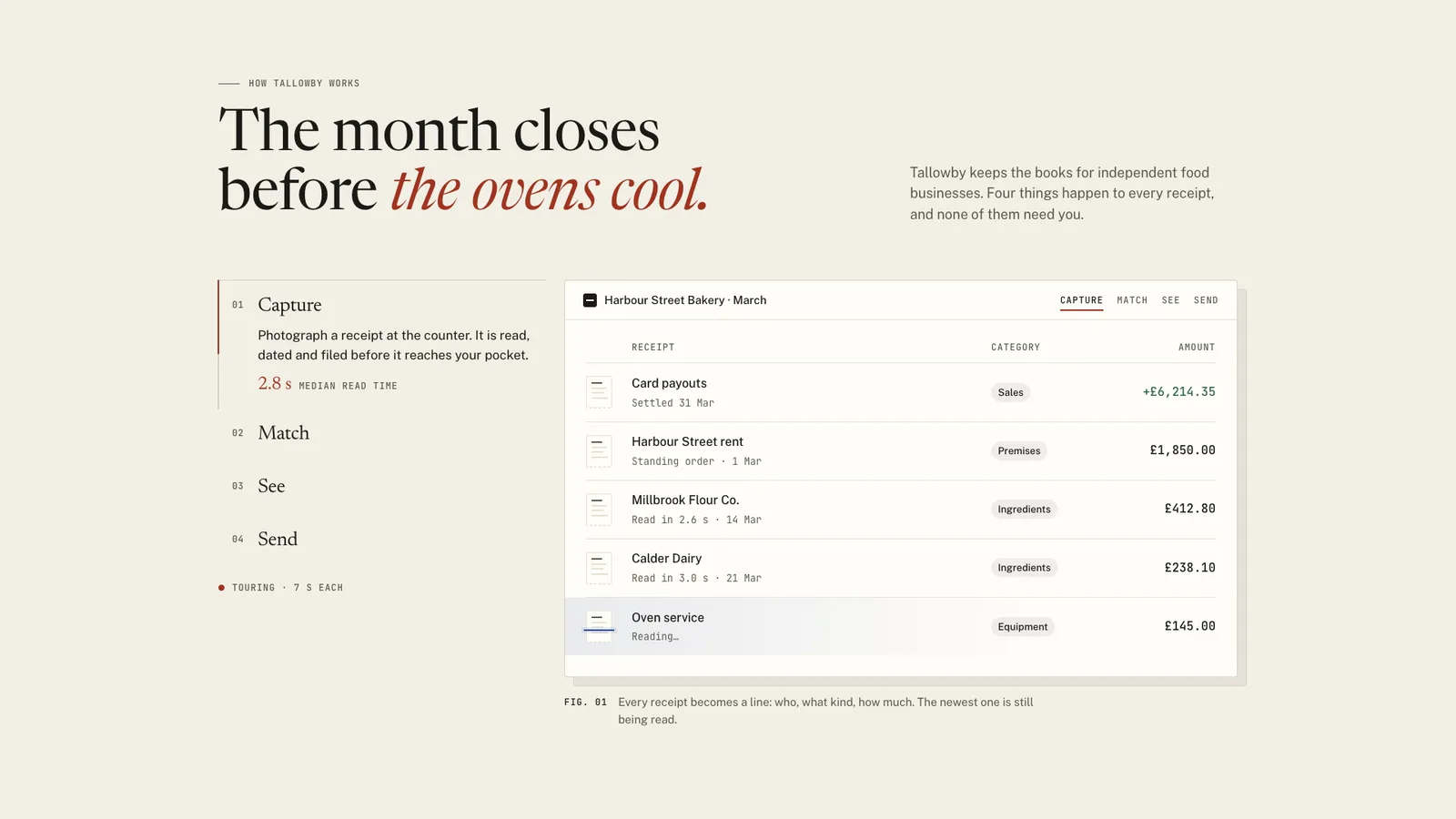
12-second example rendered by this skill from examples/tallowby · 1280×720
What you get
- A self-contained page and a paste-in embed of the section
- A tab rail beside the stage on desktop and a sticky row of chips on phones
- Eight stage views drawn from your data: list, match, chart, email, form, rates, code, timeline
- Switches that move shared objects and grow bars from their amounts
- A tour with a visible clock that stops for good when the reader acts
- A build that checks totals and prices agree across views
- Checks at 390, 768, 1024 and 1440 px for text size, contrast, empty bands, keys and swipe
- Open-source licenses for every part it builds on
Good fit
- A product page that needs to show how the product works, not list adjectives under icons.
- A team that wants the same receipts, orders or records to carry through every feature so the story holds together.
- A site that must work with keyboard, touch, reduced motion and without JavaScript.
Not for
- Showing real screenshots or video of your product
- Long feature lists past 6 items
- Pricing tables or comparison grids
- Sections that scroll through features instead of switching
About this skill
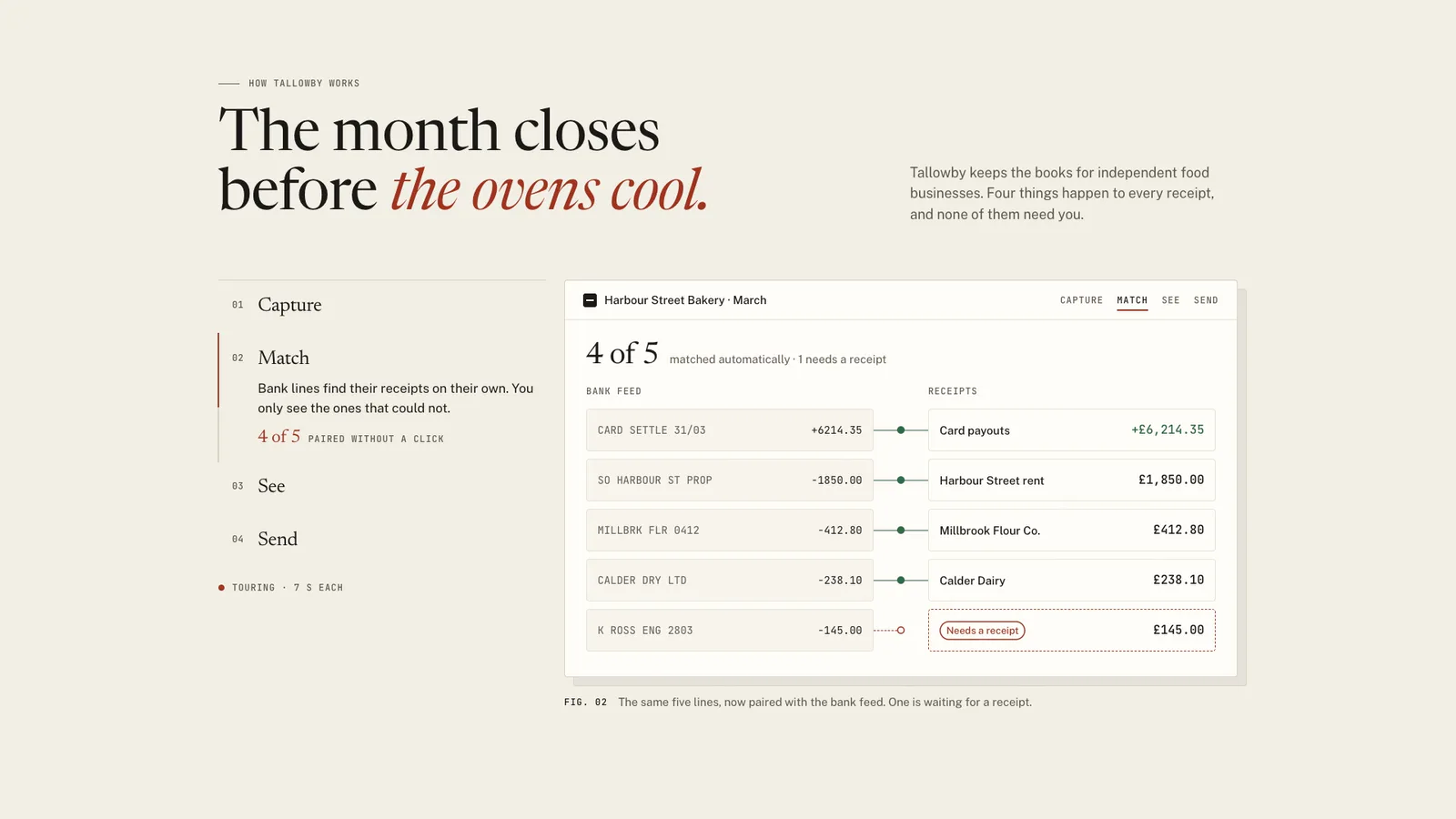
A features section where the stage is the product doing the work. Each feature is a tab in a numbered rail, and the stage beside it is drawn from your config as real interface: a list, a bank match, a bar chart, an email, a form, a rate picker, a code request or a tracking timeline. Every view is built from the same shared objects, so a switch keeps what two views have in common and moves it into place, and bars grow out of the amounts they came from. The tour runs on a visible clock, pauses off screen and stops when the reader takes over. The build checks that totals and prices agree across views, and the checks fail any view that leaves an empty band in the stage.
Example request
Build our how it works section with the feature tabs kit: four features, each with a claim, a proof number and a stage view of our product made from the same records, light theme
How it works
Your agent
- 1
Collect the content
For each feature: the verb (the tab title, 20 characters at most), the claim (one sentence), a proof figure and its label, and a caption that says what the stage shows ("The same five lines, now paired with the bank feed.").
- 2
Write features.json
Start from the example closest to your product (Tallowby for money and records, Parcelwright for developer and logistics products).
- 3
Build
It prints the numbers it checked (
matched 4 of 5, net £3,568.45, …) or every problem in the file at once, with its path (features[2].view.total.expect: says £3,600.00 but the objects add up to £3,568.45). - 4
Check
It shows every tab at each width and prints
okorFAILper run, with the stage height, the largest empty band per tab, how many things travel in each switch and how many bars grow. - 5
Look at it
Open the address it prints.
- 6
Put it on the site
Paste
out/feature-tabs-embed.htmlwhere the section goes: the font links into<head>(or load the same fonts your way), the rest in place. - 7
Record a preview (optional)
The recording is the tour's fixed script: each tab held 2.1 s, then a 0.9 s switch, so 4 tabs take 12 s and loop.
- 1
You get
- out/feature-tabs-embed.html
- out/index.html
What you need
- Node.js 18 or later. Nothing to install from npm.
- Chrome, Chromium or Edge, for
check.mjsandrecord.mjs(found automatically, or setCHROME_PATH). - ffmpeg, only to record the preview video.
- The features: 3 to 6, each with a short title, a one-sentence claim, a proof number and what the stage should show.
- The objects your product handles in those features, with real-looking values. Invent believable ones; never paste a customer's data.
Last checked Nov 8, 2026: the package’s own build and render commands ran and passed.
If something goes wrong
"an empty band of …px (…% of the stage)"
One view is much shorter than the tallest at that width. Trim the tallest (fewer rows, a shorter body,
phone: falseon a long code line) or add a row to the short one. Spreading rows further only moves the empty space between them."the stage is …px tall on tab 2"
Something in a view changed size after the stage was measured, usually a web font that failed to load. Check the font link and that the page is served, not opened from a different folder.
"switch 1→2: 5 shared items but only 3 travel"
Two atoms with the same key are drawn in one view; each object part may appear once per view.
What’s in the download
- SKILL.md13.9 KB
- examples/
- examples/parcelwright/5.23 KB1 file
- examples/tallowby/4.47 KB1 file
- kit/
- kit/feature-tabs.css20.4 KBthe whole design, scoped to
.ftk. The rail, the stage, the eight view types, the phone and tablet rules, the no-JS stacked layout and reduced motion. - kit/runtime.js13.3 KBthe browser runtime, inlined into every build. The tablist, the shared-object switch, the stage and section heights, the tour, swipe, and the recorder's script.
- scripts/
- scripts/kit/
- scripts/kit/build.mjs7.87 KB
- scripts/kit/cdp.mjs4.93 KB
- scripts/kit/check.mjs23.9 KB
- scripts/kit/record.mjs7.06 KB
- scripts/kit/schema.mjs19.4 KBevery field and its limits, colour contrast, and the numbers check; lists every problem at once.
- scripts/kit/serve.mjs2.50 KB
- scripts/kit/views.mjs9.29 KBdraws each view type as HTML from the config.
- scripts/build.mjs144 Bfeatures.json to
out/index.html(the section on its own page) andout/feature-tabs-embed.html(to paste in). - scripts/check.mjs144 Bserves the page and checks every tab at 390, 768, 1024 and 1440 px, with reduced motion at 390 and 1440, and without JavaScript at 390 and 1440.
- scripts/chrome.mjs3.63 KB
- scripts/record.mjs146 Bthe preview video, stills (
--still,--full,--nojs) and--moments. - scripts/serve.mjs144 Bserves
out/on localhost to look at. - NOTICE.md1.15 KB
- TESTED.json531 B
19 files · 138 KB · installs to ~/.claude/skills/feature-tabs-kit for Claude Code and ~/.agents/skills/feature-tabs-kit for other agents
Credits and licenses: NOTICE.md plus any LICENSE files inside the ZIP.
Similar Skills
View allDetails
- Output
- A features section built from one JSON config: 3 to 6 tabs beside one stage drawn as real UI, where switching tabs moves the same objects into a new view
- Needs
- Node.js 18+, Chrome (or Chromium/Edge), and ffmpeg for the video
- Series
- Page Kits · 29 skills
- Updated
- Nov 8, 2026
- Checked
- Nov 8, 2026: its own commands ran and passed. That is a working check, not a security audit.
Written for
See all 31 agents that read skill folders.
Install guides
For your agent
Generates with
Installed it? Tell others how it went. Reviews come from people who installed this skill.
Write a reviewFAQ
What can the stage show?
Eight view types drawn from your config as real HTML: a list, a before and after match, a bar chart, an email, a form, a rate picker, a code request and a tracking timeline. Each one reads the same shared objects, so a value written once appears the same way in every view.
Does the tour keep moving while people read?
It advances every 7 seconds by default, only while the stage is on screen and the browser tab is visible, and pauses while the mouse is on the rail. Any click, key, focus or swipe stops it for good, and the status line says so.
How does it handle different view heights?
The stage takes the height of its tallest view at the current width, so the page never jumps between tabs. Each view spreads its rows to fill that height, and the check fails any view with an empty stretch over 12% of the stage.
Which agents is Feature Tabs written for?
Any agent that reads SKILL.md folders, including Claude Code, Codex, Cursor, GitHub Copilot, Gemini CLI and OpenCode.
Do I own what I make with it?
Yes. Everything your agent makes with this skill is yours, including for client and commercial work.
What if it doesn’t work for me?
Email support@lookbk.dev within 7 days of buying and we’ll fix it or refund you.
Credits and licensesWritten by Lookbk
Lookbk wrote this package from scratch with no third-party code, and its pages load free Google Fonts under the SIL Open Font License 1.1. Written by Lookbk, no third-party code.
Credits and licenses for the open-source software and fonts it uses are in NOTICE.md inside the download.