The page this skill built from examples/fennick, working in your browser. Opens in a new tab. Also: .
23.5-second example rendered by this skill from examples/fennick · 1280×720
What you get
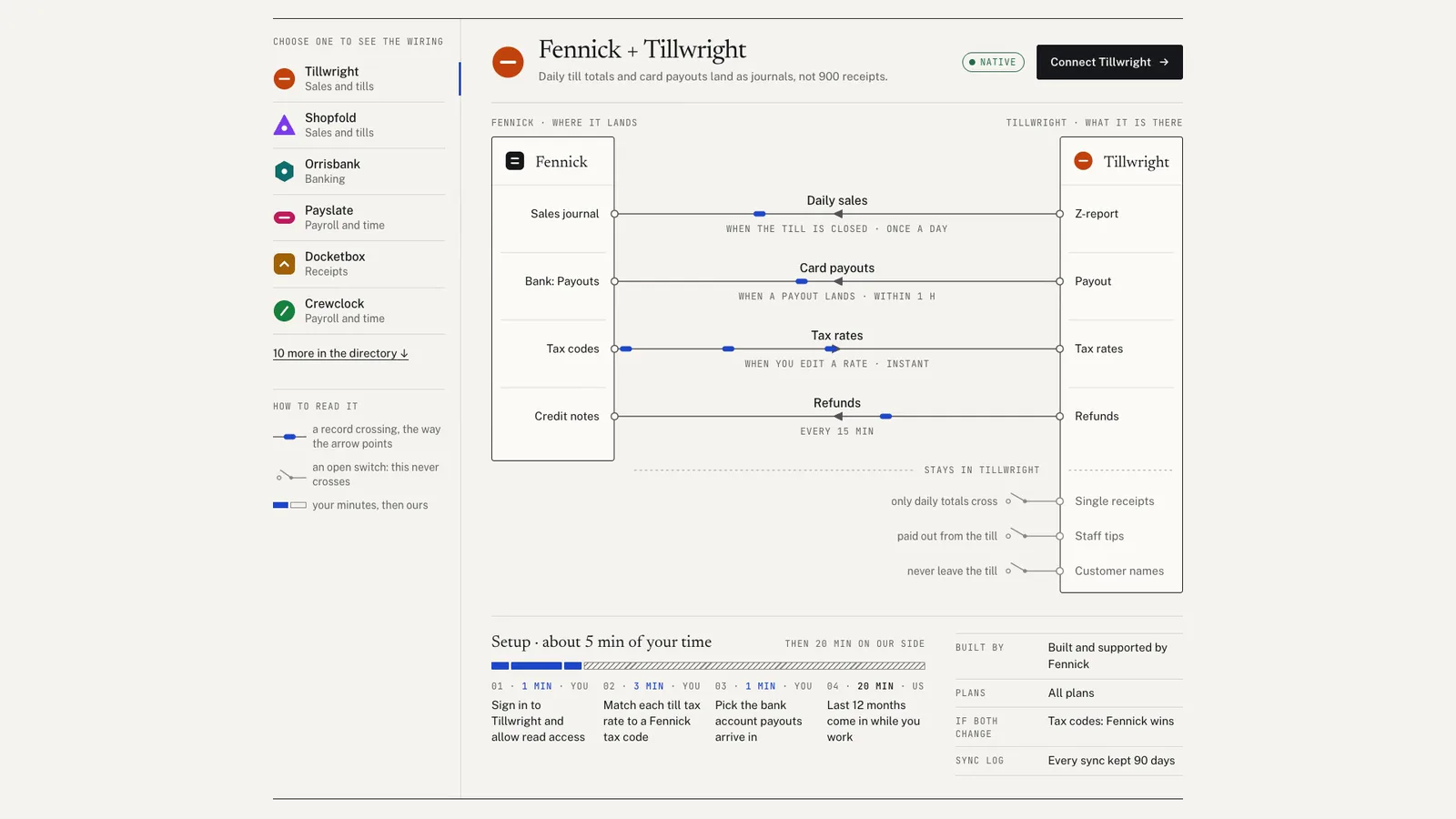
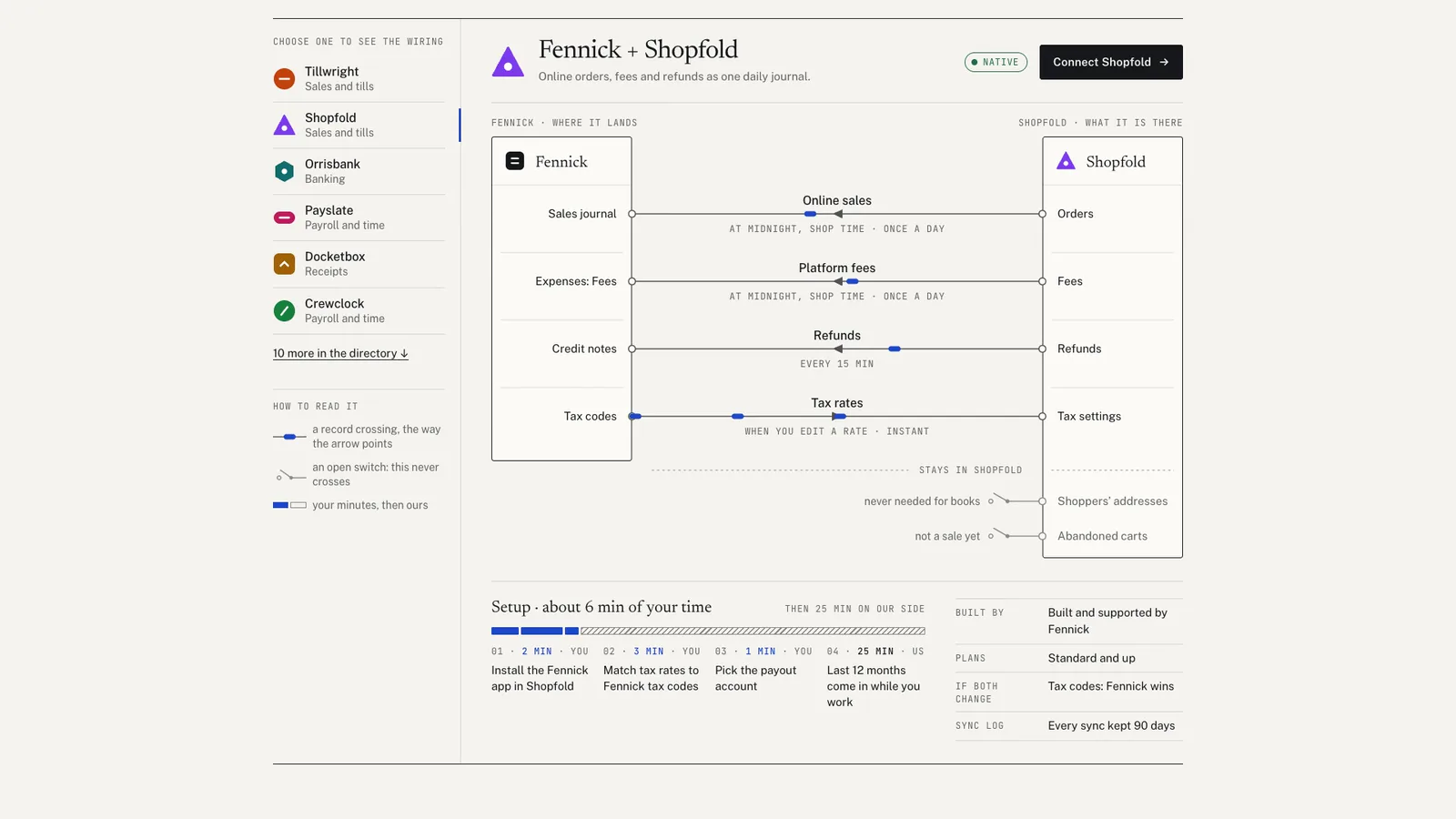
- A wiring diagram per app: records, direction, trigger, cadence and what stays behind
- Packets whose gap follows each record's cadence, paused under reduced motion
- A setup bar drawn to the minutes, yours then ours, with who wins a conflict
- A directory with search, category and status filters and live counts
- An honest not-supported list that the search answers from
- A phone layout that stacks the wiring vertically with direction in words
- A check at 4 widths, with reduced motion and with JavaScript off
- Open-source licenses for every part it builds on
Good fit
- A SaaS product whose buyers ask exactly what an integration moves before they connect it.
- A team replacing a grid of partner logos with an honest page that also lists what it does not support.
- An operations product where cadence matters, such as a till feed that crosses once a day or labels within seconds.
Not for
- A logo wall or a partner badge strip
- A live status page for whether integrations are up
- Marketplace pages with installs, reviews and payments
- Documenting an API endpoint by endpoint
About this skill
An integrations section that shows what actually flows instead of a wall of logos. Choose an app and its wiring draws itself like a terminal strip: your product on one side, the other app on the other, one wire per record with its direction, trigger and cadence, and the records that never cross shown as open switches with the reason. Packets travel every wire at one speed, and how often a record syncs sets the gap between them. Beside the diagram, setup steps drawn to their minutes and which side wins a conflict. Below it, a searchable directory with category and status filters, live counts, an empty state that answers from the honest not-supported list, and that list itself. Every number on the page is counted from the config.
Example request
Use the integrations kit to build our integrations page from our docs: for each app, list the records that sync, which way, on what trigger and how often, what stays behind, the setup steps with minutes, and the things we do not support with what to do instead.
How it works
Your agent
- 1
Collect the contracts
Draw each app's mark from a shape and one cut (below).
- 2
Write integrations.json
Copy the example closest in spirit and replace every value.
- 3
Build
It lists every problem at once and writes nothing until they are fixed: a typed number that disagrees with the lists (
stated, an app'sminutes, or "20 integrations" in the copy when there are 16; write{count}and the build fills it in), a cadence it cannot read, a featured or selected id that is not an app, a category not declared, an app that is coming without a date or with setup steps, an app with no step for the person, a line too long for its place, a colour pair under its minimum, a mark whose cut does not read on its shape, an exclamation mark or an em dash. - 4
Check
It runs at 390, 768, 1024 and 1440 px, with reduced motion at 390 and 1440 and with JavaScript off at 390 and 1440.
- 5
Look at it
Open the address it prints.
- 6
Put it on the site
Paste
out/integrations-embed.htmlwhere the section belongs. - 7
Record a preview (optional)
The video follows a fixed 23.5 s script: 1.6 s on the head, a move to the panel, the first three featured apps wired one after another (at 0.4, 5.0 and 9.6 s), the directory filtered to Native, a category word typed in three keystrokes, a search for something you do not support, then the not-supported list.
- 1
You get
- out/integrations-embed.html
- out/index.html
What you need
- Node.js 18 or newer. Nothing to install.
- Chrome, Chromium or Edge, for the check and the video (the scripts find it; set
CHROME_PATHif they don't). - ffmpeg for the video only (
brew install ffmpeg,winget install ffmpeg,apt install ffmpeg; or setFFMPEG_PATH). - Internet access when the page is opened, for the Google Fonts. Without them, system fonts stand in.
Last checked Nov 8, 2026: the package’s own build and render commands ran and passed.
If something goes wrong
The build lists problems and writes nothing.
Fix them all and build again; it reports everything at once.
"stated.native is 9, but the lists give 8".
A number on the page must be counted, not typed. Remove
stated, or fix the app'sstatus."headline says 20 integrations".
Write
{count} integrations; the build fills in the real number.
What’s in the download
- SKILL.md17.9 KB
- examples/
- examples/bayline/19.2 KB1 file
- examples/fennick/25.3 KB1 file
- kit/
- kit/integrations.css19.4 KBthe whole design, scoped to
.ik: the head, the rail, the stage, the diagram's drawing styles, setup, the directory, the not-supported list, the no-JavaScript tables, the tablet and phone rules. - kit/runtime.js31.9 KBthe browser runtime, inlined into every build. Lays out and draws the wiring (measuring every label and wrapping it so none touches another label or a wire), runs the draw-in, the switches and the packets on one clock, the tablist and its keys, the phone list, search and filters with their counts and the sliding rows, and the recording clock (
?ik-record=1). - scripts/
- scripts/kit/
- scripts/kit/build.mjs16.6 KBwrites the section, the app marks and the no-JavaScript tables.
- scripts/kit/cdp.mjs4.94 KB
- scripts/kit/check.mjs25.8 KB
- scripts/kit/record.mjs6.21 KB
- scripts/kit/schema.mjs15.0 KBevery field, its limits, the colour rules, the cadence grammar and the packet rule; lists every problem at once; counts every number the page shows.
- scripts/kit/serve.mjs2.50 KB
- scripts/build.mjs144 Bintegrations.json to
out/index.html(a short demo page around the section) andout/integrations-embed.html(the section to paste in). - scripts/check.mjs144 Bserves the page and checks it at 390, 768, 1024 and 1440 px, with reduced motion at 390 and 1440, and with JavaScript off at 390 and 1440.
- scripts/chrome.mjs3.63 KB
- scripts/record.mjs146 Bthe preview video, stills and
--moments. - scripts/serve.mjs144 Bserves
out/on localhost to look at. - NOTICE.md1.28 KB
- TESTED.json558 B
18 files · 191 KB · installs to ~/.claude/skills/integrations-kit for Claude Code and ~/.agents/skills/integrations-kit for other agents
Credits and licenses: NOTICE.md plus any LICENSE files inside the ZIP.
Similar Skills
View allDetails
- Output
- Integrations section and directory built from one JSON config, with a wiring diagram per app
- Needs
- Node.js 18+, Chrome (or Chromium/Edge), and ffmpeg for the video
- Series
- Page Kits · 29 skills
- Updated
- Nov 8, 2026
- Checked
- Nov 8, 2026: its own commands ran and passed. That is a working check, not a security audit.
Written for
See all 31 agents that read skill folders.
Install guides
For your agent
Generates with
Installed it? Tell others how it went. Reviews come from people who installed this skill.
Write a reviewFAQ
Can I list apps that are not featured in the diagram rail?
Yes. Every app in the config gets a row in the directory, and its Wiring link opens it in the stage, where it joins the rail as From the directory. Only the featured ones, 3 to 8, sit in the rail from the start.
What decides how fast the packets move?
They all move at one speed. Each record's cadence sets only the gap between packets on its wire, from a stream for instant syncs to one packet every 8 seconds for daily ones, so how often something crosses reads as rhythm.
How does it work on a phone?
The featured apps become a list. The chosen one opens in place, and its wiring stacks vertically between your product at the top and the other app at the bottom, with each direction written out in words and arrows and extra records behind a more button.
Which agents is Integrations written for?
Any agent that reads SKILL.md folders, including Claude Code, Codex, Cursor, GitHub Copilot, Gemini CLI and OpenCode.
Do I own what I make with it?
Yes. Everything your agent makes with this skill is yours, including for client and commercial work.
What if it doesn’t work for me?
Email support@lookbk.dev within 7 days of buying and we’ll fix it or refund you.
Credits and licensesWritten by Lookbk
Lookbk wrote this package, including the runtime, the diagram layout and the app marks, with no third-party code; the fonts (Newsreader, Public Sans, JetBrains Mono, Archivo and IBM Plex Mono) load from Google Fonts under the SIL Open Font License 1.1. Written by Lookbk, no third-party code.
Credits and licenses for the open-source software and fonts it uses are in NOTICE.md inside the download.