The page this skill built from examples/kittiwake, working in your browser. Opens in a new tab. Also: .
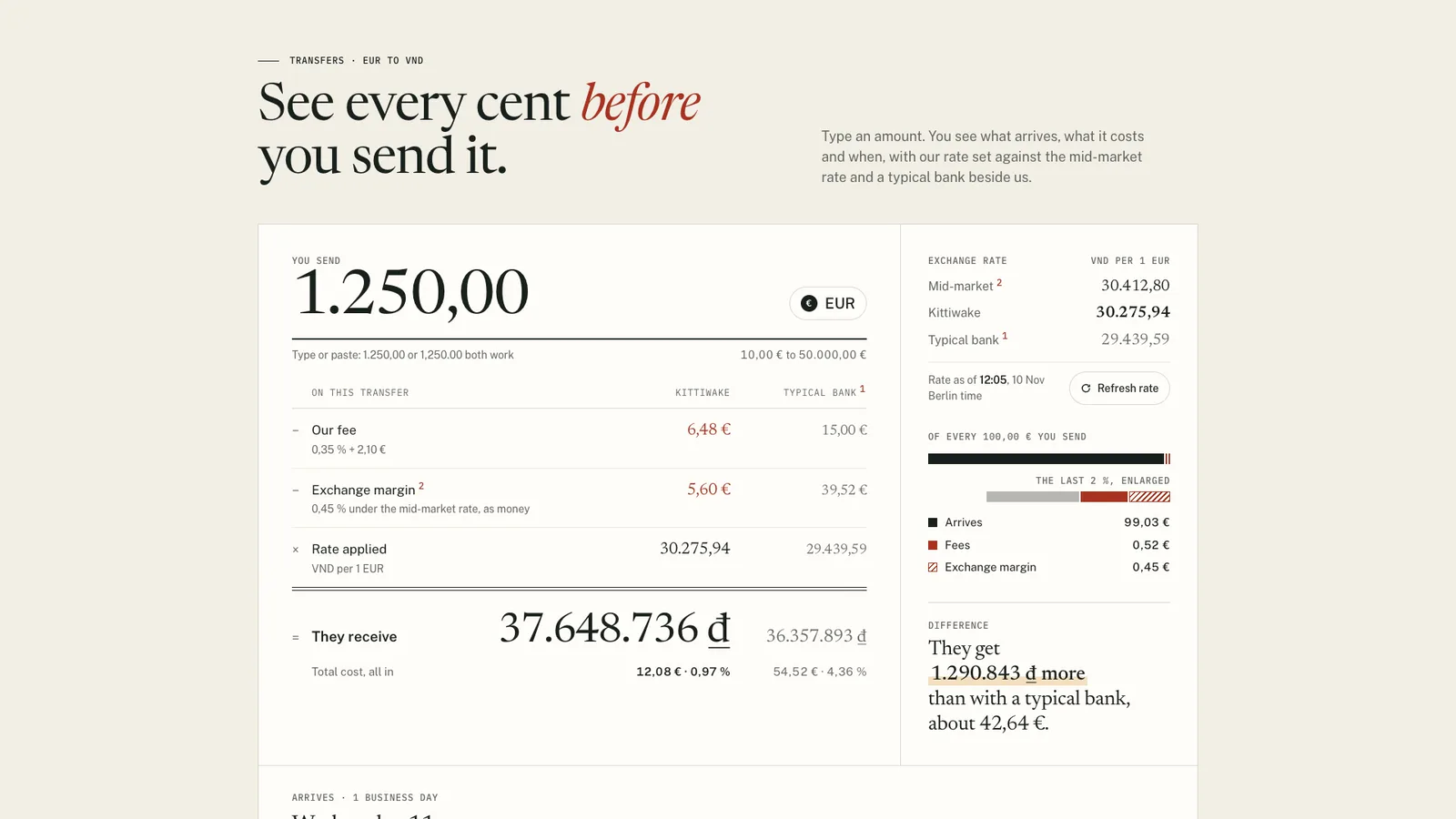
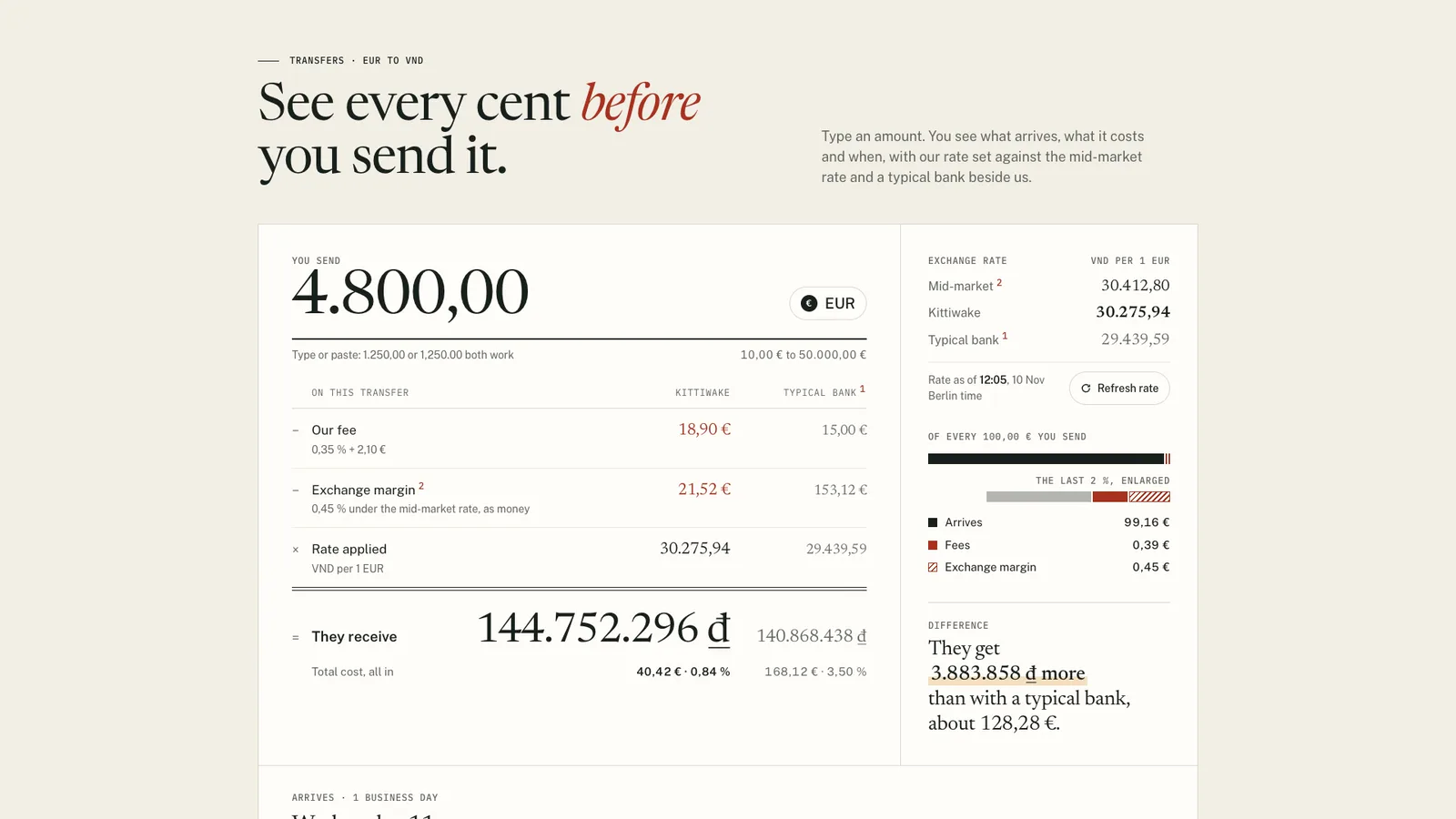
13.5-second example rendered by this skill from examples/kittiwake · 1280×720
What you get
- A self-contained page and a paste-in embed scoped under .fk
- Two layouts, statement and receipt, with ledger and terminal type pairings
- An amount field that reads 1.250,00 and 1,250.00 and explains every problem
- A comparison column the build refuses without a source and a collection date
- A time strip with now, the cut-off and arrival, nights shaded and weekends skipped
- A check at 390, 768, 1024 and 1440 px with a 300-amount property test
- Two examples: Kittiwake (EUR to VND transfers) and Brightquay (card fees)
- Open-source licenses for every part it builds on
Good fit
- Money transfer services that want their margin shown as money beside the fee, not hidden in the rate.
- Card processors and payroll tools that want merchants to see what they keep from every sale or run.
- Teams that already have a dated survey of bank fees and want a comparison column that cites it.
Not for
- Live rate feeds out of the box (it fetches nothing; you add an adapter)
- Choosing between subscription plans (use the pricing kit)
- Loan or mortgage amortisation schedules
- Currencies quoted to more than 3 decimal places
About this skill
The calculator section of a money transfer, payroll or card processing landing page, built from one calculator.json. The visitor types or pastes an amount in either number format and sees the whole sum worked out: every fee as its own line, the exchange margin shown as money against a timestamped mid-market rate, a double-ruled result, the total cost as money and per cent, and what happens to every 100 sent. An optional typical-bank column cannot be built without a source and a collection date. A time strip draws now, the real cut-off and arrival across two time zones, skipping weekends and holidays. Exact integer money with stated rounding, digits that roll only where they change, notes at reading size, and a phone bar that steps aside when the real result is on screen.
Example request
Build the calculator section for our transfer page from calculator.json: our fee and margin as separate lines in money, the rate as of its real time, a typical bank column from our dated survey, and the arrival day from our 15:00 Berlin cut-off.
How it works
Your agent
- 1
Collect the numbers
Ask for, or read from their current pricing page: each fee (fixed, percent or both) and what it depends on, the mid-market rate and the time it was taken, the margin, the rate's decimal places, the minimum and maximum amount, the cut-off and its time zone, business days to arrival, the time it lands by and in which zone, the bank holidays that apply, and the rounding rules they actually use.
- 2
Write calculator.json
Money and percentages are strings (
"2.10","0.35"); a number literal is refused. - 3
Build
It lists every problem at once (a missing field, money given as a number, more decimal places than the currency has, a minimum above the maximum, a fee case that names a toggle that doesn't exist, a time zone or locale that doesn't exist, a rate time later than
preview.now, a comparison withoutsourceorcollected, a colour pair under its contrast minimum, a line too long for its place, an exclamation mark or an em dash) and writes nothing until they are fixed. - 4
Check
It runs at 390, 768, 1024 and 1440 px, and with reduced motion at 390 and 1440, with "now" pinned to
preview.now. - 5
Look at it
Open the address it prints.
- 6
Put it on the site
Paste
out/fee-calculator-embed.htmlwhere the calculator goes. - 7
Record a preview (optional)
The video follows a fixed script: the entrance,
preview.typetyped key by key, thenpreview.toggleand/orpreview.paste, a scroll to the time strip and back.
- 1
You get
- out/fee-calculator-embed.html
- out/index.html
What you need
- Node.js 18 or newer. Nothing to install.
- Chrome, Chromium or Edge for the check and the recorder (the scripts find it; set
CHROME_PATHif they don't). - ffmpeg for the preview video only (
brew install ffmpeg,winget install ffmpeg,apt install ffmpeg, or setFFMPEG_PATH). - From the person: their real fees and how they depend on choices, the mid-market rate they quote and the time it was taken, their margin, their minimum and maximum, the cut-off time and zone, how many business days it takes and when it lands, and, for a comparison column, figures they have collected, where from and on what date.
Last checked Nov 8, 2026: the package’s own build and render commands ran and passed.
If something goes wrong
The build lists problems and writes nothing.
Fix them all and build again; it reports everything at once.
"rate.mid must be a string".
Write
"30412.80", not30412.80. Money is never a float here, so0.1 + 0.2can't happen."rate.asOf is later than preview.now".
A quote can't come from the future. Set
asOfto when the rate was actually taken, in the cut-off's zone, or movepreview.nowlater.
What’s in the download
- SKILL.md19.9 KB
- examples/
- examples/brightquay/4.25 KB1 file
- examples/kittiwake/2.64 KB1 file
- kit/
- kit/engine.js30.6 KBthe exact money, the amount parser, cut-offs across time zones and the section's markup. The build runs it in Node for the starting HTML and the page runs the same file.
- kit/fees.css18.3 KBthe whole design, scoped to
.fk, following the width of its own column (container queries). - kit/runtime.js18.3 KBthe browser runtime: typing and pasting, the digit rolls, the entrance, the toggles, the rate adapter, the minute-by-minute cut-off, the phone result bar and the recording clock.
- scripts/
- scripts/kit/
- scripts/kit/build.mjs4.39 KB
- scripts/kit/cdp.mjs4.93 KB
- scripts/kit/check.mjs31.4 KB
- scripts/kit/record.mjs7.56 KB
- scripts/kit/reference.mjs3.65 KBan independent second implementation of the sum with exact fractions, used only by the check.
- scripts/kit/schema.mjs17.2 KBevery field, its limits, the money and clock rules and the contrast rules; lists every problem at once.
- scripts/kit/serve.mjs2.50 KB
- scripts/build.mjs146 Bcalculator.json to
out/index.htmlandout/fee-calculator-embed.html. - scripts/check.mjs146 Bthe checks at 390, 768, 1024 and 1440 px and with reduced motion, the property test, the edge cases and the build's refusals.
- scripts/chrome.mjs3.63 KB
- scripts/record.mjs148 Bthe preview video, stills and
--moments. - scripts/serve.mjs146 Bserves
out/on localhost to look at. - NOTICE.md1.63 KB
- TESTED.json445 B
20 files · 172 KB · installs to ~/.claude/skills/fee-calculator-kit for Claude Code and ~/.agents/skills/fee-calculator-kit for other agents
Credits and licenses: NOTICE.md plus any LICENSE files inside the ZIP.
Similar Skills
View allDetails
- Output
- Transfer and card-fee calculator section from one JSON config: exact money, cut-off time strip, sourced comparison
- Needs
- Node.js 18+, Chrome (or Chromium/Edge), and ffmpeg for the video
- Series
- Page Kits · 29 skills
- Updated
- Nov 8, 2026
- Checked
- Nov 8, 2026: its own commands ran and passed. That is a working check, not a security audit.
Written for
See all 31 agents that read skill folders.
Install guides
For your agent
Generates with
Installed it? Tell others how it went. Reviews come from people who installed this skill.
Write a reviewFAQ
Does it fetch live exchange rates?
No. The rate and the time it was taken are in calculator.json, and the build refuses a rate time later than preview.now. To show live rates, define window.FeeKitRates before the embed; Refresh then calls it and refuses a rate dated in the future.
How do you know the numbers are right to the cent?
Money is held as integers in minor units with a named rounding rule. The check types 300 amounts in both number formats and compares every figure, bar and sentence with a separate exact-fraction implementation; all must match exactly.
What happens when someone types something that is not an amount?
They get a plain message and the field is marked invalid, while the last good figures stay on screen, dimmed. Below the minimum or above the maximum waits for a pause, and a non-numeric paste is refused.
Which agents is Fee Calculator written for?
Any agent that reads SKILL.md folders, including Claude Code, Codex, Cursor, GitHub Copilot, Gemini CLI and OpenCode.
Do I own what I make with it?
Yes. Everything your agent makes with this skill is yours, including for client and commercial work.
What if it doesn’t work for me?
Email support@lookbk.dev within 7 days of buying and we’ll fix it or refund you.
Credits and licensesWritten by Lookbk
Lookbk wrote this package; it uses no third-party code, and its fonts (Newsreader, Public Sans, IBM Plex Mono, Geist, Geist Mono) load from Google Fonts under the SIL Open Font License 1.1. Written by Lookbk, no third-party code.
Credits and licenses for the open-source software and fonts it uses are in NOTICE.md inside the download.