The page this skill built from examples/kestrine, working in your browser. Opens in a new tab. Also: .
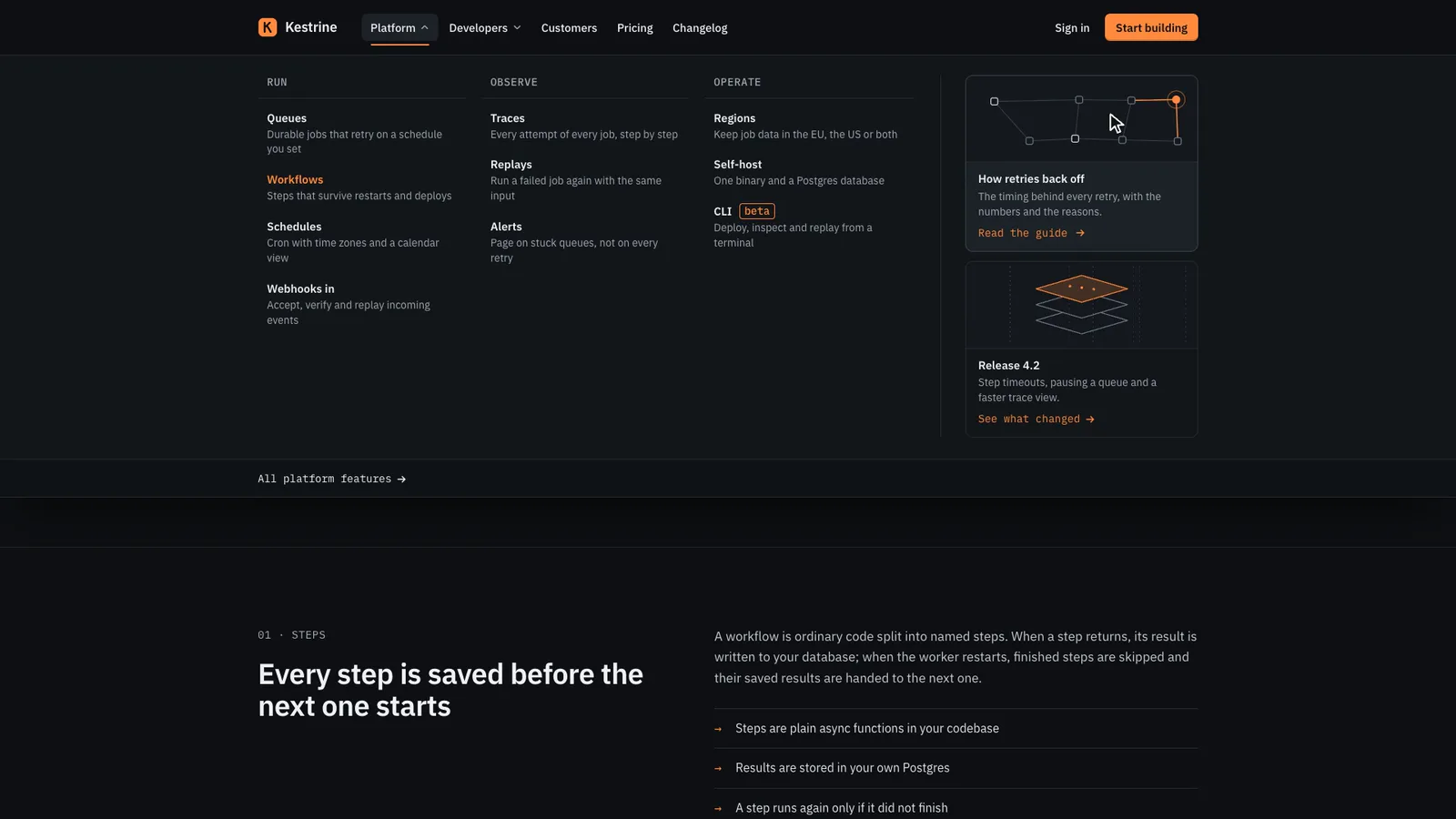
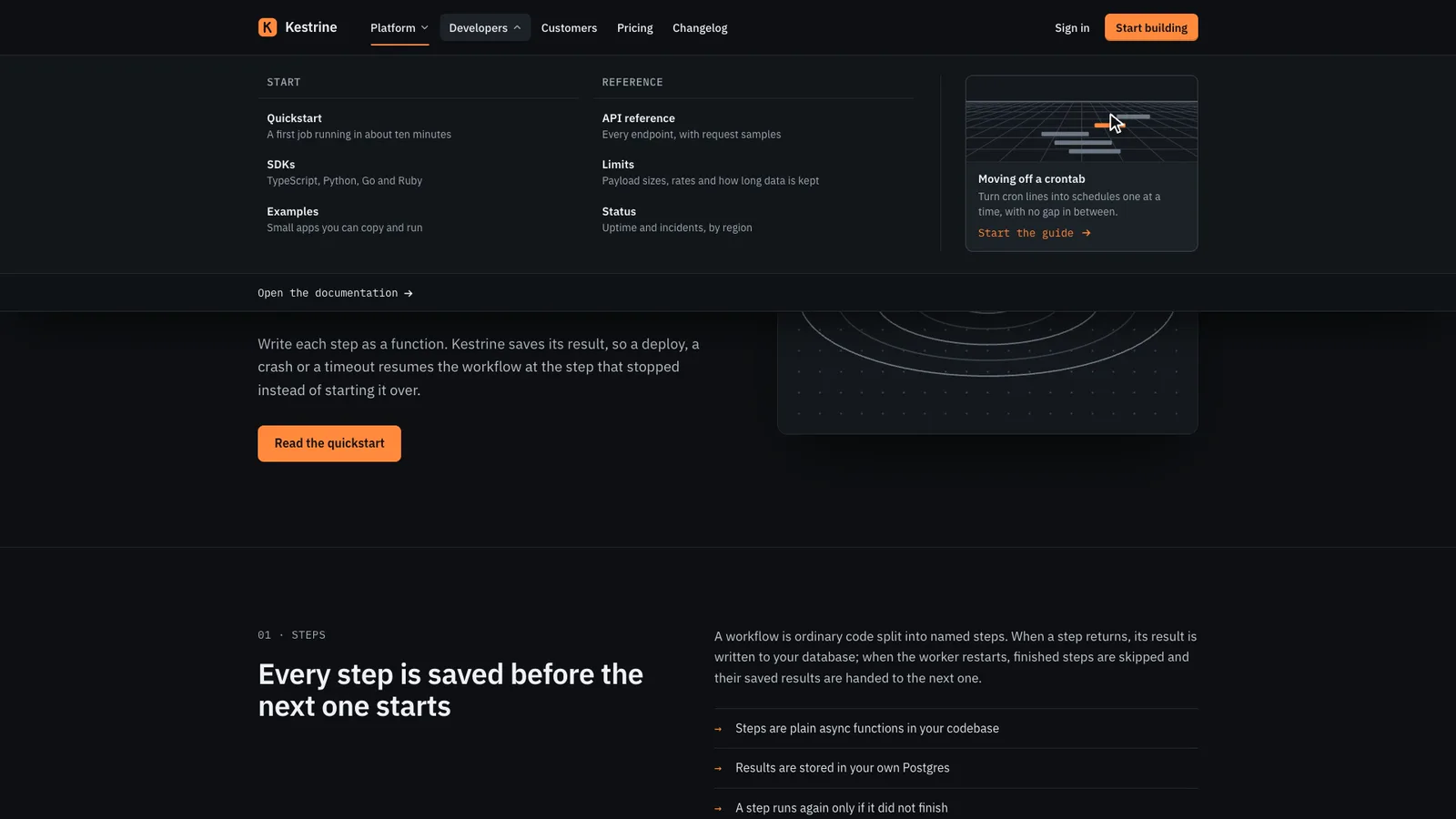
17-second example rendered by this skill from examples/kestrine · 1280×720
Example settingswhat each example above was built from
examples/kestrinenav.json
- Brand
- Kestrine
- Product
- Kestrine
- Style
- foundry
- Colors
- accent #ff8a3d
examples/fellwendnav.json
- Brand
- Fellwend
- Product
- Fellwend
- Style
- atlas
- Colors
- accent #2f5d46
What you get
- out/index.html, out/embed.html and out/react/SiteHeader.tsx with its CSS, from one nav.json
- Mega menus with grouped, described links and preview cards, opened by click, Enter, Space or ArrowDown and closed by Escape, a click outside or tabbing out
- A sticky header that condenses, and optionally hides on the way down, without moving the page
- A mobile drawer that traps the focus, locks the scroll and returns the focus to Menu
- A skip link, aria-current on the current page and #anchors that land below the header
- Two finished styles, foundry and atlas, each with its own layout, menu and drawer
- A build that refuses broken navigation, with a self-test that proves 16 refusals, and checks at 390, 768, 1024 and 1440 px plus reduced motion, with a 1080p clip
- Open-source licenses for every part it builds on
Good fit
- Developer tools with many product pages get the foundry style: described links in columns and a rail of diagram cards, as in Kestrine.
- Travel, retail and culture sites get the atlas style: the name in the middle and tall picture cards in the menu, as Fellwend does.
- Teams replacing a header that jumps on scroll or traps keyboard users paste the embed or render the React component on every page.
Not for
- Application menus (role="menu" with arrow-key menus, like a desktop app's File menu)
- More than 7 top items or more than 18 links in one menu: split it or move links to the footer
- Navigation that changes per page at runtime: the current page is set at build time, or by your router
- Other fonts and layouts: each style is the design; the accent colour is yours
About this skill
A site header your agent builds from one nav.json and puts at the top of every page: the logo, plain links and mega menus, a sign-in link and one primary button. Each mega menu holds up to four groups of links, each link with a one-line description, and up to three preview cards whose pictures are drawn as SVG from a motif (fells, coast, viaduct, or diagrams for software), so no stock photos. The menus follow the WAI-ARIA disclosure pattern rather than role="menu": buttons with aria-expanded, one panel open at a time, Escape closes and returns the focus, a click outside or tabbing out closes, and on a mouse hovering opens after a short pause while a click always works. The header is sticky and condenses as the page scrolls using transforms only, so nothing on the page moves (the check measures a layout shift of zero), and it can also slide away on the way down and come back on the way up. Under a breakpoint the links move into a drawer that traps the focus, locks the page without a jump and opens its groups as accordions, with the current page marked by aria-current and its group open. Two styles laid out differently: foundry, a dense graphite header for developer tools with described links in columns and a rail of diagram cards, and atlas, a printed-guide masthead with the name in the middle and tall picture cards for travel, retail and culture. The build refuses too many items, empty menus, overlong labels, duplicate ids, unsafe links, two current pages and cards or buttons without links, and the check tests four widths and reduced motion for contrast, overflow, focus, every keyboard path, anchors and layout shift.
Example request
Use the Header & Mega Menu Kit to build our site header in the foundry style: our logo, a Platform mega menu with our three product groups and a card for the latest release, a Developers menu, Pricing and Changelog links, Sign in and Start free, a header that condenses on scroll and a drawer on phones. Give me the embed and the Next.js component.
How it works
Your agent
- 1
Collect the navigation
From the person, or from their current site.
- 2
Write nav.json
The other fields:
id(the header's id, defaultsite-header),skipTo(the id of your main content, defaultmain),header.behavior(condenseorhide),header.breakpoint(640 to 1280; below it the drawer is used),header.threshold(pixels scrolled before it condenses, default 24),copy(skip,menu,close,main), andpage, the demo page the built index.html shows under the header (a hero and 2 to 6 sections with ids; it is only for looking at the header in place, and every#anchorin the menu must point at one of its sections). - 3
Build
It lists every problem at once and writes nothing until they're fixed: more than 7 top items, a menu with no groups or a group over 6 links, a label over its limit, an id used twice, a link that isn't
https://,/,#sectionormailto:, more than one current page, a preview card without a link, a CTA without a URL, a breakpoint out of range, an item that is both a link and a menu, an#anchorwith no section, a logo with a script in it. - 4
Check
It opens the page at 390, 768, 1024 and 1440 px wide and with reduced motion at 390 and 1440, and fails on: script errors; sideways scrolling; text under 16 px on a phone or 14 px elsewhere; text under WCAG AA contrast with the header full and condensed, in every mega menu and in the drawer; text cut off or off the screen; header items that overlap; any layout shift while the page scrolls, the header condenses or hides and menus and the drawer open and close; a header that never condenses (or, with
hide, never hides and comes back); a keyboard focus that can't be seen; a menu that click, Enter or Space doesn't open and close; two menus open at once; Escape that doesn't close a menu or return the focus; a click outside or Tab out of a menu that doesn't close it; a drawer that lets the focus escape, doesn't lock the page, or doesn't return the focus to Menu; an#anchorthat lands under the header; a skip link that doesn't move the focus; and, with reduced motion, anything that still slides or fades. - 5
Look at it
Open the address it prints.
- 6
Record the clip (optional)
Writes
out/preview.mp4(1920×1080, 30 fps, about 17 seconds) andout/poster.png. - 7
Put it on the site
Tell the person which pattern the menus follow (disclosure, with Escape and focus return), that the header condenses without moving the page, where the drawer starts, and which link is marked as the current page.
- 1
You get
- out/index.html
- out/embed.html
- out/preview.mp4
- out/poster.png
- out/react/SiteHeader.tsx
- out/react/site-header.css
What you need
- Node.js 18 or newer. Nothing to install.
- Chrome, Chromium or Edge, for the check and the clip (the scripts find it; set
CHROME_PATHif they don't). - ffmpeg for the clip only (
brew install ffmpeg,winget install ffmpeg,apt install ffmpeg; or setFFMPEG_PATH). - Internet access when the page is opened, for the style's Google Fonts. Without them system fonts stand in.
Last checked Nov 13, 2026: the package’s own build and render commands ran and passed.
If something goes wrong
The header doesn't stick
An ancestor has
overflow: hiddenoroverflow: auto(sticky sticks to the nearest scrolling box), or the header is inside a wrapper as tall as itself. Put it directly inside<body>or your root layout.The build says an #anchor has no section
In the demo page every
#linkin the menu must match a section id inpage.sections. On your own site, make the ids match your page.The check reports a layout shift
Something outside the header changes height when it condenses, often your own CSS giving the header a
heightper state. Leave its height alone: it condenses by transform.
What’s in the download
- SKILL.md16.0 KBthese instructions.
- examples/
- examples/fellwend/6.36 KB2 files
- examples/kestrine/6.52 KB2 files
- kit/
- kit/atlas.css8.79 KBthe two styles.
- kit/base.css8.63 KBthe layout and mechanics.
- kit/foundry.css8.24 KB
- kit/page.css6.53 KBthe demo page under the header.
- scripts/
- scripts/kit/
- scripts/kit/art.mjs12.2 KBthe preview cards' pictures, drawn as SVG from a motif and a seed.
- scripts/kit/build.mjs15.3 KBthe markup, the HTML page, the embed and the React component.
- scripts/kit/cdp.mjs4.90 KBthe checks, recorder and helpers.
scripts/chrome.mjsfinds Chrome. - scripts/kit/check.mjs26.3 KB
- scripts/kit/record.mjs6.60 KB
- scripts/kit/runtime.js21.2 KBthe disclosures, hover intent, the drawer and its focus trap, the sticky condense and hide, and the recorder's script.
- scripts/kit/schema.mjs12.6 KBevery field, its limit and the rules the build enforces.
- scripts/kit/selftest.mjs4.54 KB
- scripts/kit/serve.mjs2.47 KB
- scripts/build.mjs150 Bentry points; the work is in
scripts/kit/. - scripts/check.mjs150 B
- scripts/chrome.mjs3.63 KB
- scripts/record.mjs152 B
- scripts/selftest.mjs128 B
- scripts/serve.mjs150 B
- NOTICE.md1.20 KB
- TESTED.json452 B
26 files · 173 KB · installs to ~/.claude/skills/header-nav-kit for Claude Code and ~/.agents/skills/header-nav-kit for other agents
Credits and licenses: NOTICE.md plus any LICENSE files inside the ZIP.
Similar Skills
View allDetails
- Output
- Site header from nav.json · sticky header that condenses with no layout shift · mega menus with preview cards · mobile drawer · disclosure keyboard pattern · HTML, embed and React component
- Needs
- Node.js 18+, and Chrome for the checks; ffmpeg only for the clip
- Series
- Page Kits · 33 skills
- Updated
- Nov 17, 2026
- Checked
- Nov 13, 2026: its own commands ran and passed. That is a working check, not a security audit.
Written for
See all 31 agents that read skill folders.
Install guides
For your agent
Generates with
Installed it? Tell others how it went. Reviews come from people who installed this skill.
Write a reviewFAQ
Why are the menus not role="menu"?
Site navigation is a list of links, and role="menu" tells screen readers to expect an application menu. The kit uses the disclosure pattern instead: buttons with aria-expanded, Escape closes and returns the focus.
How does the header shrink without a layout shift?
Its box keeps its full height while the background scales down and the row moves up by transform, so nothing below it moves. The check watches for layout shifts and fails above zero.
What happens on phones?
Under the breakpoint, 1024 px by default, the links move into a drawer. It traps the focus, locks the page without a jump, opens menus as accordions and closes on Escape.
Which agents is Header & Mega Menu Kit written for?
Any agent that reads SKILL.md folders, including Claude Code, Codex, Cursor, GitHub Copilot, Gemini CLI and OpenCode.
Do I own what I make with it?
Yes. Everything your agent makes with this skill is yours, including for client and commercial work.
What if it doesn’t work for me?
Email support@lookbk.dev within 7 days of buying and we’ll fix it or refund you.
Credits and licensesWritten by Lookbk
the header, both styles, the SVG pictures and the kit, all written for Lookbk. The fonts are from Google Fonts. Written by Lookbk, no third-party code.
Credits and licenses for the open-source software and fonts it uses are in NOTICE.md inside the download.