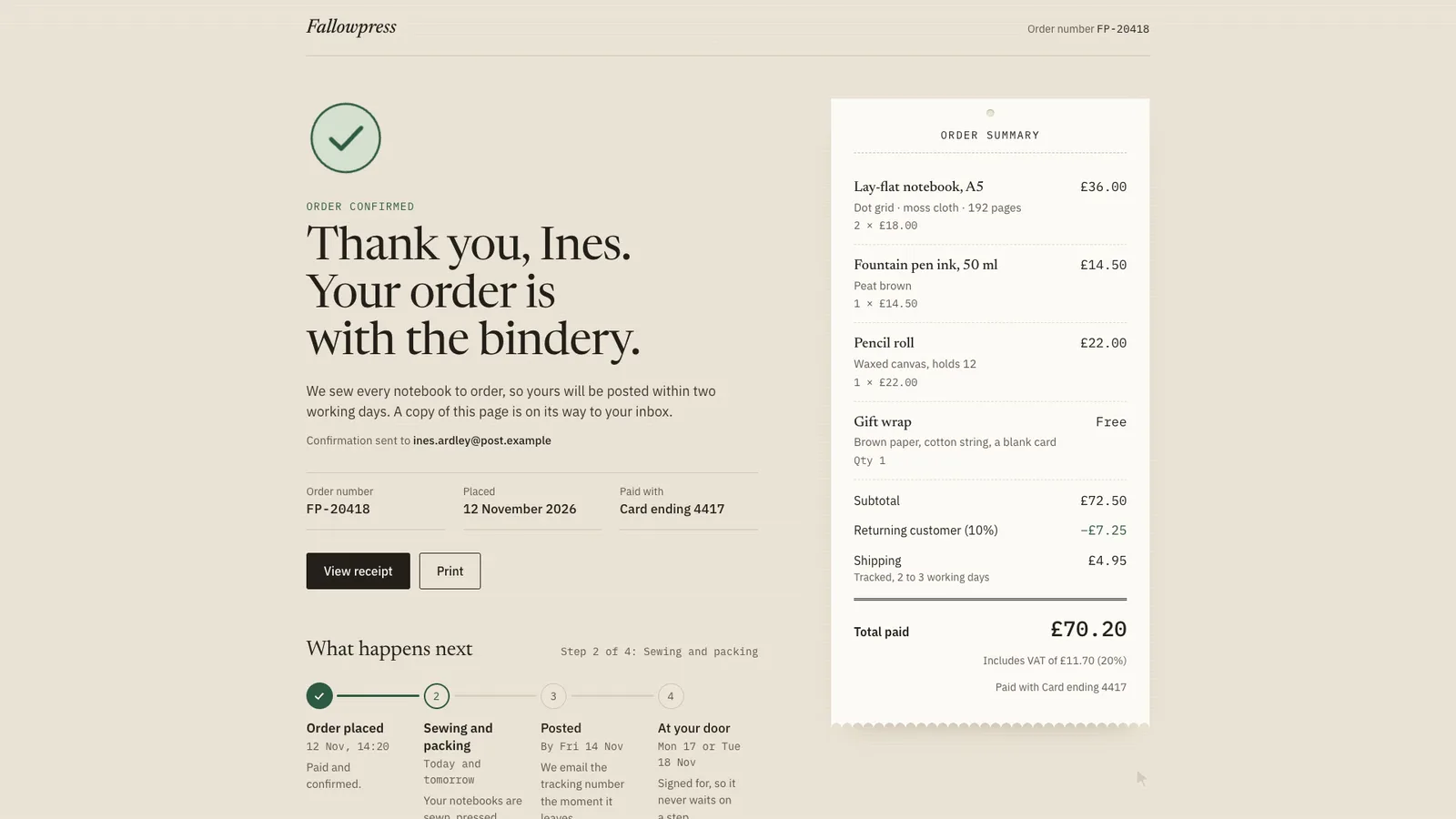
The page this skill built from examples/fallowpress, working in your browser. Opens in a new tab. Also: .
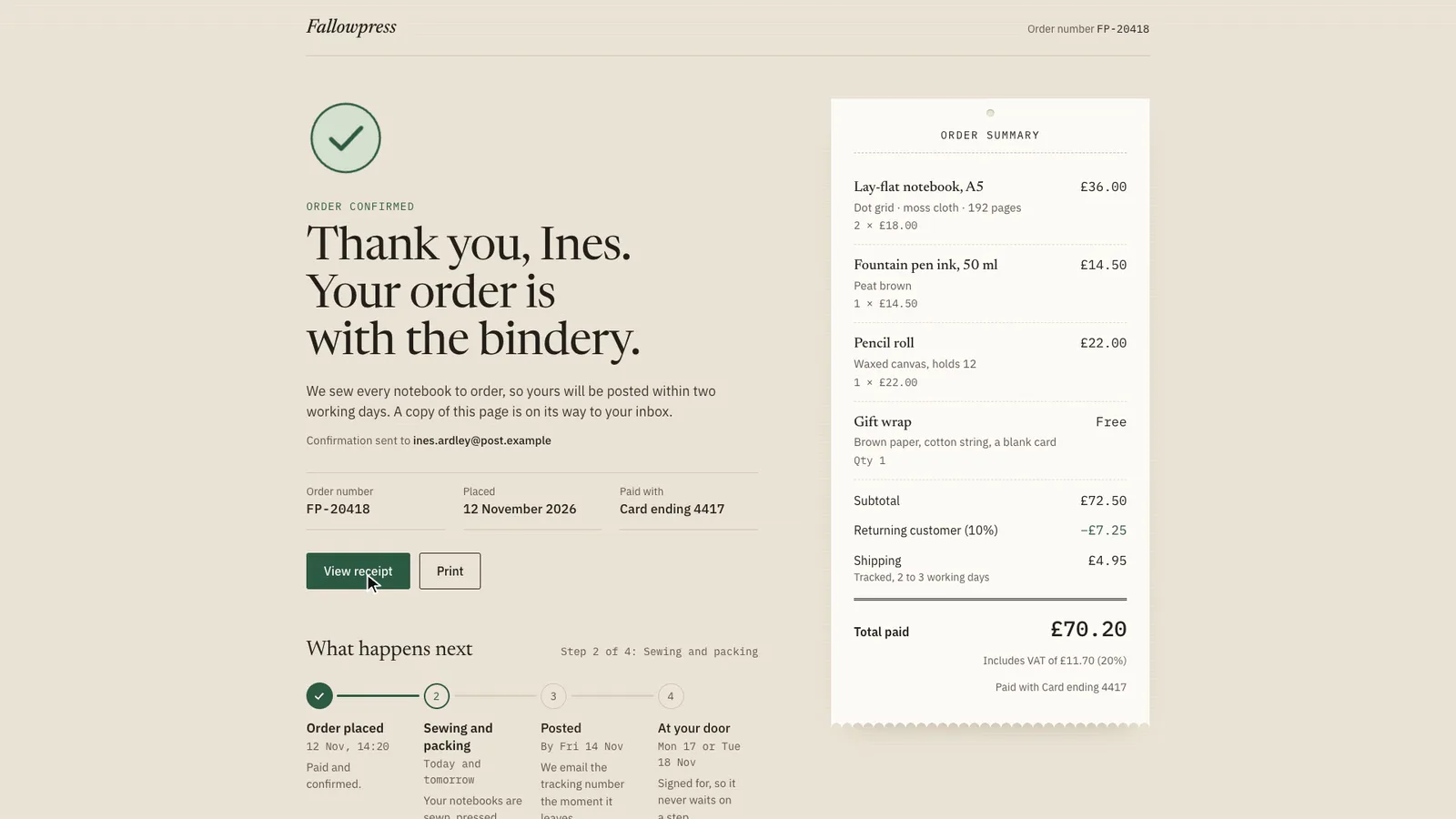
17.3-second example rendered by this skill from examples/fallowpress · 1280×720
Example settingswhat each example above was built from
examples/fallowpressconfirmation.json
- Brand
- Fallowpress
- Style
- slip
- Currency
- GBP
- Headline
- Thank you, Ines. Your order is with the bindery.
examples/brineholtconfirmation.json
- Brand
- Brineholt Ferries
- Kicker
- Crossing booked
- Style
- ticket
- Currency
- CAD
- Headline
- You’re on the 07:40 to Varrow Island.
What you get
- out/index.html, out/embed.html and out/react/ConfirmationPage.tsx with its CSS, from one confirmation.json, plus the booking's .ics file
- An SVG checkmark that draws itself (ring, disc, tick, settle, rays) and is shown finished with reduced motion or without script
- Every line, subtotal, discount, shipping, tax and total computed from your items and rates, printed back by the build, never typed
- A "what happens next" tracker whose progress bar fills node to node, with aria-current="step" on the current step
- For bookings, an add-to-calendar .ics in UTC from the place's time zone, and optional Google Calendar and Outlook links
- Two finished styles, slip and ticket, with a print stylesheet
- A build that refuses typed totals, negative amounts, an oversized discount, unknown currencies or time zones, impossible times, steps out of order and unsafe links, with a self-test that proves it
- Checks at 390, 768, 1024 and 1440 px for amounts, the drawn tick, the bar, the calendar file, contrast, overflow, focus, layout shift, print and reduced motion, and a 1080p clip
- Open-source licenses for every part it builds on
Good fit
- Shops that want a thank-you page whose every line, discount, shipping charge, VAT and total is worked out from the order, like Fallowpress in the slip style.
- Ferries, stays, classes and appointments that need an add-to-calendar file in the right time zone, as Brineholt does with its ticket and tear-off stub.
- Checkout flows in React or Next.js that want a success page with a progress tracker and a print stylesheet, without adding an animation library.
Not for
- Taking payment or looking orders up: it shows the order you give it; your app fills the values per order
- Live order tracking from a carrier: the steps are the ones you write
- Other fonts and layouts: each style is the design; the accent colour is yours
About this skill
The page people see right after they pay or book, built by your agent from one confirmation.json and dropped into a site as a page, a paste-in embed or a React component. An SVG checkmark draws itself: the ring goes round from twelve o'clock, a disc swells in behind it, the tick is drawn with a pen-flick ease, the mark settles and a few short rays flick out once, all with stroke-dasharray and stroke-dashoffset on pathLength="1" and no library. Every amount in the summary is worked out by the build in minor units from quantities and unit prices: each line, the subtotal, a percentage or fixed discount, shipping, tax added on top or included (VAT, GST, HST) and the total, formatted with Intl.NumberFormat in any currency, and the build refuses a total, subtotal or tax amount typed by hand. "What happens next" is a progress tracker whose bar fills node to node, each node lighting as the bar reaches it, with the current step marked aria-current="step". Bookings get a ticket with the route, date and times and an add-to-calendar button that downloads an RFC 5545 .ics with the times converted to UTC from the place's IANA time zone, daylight saving included, plus optional Google Calendar and Outlook links. Receipt, print (with a print stylesheet), support and continue links come with every page. Two styles laid out differently: slip, a small shop's packing slip with the receipt pinned beside the page, and ticket, a boarding pass with a tear-off stub. The check tests four widths for every amount against its own arithmetic, the drawn tick, the bar, the calendar file, contrast, overflow, focus, layout shift, print and reduced motion.
Example request
Use the Confirmation Page Kit to build our order confirmation page in the slip style: the order number, our three products with quantities and prices in GBP, 10% off for returning customers, tracked shipping, VAT included, four next steps and the delivery address. Give me the embed and the Next.js component.
How it works
Your agent
- 1
Collect the order or booking
From the person, their checkout, or their order emails.
- 2
Write confirmation.json
The other fields:
kicker(the small line above the headline; by default "Order confirmed" or "Booking confirmed"),headline(up to 90 characters, the customer's name in it if you have it),intro,customer.email(shown as where the copy was sent),payment.method("Card ending 4417"; never a full card number),footnote,id(the section's id, defaultconfirmation) andcopyto reword any phrase the page prints around your words (the list isCOPYinscripts/kit/schema.mjs). - 3
Build
It lists every problem at once and writes nothing until they're fixed: a typed total or tax amount, a negative or fractional quantity, a negative price, more decimals than the currency has, a discount bigger than the subtotal, an unknown currency or time zone, a tax rate outside 0 to 30 (or written as 0.2), a booking whose end isn't after its start or whose time doesn't exist (the hour skipped when clocks go forward), two current steps or states out of order, or a link that isn't https, a path, mailto or tel.
- 4
Check
It opens the page at 390, 768, 1024 and 1440 px wide and with reduced motion at 390 and 1440, and fails on: script errors; sideways scrolling; text under 16 px on a phone or 14 px elsewhere; text under WCAG AA contrast; text cut off or off the screen; any layout shift once the fonts are in; any amount on the page that isn't the receipt worked out again by the check itself; a ring or tick that doesn't end at
stroke-dashoffset: 0; a progress bar that doesn't end at its value; a current step withoutaria-current="step"; for bookings, a calendar file that doesn't parse (BEGIN/END pairs, lines over 75 octets, missing UID, DTSTAMP, DTSTART, DTEND or SUMMARY) or whose UTC times don't match the local times in that time zone (worked out again by another method), and Google or Outlook links that disagree with it; a keyboard focus that can't be seen; with reduced motion, anything animating or not finished; and a print stylesheet that still shows the buttons. - 5
Look at it
Open the address it prints.
- 6
Record the clip (optional)
Writes
out/preview.mp4(1920×1080, 30 fps, about 17 seconds) andout/poster.png. - 7
Put it on the site
Tell the person every amount was worked out from their items and rates, which time zone the calendar file uses, and that the page reads finished with reduced motion and without script.
- 1
You get
- out/index.html
- out/embed.html
- out/preview.mp4
- out/poster.png
- out/react/ConfirmationPage.tsx
- out/react/confirmation-page.css
What you need
- Node.js 18 or newer. Nothing to install.
- Chrome, Chromium or Edge, for the check and the clip (the scripts find it; set
CHROME_PATHif they don't). - ffmpeg for the clip only (
brew install ffmpeg,winget install ffmpeg,apt install ffmpeg; or setFFMPEG_PATH). - Internet access when the page is opened, for the style's Google Fonts. Without them system fonts stand in.
Last checked Nov 12, 2026: the package’s own build and render commands ran and passed.
If something goes wrong
The build says a total is typed by hand
Remove
total,subtotal,lineTotalortax.amount; give quantities, unit prices andtax.rate, and read the receipt the build prints.The total is a penny off what the payment provider charged
Providers round tax per line or per order differently. The kit rounds once, on the order, half away from zero. If the provider rounds per line, give the tax-inclusive unit prices with
"inclusive": true, or use the provider's own figures in your app.The calendar event is an hour out
startandendare local times at the place andtimezonemust be the place's IANA zone (America/Halifax), not the visitor's and not an abbreviation. The build prints the UTC times; check them.
What’s in the download
- SKILL.md17.3 KBthese instructions.
- examples/
- examples/brineholt/2.48 KB1 file
- examples/fallowpress/2.29 KB1 file
- kit/
- kit/base.css15.8 KBthe layout, the checkmark and the tracker mechanics, reduced motion and print.
- kit/slip.css5.29 KBthe two styles.
- kit/ticket.css7.83 KB
- scripts/
- scripts/kit/
- scripts/kit/build.mjs22.5 KBthe markup, the page, the embed and the React component.
- scripts/kit/calendar.mjs5.67 KBlocal time in an IANA zone to UTC, the .ics file and the Google / Outlook links.
- scripts/kit/cdp.mjs4.91 KBthe checks, recorder and helpers.
scripts/chrome.mjsfinds Chrome. - scripts/kit/check.mjs20.9 KB
- scripts/kit/receipt.mjs2.82 KBthe arithmetic: lines, subtotal, discount, shipping, tax and total in minor units.
- scripts/kit/record.mjs6.38 KB
- scripts/kit/runtime.js9.13 KBstarts the mark, reveals the blocks, wires the print button, and the recorder's script.
- scripts/kit/schema.mjs15.0 KBevery field, its limit, the default phrases and the rules the build enforces.
- scripts/kit/selftest.mjs7.13 KB
- scripts/kit/serve.mjs2.52 KB
- scripts/build.mjs149 Bentry points; the work is in
scripts/kit/. - scripts/check.mjs149 B
- scripts/chrome.mjs3.63 KB
- scripts/record.mjs151 B
- scripts/selftest.mjs127 B
- scripts/serve.mjs149 B
- NOTICE.md1.35 KB
- TESTED.json486 B
24 files · 154 KB · installs to ~/.claude/skills/confirmation-kit for Claude Code and ~/.agents/skills/confirmation-kit for other agents
Credits and licenses: NOTICE.md plus any LICENSE files inside the ZIP.
Similar Skills
View allDetails
- Output
- Order or booking confirmation page from confirmation.json · SVG checkmark that draws itself · totals computed, never typed · progress tracker · .ics add to calendar · HTML, embed and React component
- Needs
- Node.js 18+, and Chrome for the checks; ffmpeg only for the clip
- Series
- Page Kits · 33 skills
- Updated
- Nov 17, 2026
- Checked
- Nov 12, 2026: its own commands ran and passed. That is a working check, not a security audit.
Written for
See all 31 agents that read skill folders.
Install guides
For your agent
Generates with
Installed it? Tell others how it went. Reviews come from people who installed this skill.
Write a reviewFAQ
How does the checkmark draw itself?
Each stroke is an SVG path with pathLength="1", so stroke-dasharray: 1 1 covers it with one dash, and animating stroke-dashoffset from 1 to 0 draws it. The ring takes 0.72 s and the tick 0.38 s.
Can I type the total myself?
No. The build refuses total, subtotal and tax amount fields, works every amount out in minor units from quantities, unit prices, the discount, shipping and the tax rate, and prints the receipt back.
Which calendars does the booking work with?
The button downloads an RFC 5545 .ics file that Apple Calendar, Outlook and Google Calendar can open, with the times converted to UTC from the place's IANA time zone. Google and Outlook links can be added too.
Which agents is Confirmation Page Kit written for?
Any agent that reads SKILL.md folders, including Claude Code, Codex, Cursor, GitHub Copilot, Gemini CLI and OpenCode.
Do I own what I make with it?
Yes. Everything your agent makes with this skill is yours, including for client and commercial work.
What if it doesn’t work for me?
Email support@lookbk.dev within 7 days of buying and we’ll fix it or refund you.
Credits and licensesWritten by Lookbk
the page, both styles, the checkmark and the kit, all written for Lookbk. The fonts are from Google Fonts. Written by Lookbk, no third-party code.
Credits and licenses for the open-source software and fonts it uses are in NOTICE.md inside the download.