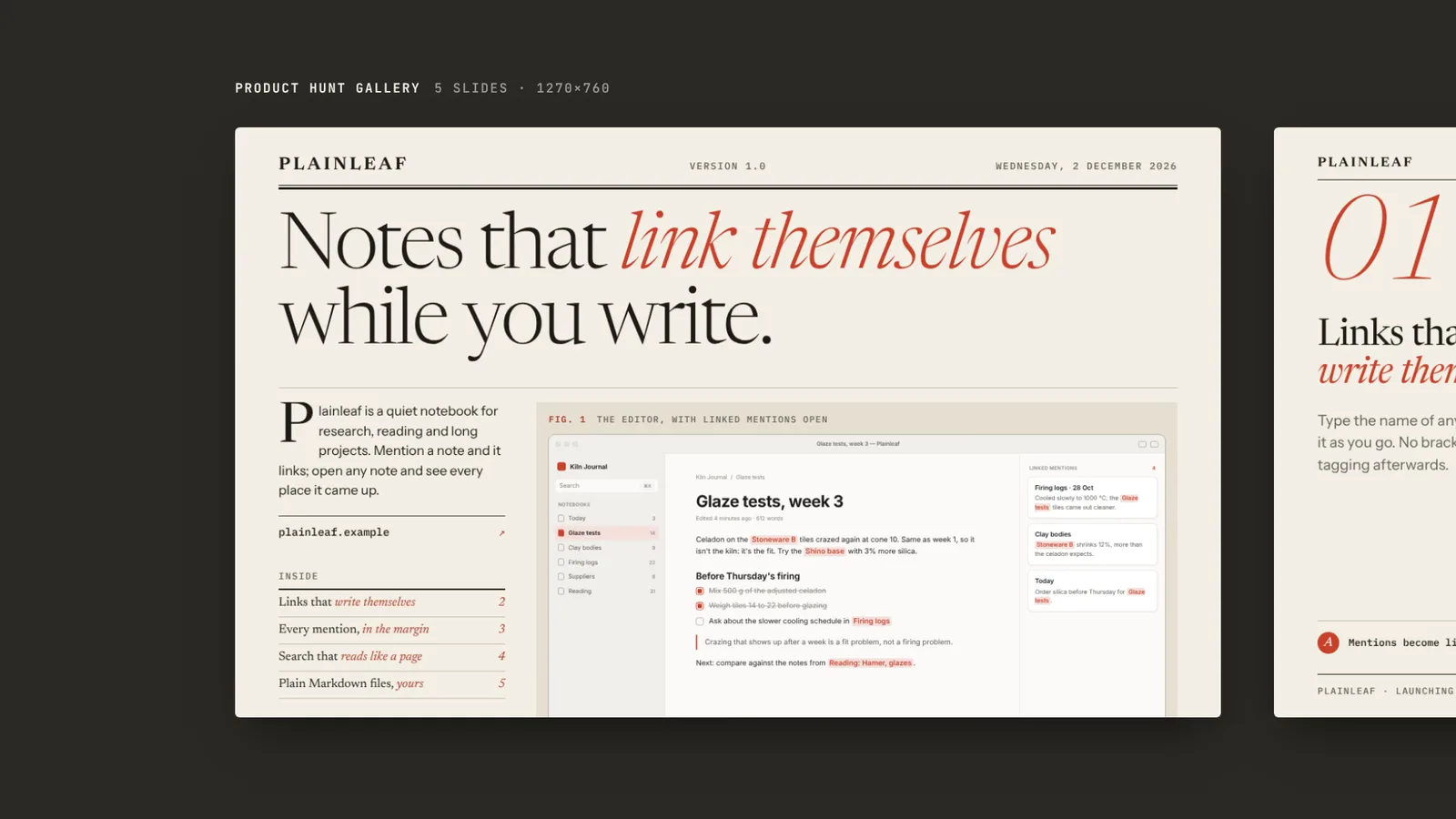
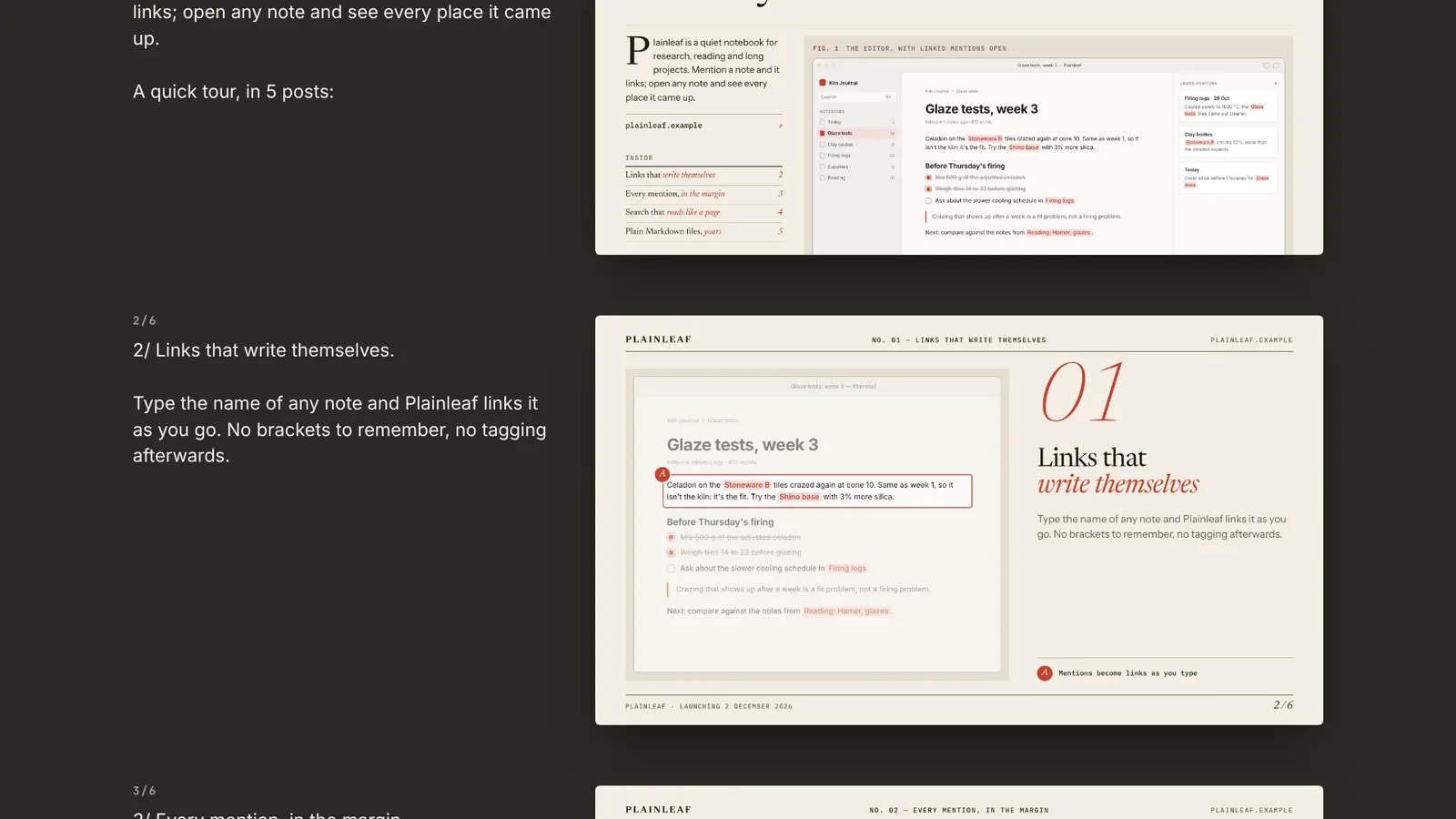
12-second example rendered by this skill from examples/plainleaf · 1280×720
Example settingswhat each example above was built from
examples/plainleaflaunch.json
- Product
- Plainleaf
- Style
- press
- Date
- 2026-12-02
- Colors
- ground #f3eee4 · ink #1c1a17 · accent #c8402a · screen #e6dfd1
examples/tidepoollaunch.json
- Product
- Tidepool T-4
- Style
- signal
- Date
- 2026-12-09
- Colors
- ground #ff7a3d · ink #15110e · accent #2a3cff · screen #f4e7da
What you get
- 3 to 5 Product Hunt gallery slides at 1270×760
- A 240×240 looping thumbnail GIF under 3 MB
- 4 to 6 X thread cards at 1600×900 and the thread text, each post 280 or under
- A 1200×630 Show HN / blog header, and a check that fails on overflow
- Open-source licenses for every part it builds on
Good fit
- Founders launching on Product Hunt and Hacker News in one week get every image in one look from a single file.
- Teams without screenshots yet, or launching hardware, can have the product screens drawn from a few lines of JSON and zoomed to each feature.
- Anyone who has shipped a slide with a cut-off headline can rely on the check, which fails on any text that overflows, leaves the canvas or runs into a screen.
Not for
- Photo-led or illustrated campaign art
- Upvote counts, ratings or testimonial badges (the kit refuses them)
About this skill
A whole launch-day set from one small launch.json: Product Hunt gallery slides and a looping thumbnail GIF, one card per post of an X thread plus the thread itself, and a Show HN / blog header, all in one of two styles, editorial print or bold product UI. Your agent writes the file, renders every piece with Chrome, and the check fails on any text that overflows, runs into a screen or misses contrast.
Example request
Make our Product Hunt and Show HN launch set with the Launch Day Kit from our README and these three screenshots, in the press style, launching 21 November.
How it works
Your agent
- 1
Collect the launch
From the person, their site or their repo: the product name, a tagline of 90 characters at most with one or two words worth marking, a short description (240), the launch day, the address, three to five features (a title of 44 characters and a line of 150 each), what the closing slide asks people to do (
cta), and up to four facts for it (price, platforms, what it imports, when it ships). - 2
Write launch.json
The gallery gets a slide for each of the first three features; the thread gets a card for each of the first four.
- 3
Give every feature a screen
Screenshots. Put them next to launch.json and name them in
screenswithsrc. - 4
Build
It lists every problem in launch.json at once and writes nothing until they are fixed.
- 5
Check, and look
It checks every size, that the GIF is 240×240, under 3 MB, loops forever and doesn't jump at the loop point, that each post is 280 or under by X's count and there's one per card, that nothing reads as a ranking, rating, user count or testimonial, and opens every frame again to audit its text.
- 6
Record the tour film (optional)
A 12-second 1920×1080 film of the set, made from its own files: the gallery pushes past slide by slide, the thread scrolls by post and card, the thumbnail loops beside the header, and everything lands on one contact sheet.
- 7
Hand off
Tell them which features did not get their own slide or card.
- 1
You get
- out/product-hunt/gallery-N.png
- out/x-thread/card-N.png
- out/header.png
- out/index.html
- out/preview.mp4
- out/poster.png
What you need
- Node.js 18 or newer. Nothing to install.
- Chrome, Chromium or Edge, to render (found automatically; set
CHROME_PATHotherwise). - ffmpeg, for the thumbnail GIF and the tour film (
brew install ffmpeg,winget install ffmpeg,apt install ffmpeg, or setFFMPEG_PATH). - Internet access while rendering, for Google Fonts (Newsreader, Instrument Sans, IBM Plex Mono, Archivo, Inter, JetBrains Mono).
Last checked Nov 14, 2026: the package’s own build and render commands ran and passed.
If something goes wrong
"does not fit even at …px: shorten it"
The text is too long for its box at the smallest size the design allows. Shorten that field; the message names it.
"runs into plate" or "runs into stage"
Text reaches a product screen. Shorten the text named, or (press) the description on the cover.
"is 3.9:1 against its background"
A colour combination misses contrast. Deepen
ink, paleground, or pick anotheraccent; the kit already darkens the accent where it is used as text.
What’s in the download
- SKILL.md13.0 KB
- examples/
- examples/plainleaf/4.55 KBthe two examples. The previews on Lookbk are rendered from these. · 1 file
- examples/tidepool/2.32 KB1 file
- kit/
- kit/base.css1.31 KBwhat they share, and the generated screens.
- kit/mock.css9.60 KB
- kit/press.css11.0 KBthe two styles.
- kit/runtime.js12.6 KBruns in every frame: places screens, fits text, audits the frame, poses the thumbnail.
- kit/signal-leader.js1.23 KBdraws the signal style's leader line from the loupe to the screen.
- kit/signal.css9.17 KB
- scripts/
- scripts/kit/
- scripts/kit/cdp.mjs4.90 KBfind Chrome and drive it.
- scripts/kit/color.mjs3.67 KBderives every colour from the theme and keeps text at contrast.
- scripts/kit/mock.mjs6.20 KBthe generated app and device screens.
- scripts/kit/plan.mjs3.71 KBwhich slides and cards are made, and the posts written from the features.
- scripts/kit/render.mjs4.45 KBrenders frames with Chrome and encodes the GIF with ffmpeg.
- scripts/kit/schema.mjs8.30 KBevery field and limit of launch.json, and the claims the kit refuses.
- scripts/kit/templates.mjs12.3 KBthe markup of every piece in both styles.
- scripts/kit/text.mjs2.04 KBdates, escaping and X's character count.
- scripts/build.mjs9.18 KBchecks launch.json and renders the set, the thread, the contact sheet and the manifest.
- scripts/check.mjs7.29 KBchecks a built set: sizes, the GIF's size and loop, the posts, claims, and every frame's text again.
- scripts/chrome.mjs1.02 KBfind Chrome and drive it.
- scripts/record.mjs11.7 KBthe tour film of a built set.
- NOTICE.md1.04 KBfonts and software the kit uses.
- TESTED.json439 B
23 files · 141 KB · installs to ~/.claude/skills/launch-day-kit for Claude Code and ~/.agents/skills/launch-day-kit for other agents
Credits and licenses: NOTICE.md plus any LICENSE files inside the ZIP.
Similar Skills
View allDetails
- Output
- PNG · 1270 × 760, 1600 × 900, 1200 × 630 · GIF 240 × 240
- Needs
- Node.js 18+, Chrome and ffmpeg
- Series
- Social Cards · 4 skills
- Updated
- Nov 17, 2026
- Checked
- Nov 14, 2026: its own commands ran and passed. That is a working check, not a security audit.
Written for
See all 31 agents that read skill folders.
Install guides
For your agent
Generates with
Installed it? Tell others how it went. Reviews come from people who installed this skill.
Write a reviewFAQ
What do I have to bring?
The product name, a tagline, three to five features, a launch date, the address and your colours. Screenshots are optional: without them the kit draws an app window or a hardware panel from the JSON.
Can it add upvote counts, ratings or a Product of the Day badge?
No. The kit never draws rankings, ratings, user counts or testimonials, and the build refuses copy that reads like them.
Will the thread fit on X?
Each post is counted the way X counts it, links as 23 or their own length if longer, and the build and the check fail on any post over 280.
Which agents is Launch Day Kit written for?
Any agent that reads SKILL.md folders, including Claude Code, Codex, Cursor, GitHub Copilot, Gemini CLI and OpenCode.
Do I own what I make with it?
Yes. Everything your agent makes with this skill is yours, including for client and commercial work.
What if it doesn’t work for me?
Email support@lookbk.dev within 7 days of buying and we’ll fix it or refund you.
Credits and licensesWritten by Lookbk
Lookbk wrote this package from scratch: both styles, the generated screens, the fitting and audit, and the GIF and film renderers. Written by Lookbk, no third-party code.
Credits and licenses for the open-source software and fonts it uses are in NOTICE.md inside the download.